How your songs sync between devices
Stage Friend syncs your songs, setlists and gigs by itself whenever you are online, so there is no button to press. It runs when the app starts, when you come back to it, when the connection returns, a moment after you change something, and as soon as someone in your band changes something. How far your songs travel depends on your plan: with Solo Pro or Stage Pro your own bands follow you to every device, while on the free plan your own bands stay on the device you use.
Updated
With your band
When the guitarist changes a chord at home, you want it on your screen before rehearsal. While you are both online with the app open, a change a band member makes shows on your screen within seconds, on every plan. If you were offline, it arrives as soon as you open the app with a connection, so open it once before the gig.
On several devices
Many players edit on a computer at home and play from a tablet or a phone on stage. With Solo Pro or Stage Pro, your own bands follow you to every device you sign in on. On the free plan your own bands are kept on the device you use, while bands others share with you sync on every device. If you upgrade later, the songs you made come to your other devices too, so nothing is lost by starting free.
See that it is synced
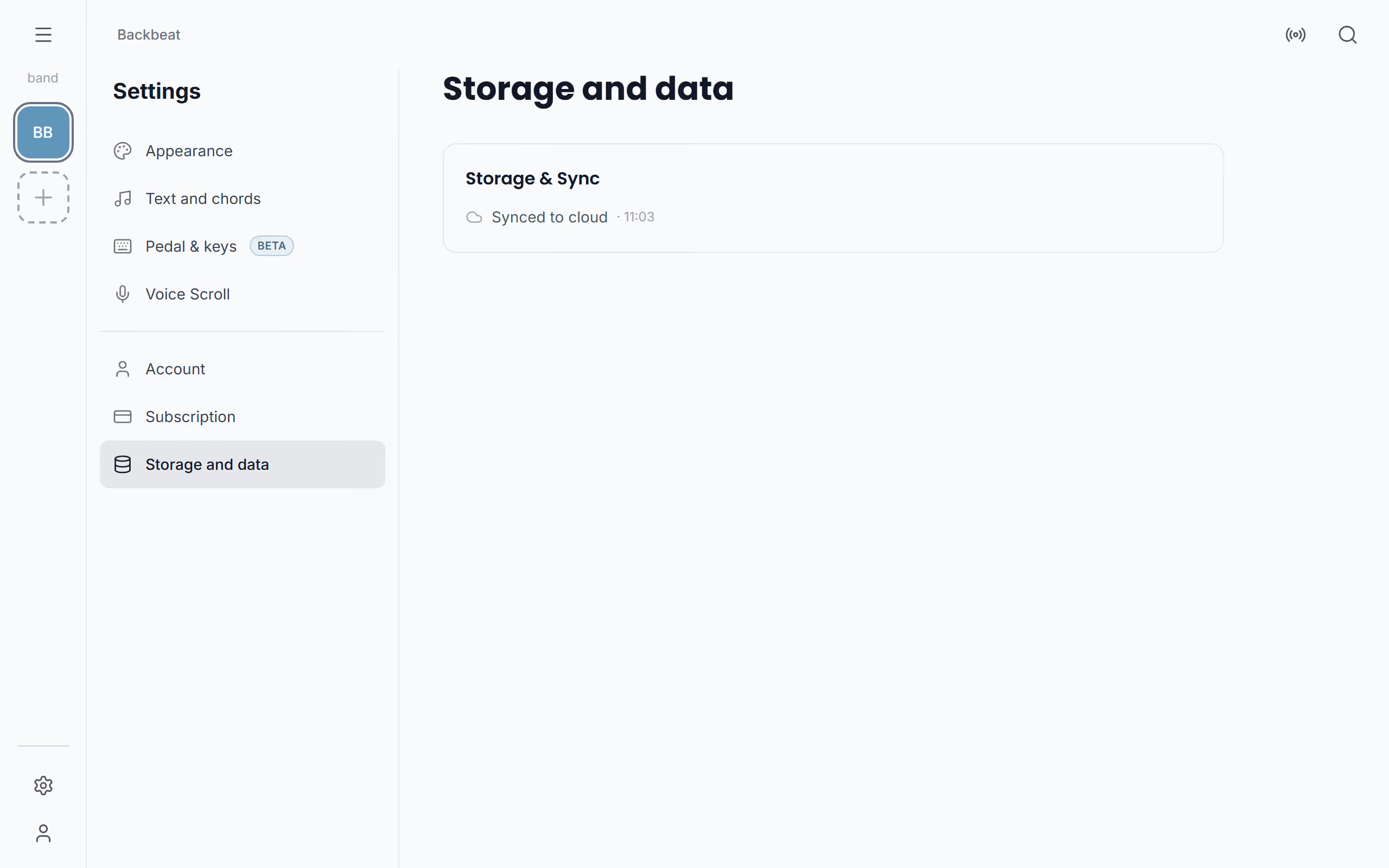
To check before you leave, open Settings and choose Storage and data. With Solo Pro or Stage Pro it shows Synced to cloud and the time of the last sync; on the free plan it shows Local only, because your own bands are kept on this device. If your version is too old to sync, a bar says Update available. and sync waits until you update, without losing anything you changed; see Get the latest version.
When two people change the same song
Sync can't merge two edits of the same song. If two people change one song at the same time, the change that reaches Stage Friend first is kept, and an edit made on an older copy of the song is replaced by it without a warning. So agree on who edits which song before a gig, and after a big change, check that it is still there once your device has synced. Changes to different songs never get in each other's way. To see where your songs are actually stored, and how to keep a copy, read Where your songs are kept.
Questions
- Does Stage Friend sync between my phone and my tablet?
- Yes, with Solo Pro or Stage Pro your songs, setlists and gigs sync between every device you sign in on. On the free plan your own bands stay on the device you use, while bands others share with you sync everywhere.
- Will my band see my changes straight away?
- Yes, band members who are online with the app open see your change within seconds, on every plan. Anyone who was offline gets it as soon as they open the app with a connection.
- What happens if two of us edit the same song?
- When two people edit the same song at once, the change that reaches Stage Friend first is kept and the other edit is replaced. Agree on who edits a song before a gig.