Upgrade, try, change or cancel your plan
Everything about your Stage Friend plan is in Settings under Subscription: upgrading to Solo Pro or Stage Pro, starting a free trial when one is offered, changing or cancelling your plan and restoring a purchase. You can upgrade the week before your first gig and cancel whenever you like, and nothing you made is deleted when a plan ends. What each plan includes and costs is on Plans and prices.
Updated
Upgrade
Most people upgrade when they run into something: a fourth setlist in a band, a third band of their own, or a song they want on the phone as well as the tablet. Tap the locked item and the plans open, with the feature you tapped and the plan that opens it shown at the top. Some locked controls, such as playing a song from Spotify or YouTube, first show a small card saying which plan it's Included in, and Unlock there opens the plans. You can also go straight there: open Settings, choose Subscription and then Choose your plan.
Pick Monthly or Annual at the top; annual costs less. If you're not sure which plan you need, Compare all features shows every feature side by side. On Android you pay through Google Play, and on the web on our payment page. Once the plan is active, your own bands start syncing, and everything you made comes to your other devices, see On several devices.
Try it for free
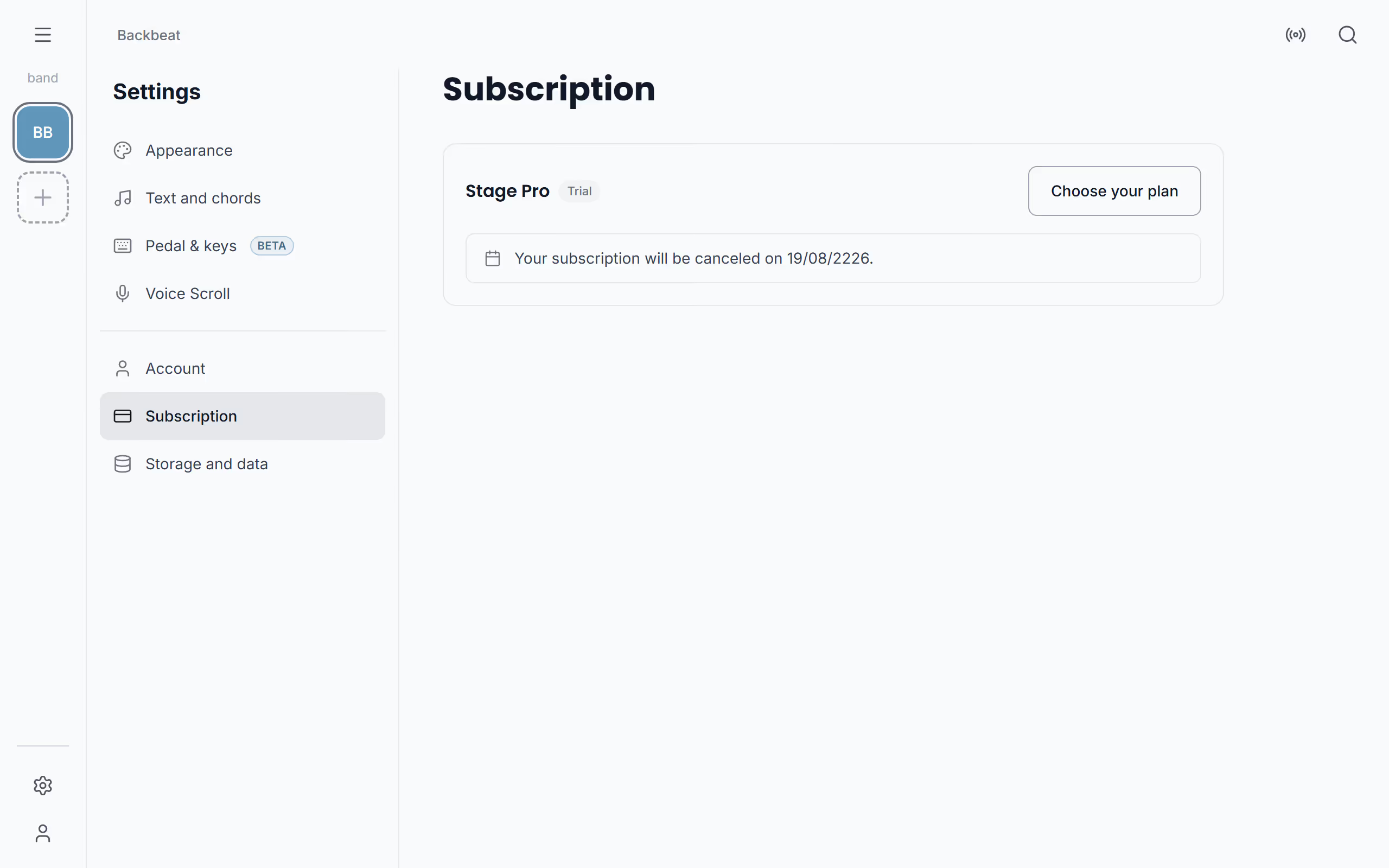
Now and then Stage Friend offers a free trial of a paid plan, so you can try it on a real gig before you pay. When one is offered, a bar at the top of the app says so, and so does Settings under Subscription: choose Start free trial there, and no card is needed. The small card on a locked feature can offer the same trial. While it runs, your plan in Settings shows Trial next to its name, and when it ends you go back to the free plan with nothing you made lost.
If a plan shows a free period when you choose it in Choose your plan, that's different: it's the start of a paid subscription in the store, so cancel it before the free period ends if you don't want to pay.
Change or cancel your plan
To switch between monthly and yearly, change plan, update how you pay or cancel, open Settings, choose Subscription and then Adjust plan. It opens the page where you bought the plan, Google Play on Android or our payment page on the web, and you make the change there.
If you cancel, your plan keeps running until the end of the period you paid for, so a cancelled yearly plan still covers the gigs left in that year. Settings then says Your subscription will be canceled on and the date, with Resubscribe beside it if you change your mind.
Restore a purchase
If you've bought a plan but the app still shows the free plan, for example on a new phone or after reinstalling, ask it to look for your purchase again. Open Choose your plan and choose Restore Purchases at the bottom. Make sure you're signed in to the same Stage Friend account you bought the plan with, since the plan belongs to the account. If it still doesn't show, write to [email protected] and we will help.
When a plan ends
Whether you cancel or a trial runs out, nothing is deleted. Your songs, setlists and gigs stay where they are, and you keep using them on the free plan. Your own bands stop syncing to other devices, the features of the plan are locked until you upgrade again, and the free limits apply to anything new you make, such as a fourth setlist. If you play in a band, What members can do shows what each plan lets a member do with the band's songs and gigs.
Questions
- Can I cancel my Stage Friend plan at any time?
- Yes, you can cancel a Stage Friend plan at any time. It keeps running until the end of the period you paid for, and then you're back on the free plan.
- Do I lose my songs if I cancel?
- No, cancelling a plan deletes nothing. Your songs, setlists and gigs stay, and you keep using them on the free plan, but your own bands stop syncing to other devices.
- If I pay on Android, does my plan work on my computer too?
- Yes, a Stage Friend plan belongs to your account, so a plan bought on Google Play also works in the browser on your computer, iPhone or iPad when you sign in with the same account.