Lyrics on stage: text size, font and line wrapping
You can make lyrics and chords bigger in Stage Friend for one song or for every song, pick a font made for reading on stage, and choose whether long lines wrap. The music stand is rarely where you'd like it, and a song that is easy to read in your hand can be too small a metre and a half away. The standard settings are under Settings, Text and chords, where a preview shows each change as you make it, and a song you zoom on the chords and lyrics page keeps its own size.
Updated
Make one song bigger
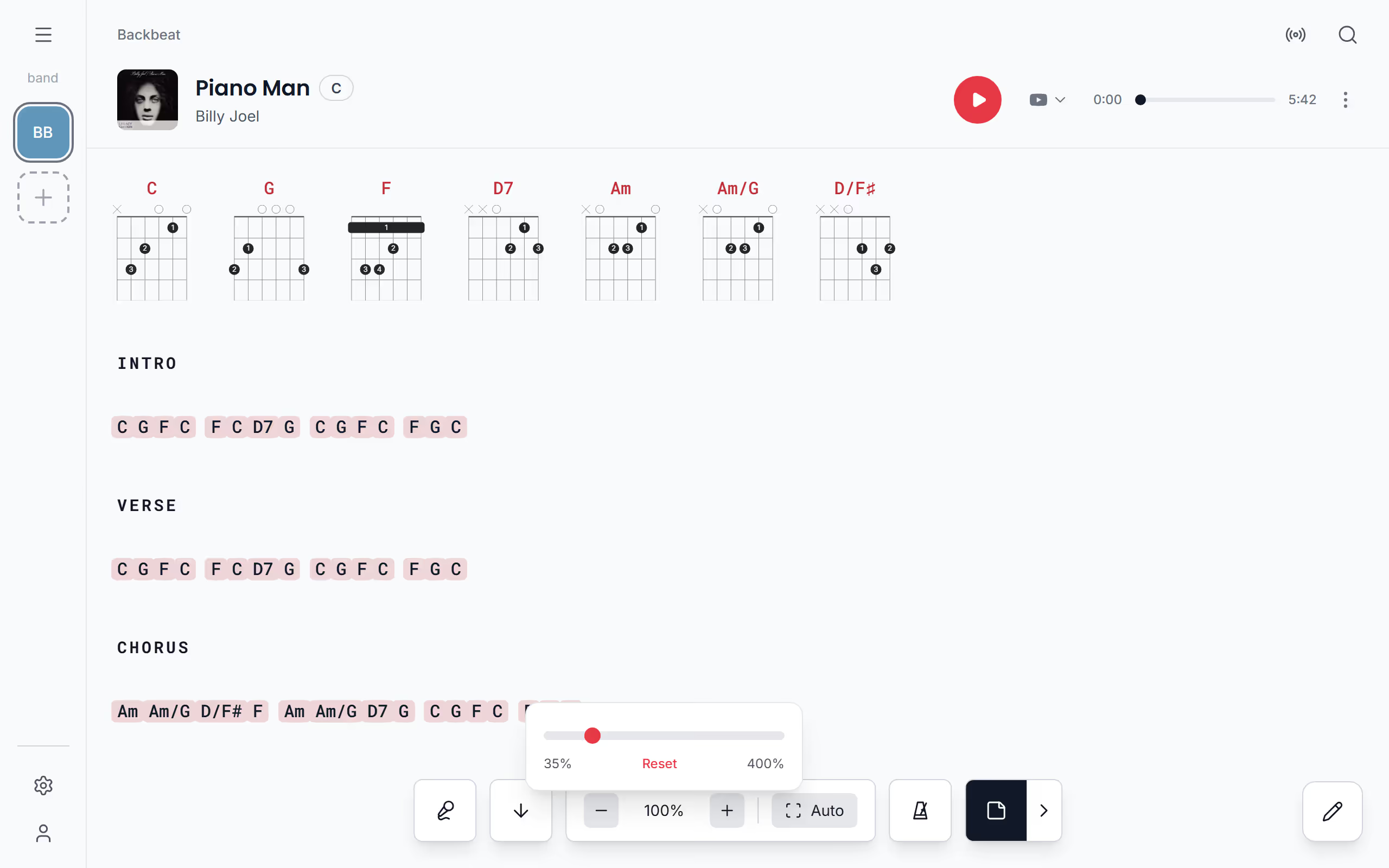
Some songs need more help than others: the one with long verses you only half know, or the chart you read from the floor. Zoom it on the chords and lyrics page and it keeps that size every time you open it, while the rest of your songs stay at your standard size. Tap an empty spot on the page to bring up the controls, then use Zoom in and Zoom out, which change the size a little at a time.
On a phone or tablet you can also pinch the lyrics with two fingers to make them bigger or smaller. On a computer, pinch on the trackpad, or hold Ctrl and turn the mouse wheel over the song.
Starts on a song's chords and lyrics page. Not there yet? See Open a song.
Fit the song to the screen, or pick an exact size
Auto, next to the zoom buttons, fits the text to the width of the screen: the song grows or shrinks until its longest line just fits. On a wide screen it says Auto, and on a phone it is a small icon in the same place. To pick an exact size instead, tap the size: a slider opens from 35% to 400%, and Reset takes the song back to your standard size.
Set the size every song opens at
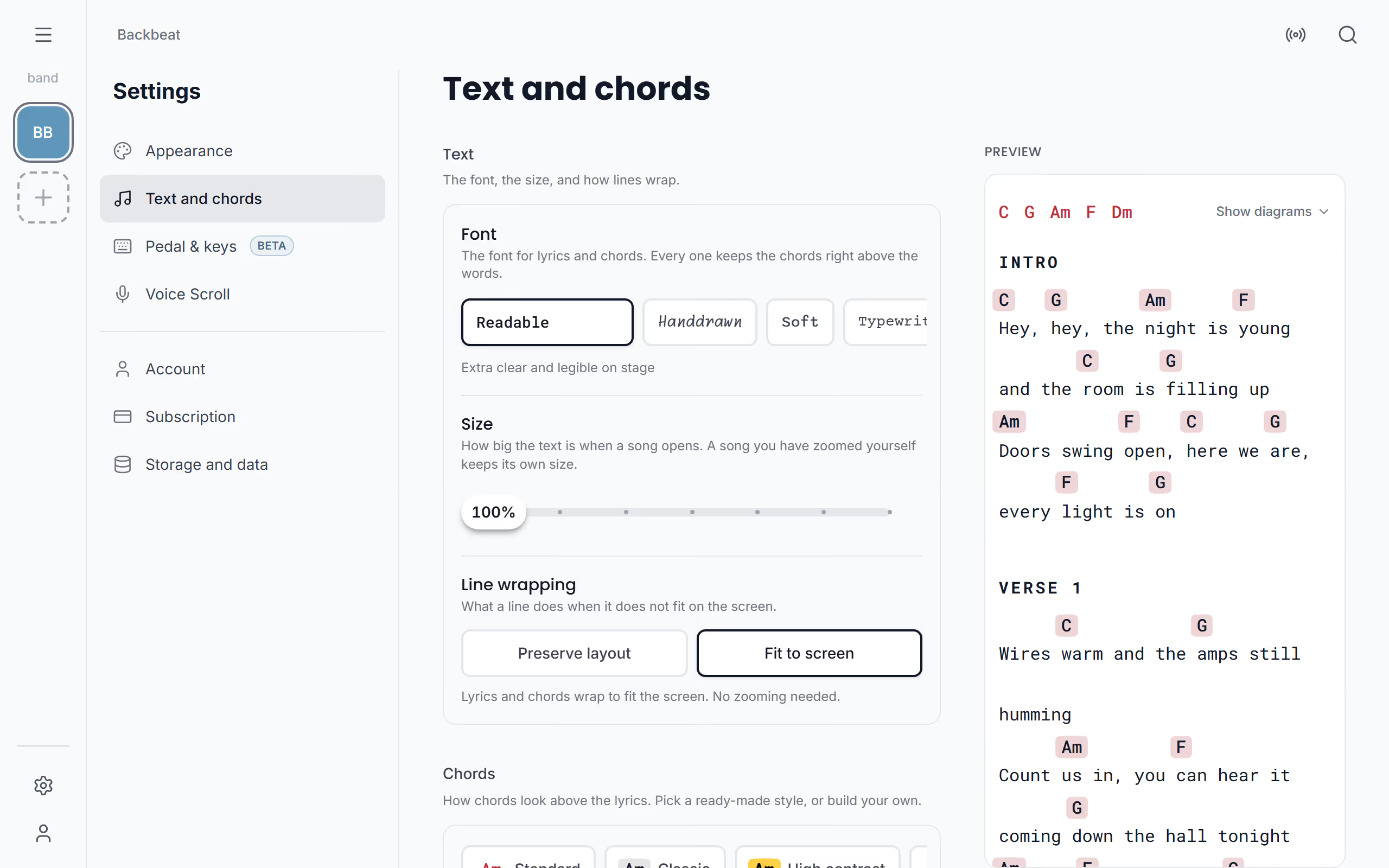
Set your standard size once on each device, so every song opens big enough to read from where you stand. Under Settings, Text and chords, the Size slider changes it while the preview shows the result. Every song opens at this size unless you have zoomed it yourself, and a zoomed song keeps its own size even when you change the standard later.
Starts on Settings. Not there yet? See Open Settings.
Choose a font
The font changes how the whole song reads, chords and lyrics together, and all four keep the chords right above the words they belong to. Readable, the standard, is extra clear and the easiest to read on stage. Handdrawn has a handwritten feel, playful but slower to take in at a glance, Soft is rounded and friendly, and Typewriter gives you the look of a classic chord sheet. Try each one in the preview before you settle.
Wrap long lines, or keep the layout
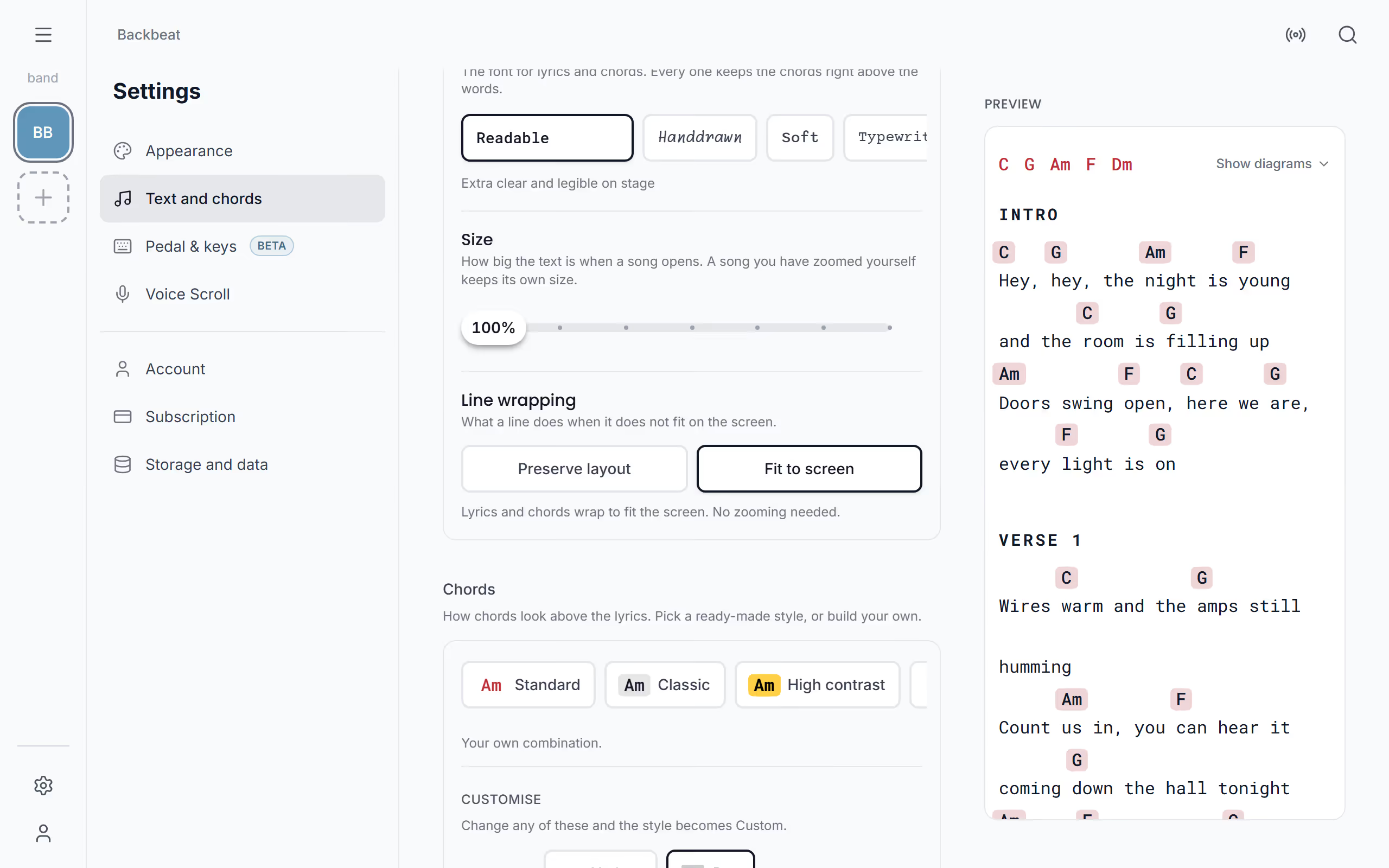
Long lines are where a phone and a printed chord sheet differ most. Fit to screen, the standard, wraps a long line at the edge of the screen, chords and all, so you never scroll sideways. Preserve layout keeps every line exactly as written, so a line wider than the screen runs off the edge until you zoom out; tap Auto on the song to make the longest line fit. Choose it for songs where the line breaks matter, such as a chart written out in bars, and remember you can set it for one song only, where it is called Layout. Once the text reads well, make the chords stand out with a chord style of your own.
Questions
- Is the size the same on my phone and my tablet?
- No, each device keeps its own sizes, so a song can be large on the phone and normal on the tablet.
- How big can the text get?
- A song in Stage Friend can be zoomed from 35% up to 400% of its normal size. Auto fits it to the width of the screen instead.