The chords and lyrics page: everything about one song
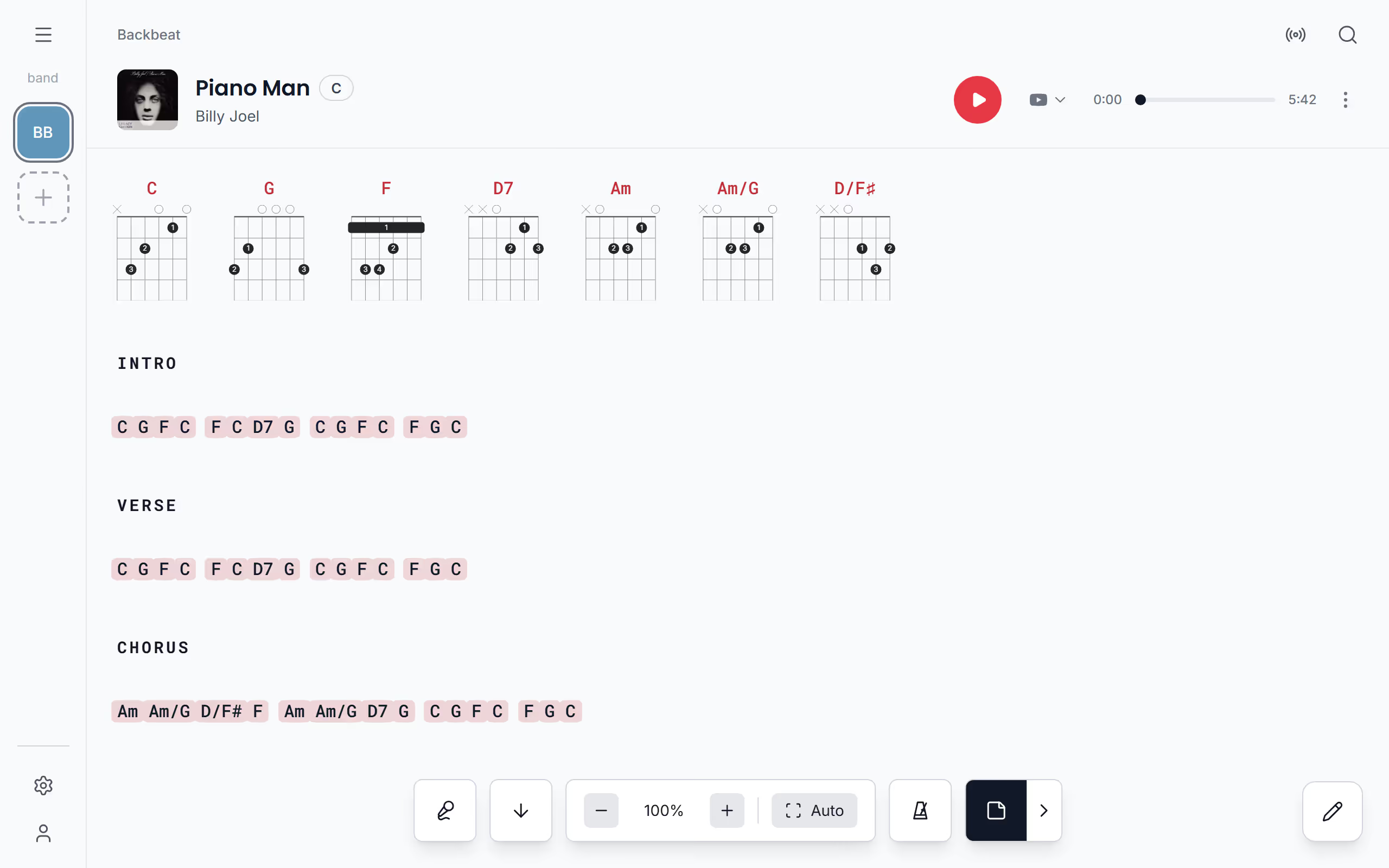
The chords and lyrics page is where every song opens in Stage Friend: the chords right above the words, big enough to read from a music stand or a tablet on the floor. It's the page you play from, so the controls stay out of the way until you ask for them. Each tool on the page, like transpose and autoscroll, has its own page in this help.
Updated
What is on the chords and lyrics page
On stage you want the song and nothing else, so the controls hide until you need them. Tap the song to show them, and tap again to hide them, which gives the song the whole screen; left alone, they fade away by themselves after a few seconds. The first time you open a song, a short tour shows you where everything is. Every control has its own page in this help: transpose for a new key, chord diagrams for how to play a chord, autoscroll and Voice Scroll to keep the lyrics moving, the metronome for the count-in, playing the song from Spotify or YouTube, and editing it.
Swipe to the next song
Going from one song to the next, at rehearsal or in a set, is a swipe rather than a trip back to a list. Swipe left on the chords and lyrics page for the next song and right for the one before. A swipe follows the list you opened the song from, which means a song opened from a setlist takes you through the set in order, one from your song list goes on through the library, one from an artist goes on through that artist's songs, and one from a gig's votes or requests follows that list.
On a computer the right and left arrow keys do the same, and with a page turner pedal you can change song without touching the screen at all.
Set the song's length
A song's length does two jobs in Stage Friend: it times your sets and it sets the pace of autoscroll. To set it, open the song's three dots on the chords and lyrics page, choose Set length and type the minutes and seconds. A song added from the web gets its length from Spotify, so you only need to change it if you play the song longer or shorter than the record. Set length is there when you can edit the band's songs.
Setlists and gigs add up the lengths into the running time of each set, and a gig's setlist can show when each song starts, so you can tell whether the first set fits before the break. Autoscroll takes as long as the song: a 4:00 song scrolls from the first line to the last in four minutes, which is why a length that matches the way you play it keeps the lyrics in step.
A song you write yourself has no length until you set it. Until then autoscroll uses 3:30, a typical song, and the set times leave it out, so set it before you rely on the running time of a set.
Starts on a song's chords and lyrics page. Not there yet? See Open a song.
See who wrote a song
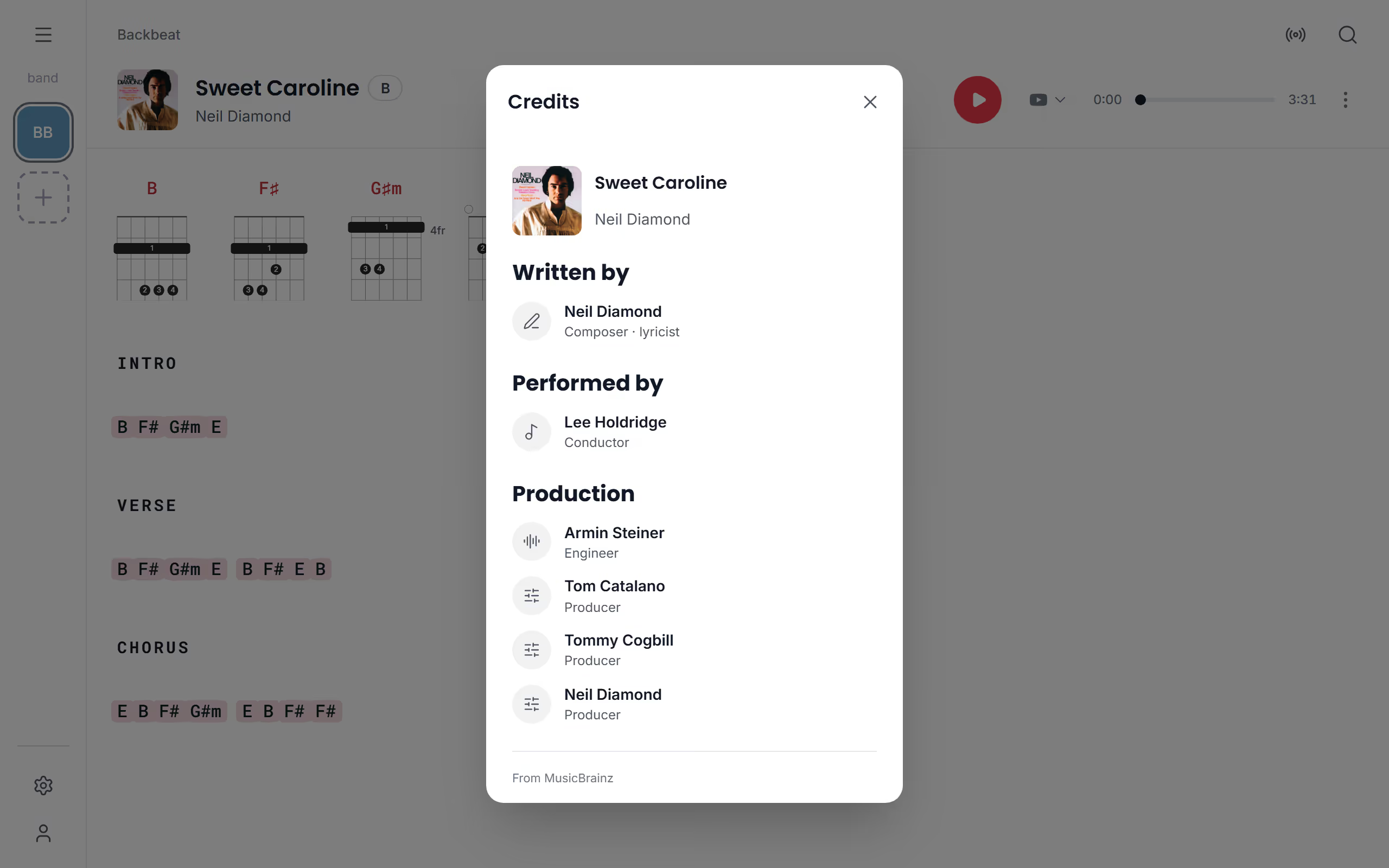
Sometimes you want to know who wrote a song, for the announcement between songs or just because. In a song's three dots, View credits shows who wrote it under Written by, who plays on the recording and on what under Performed by, and who produced it under Production. The same row is in the three dots of a song in your lists. The credits come from MusicBrainz, an open music database, for songs linked to a recording on Spotify, so some songs have fewer than others and a song you wrote yourself has none. From the same three dots you can go to the artist and explore the rest of their songs.
Questions
- Why does autoscroll go too fast or too slow?
- Autoscroll follows the song's length, so a song that scrolls at the wrong pace usually has the wrong length set. Set the length you actually play with Set length, or make it faster or slower while it runs, see Set the scrolling speed.
- Can I hide the chords or the lyrics?
- Yes, chords, lyrics and chord diagrams can each be shown or hidden on the chords and lyrics page. Set it for every song under Show chords and diagrams, or for one song with Display in its three dots, where Chords, Lyrics and Chord diagrams switch on and off.