The chord editor: add, change and remove chords
The chord editor builds any chord with a few taps: the note, the kind of chord and what to add to it, from a plain G to a D/F# or an E7#9. It opens when you add a chord or tap one while you're editing the song, and the song changes as you tap, so you see the chord in place before you move on. A chord has no save of its own: it's kept or thrown away with the rest of your edits when you tap Save or Cancel. On a computer or a tablet the editor opens beside the chord, and on a phone it slides up from the bottom of the screen.
Updated
Add a chord
Most charts need a chord added somewhere, a passing chord the web version missed or the whole chart of your own song. While editing, tap in the text where the chord goes, then Chord tool, the note button in the toolbar or in the small toolbar that appears when you select words. A chord in the song's key appears there, and the chord editor opens so you can change it to the one you play.
If you typed a chord as plain text, select it and tap Chord tool to make it a real chord, one that moves when you transpose. For a whole song typed that way, Sprinkle Chords does every chord at once, and to give a verse the chords of another, paste them onto its lyrics. To change a chord that's already there, tap it while editing and the chord editor opens on it.
Pick the note and the kind of chord
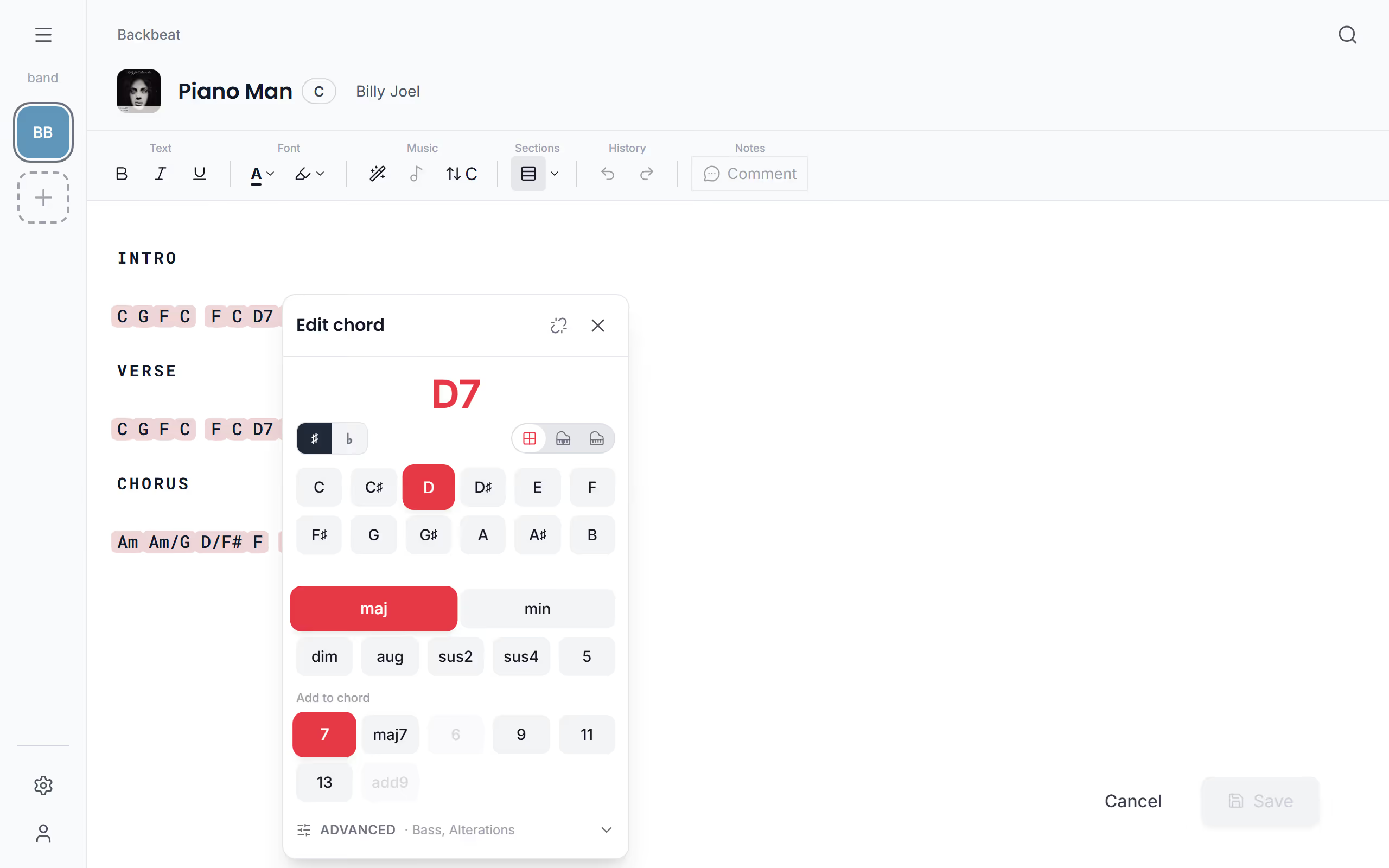
Building a chord follows the way you'd say it out loud. Pick the note first, then the kind of chord: maj, min, dim, aug, sus2, sus4 or 5 for a power chord. Add to chord then adds 7, maj7, 6, 9, 11, 13 or add9, and choices that don't fit the chord are greyed out, so you can't build one that makes no sense. The ♯ and ♭ buttons at the top, Sharp and Flat, decide whether the chord is spelled C# or Db, to match the way your band reads it.
Slash chords and altered chords
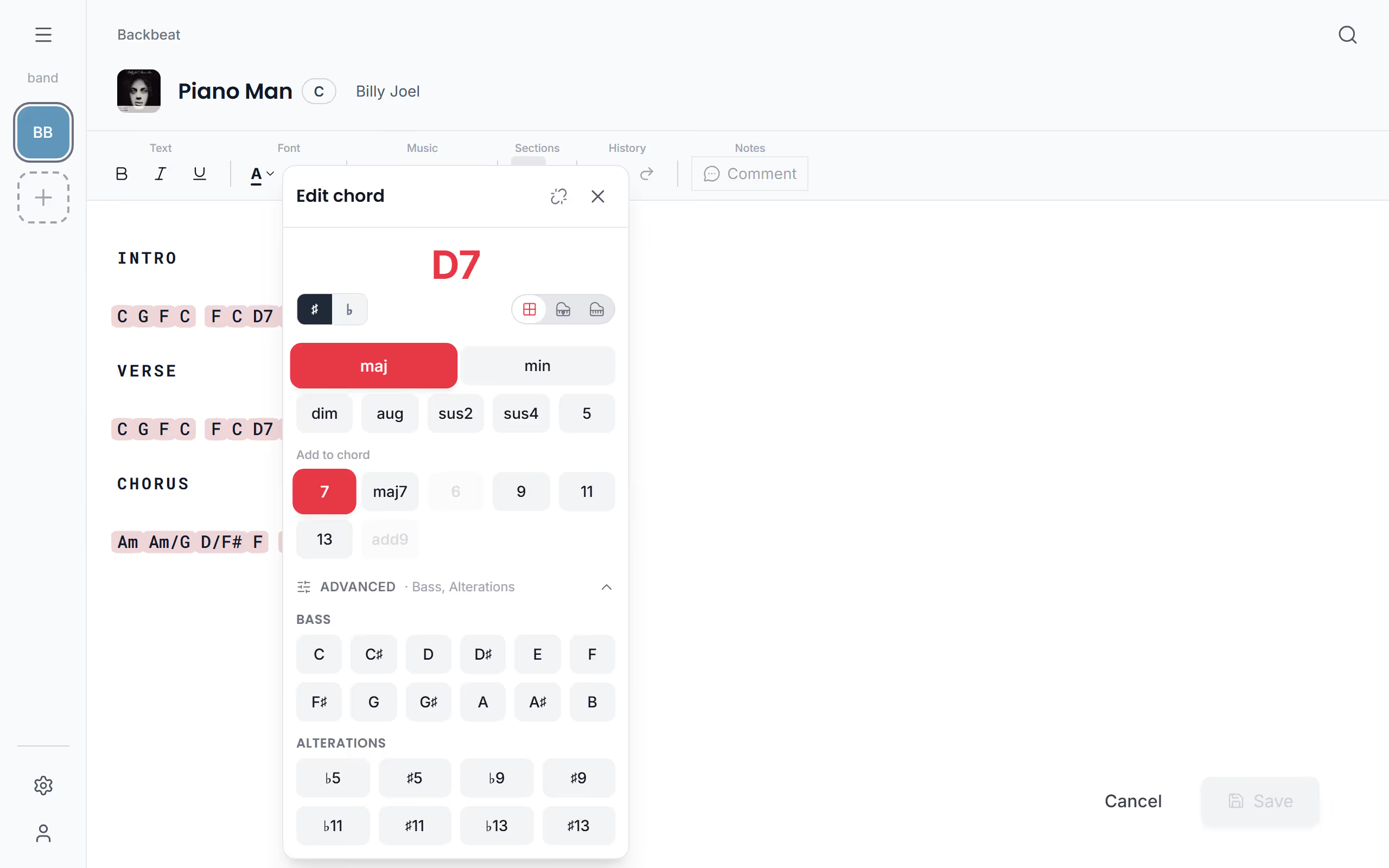
Some songs live on their bass line, and a slash chord says which note the bass plays. Open Advanced for Bass, the note after the slash in a chord like D/F#, and for Alterations: b5, #5, b9, #9, b11, #11, b13 and #13, the colours a jazz or funk chart asks for. Alterations that clash with the chord, like a sharp fifth on a sus chord, are greyed out the same way.
Build a chord on the piano
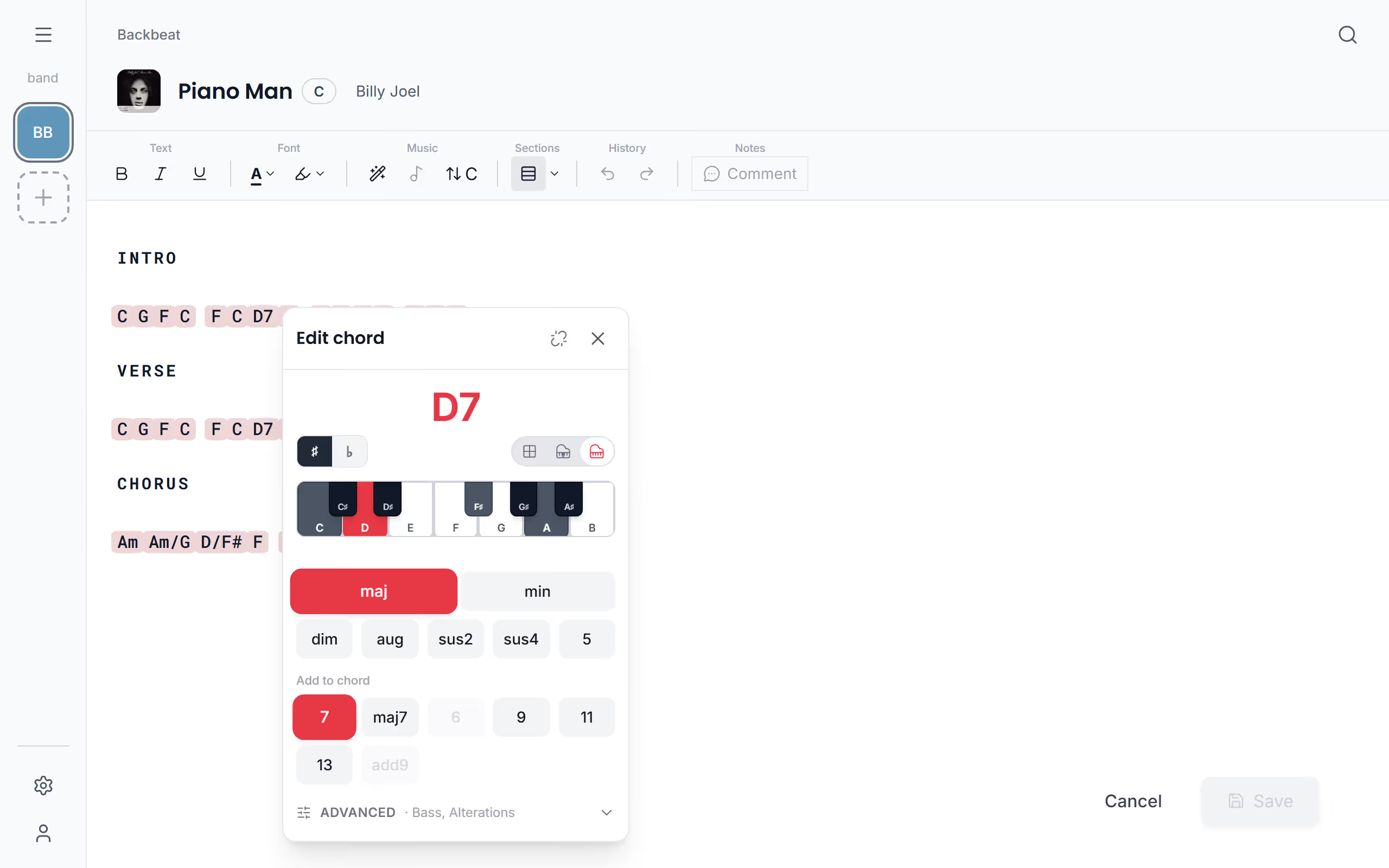
Keyboard players often think of a chord as the keys under the hand rather than a name, and the note picker starts that way: a piano with only the root marked. You can switch it to show the full chord, where the keys of the whole chord light up as you build it, or to the Note grid, two rows of note names. Stage Friend remembers which one you like, so the editor opens that way next time.
Move a chord to another word
A chord on the wrong syllable throws the singer off. While editing, drag the chord to the word it belongs on, and it stays tied to that word from then on, also when the line wraps or the text gets bigger. With a mouse, press the chord and move it; a plain click opens the chord editor instead. On a phone or tablet, press and hold the chord until it lifts, then drag.
Turn a chord back into text
If a chord shouldn't be a chord, like an A that is really the word a, turn it back into text. Remove chord in the chord editor's header does that, and so does Chord tool with the cursor on the chord. A chord you've changed also has Reset, which puts it back the way it was, handy when you've tried a few and liked the first one best. When the chords are right, check the shapes in the chord diagrams, or save and print the chart.
Questions
- Can I write slash chords like D/F#?
- Yes, the chord editor writes slash chords. Open Advanced and pick the Bass note, the note after the slash.
- Which chords can the chord editor make?
- The chord editor makes major, minor, diminished, augmented, sus2, sus4 and power chords, with 7, maj7, 6, 9, 11, 13 or add9 added, altered fifths, ninths, elevenths and thirteenths, and any bass note after a slash.
- Do I have to use the chord editor to add chords?
- No, you can also type chord names as plain text and turn them all into chords at once with Sprinkle Chords. The chord editor is for fine-tuning a chord afterwards.