Autoscroll lyrics and chords while you play
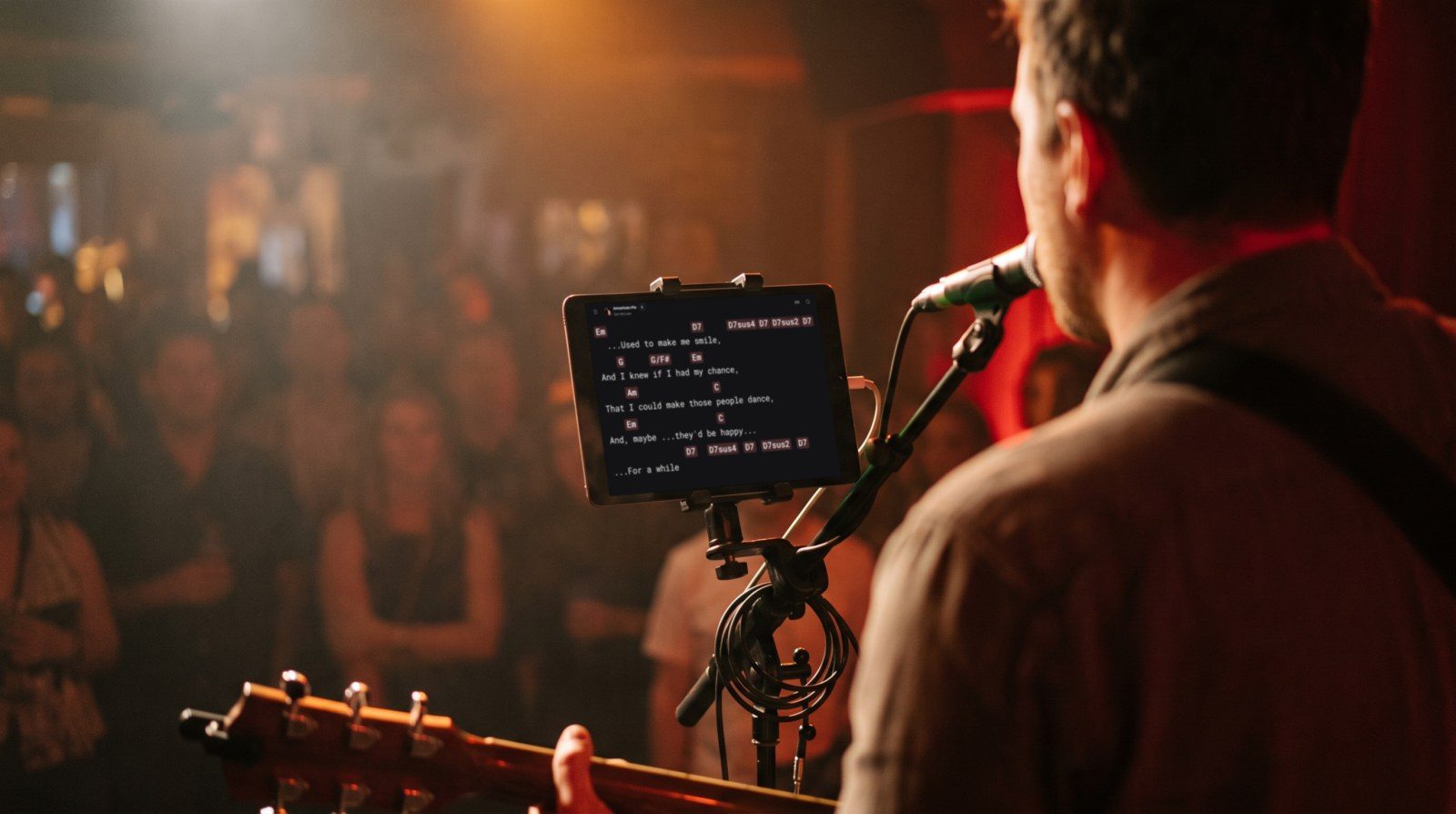
Autoscroll rolls the chords and lyrics slowly up the screen while you play, like a teleprompter, so the next lines are always in view. It takes its pace from the song's length, so a four-minute song takes about four minutes to roll from top to bottom, and you can make it faster or slower for each song. It's for the moments when both hands are busy and nobody is there to turn the page, like a solo set or a busking pitch. Autoscroll works on every plan, including the free one.
Updated
Start autoscroll
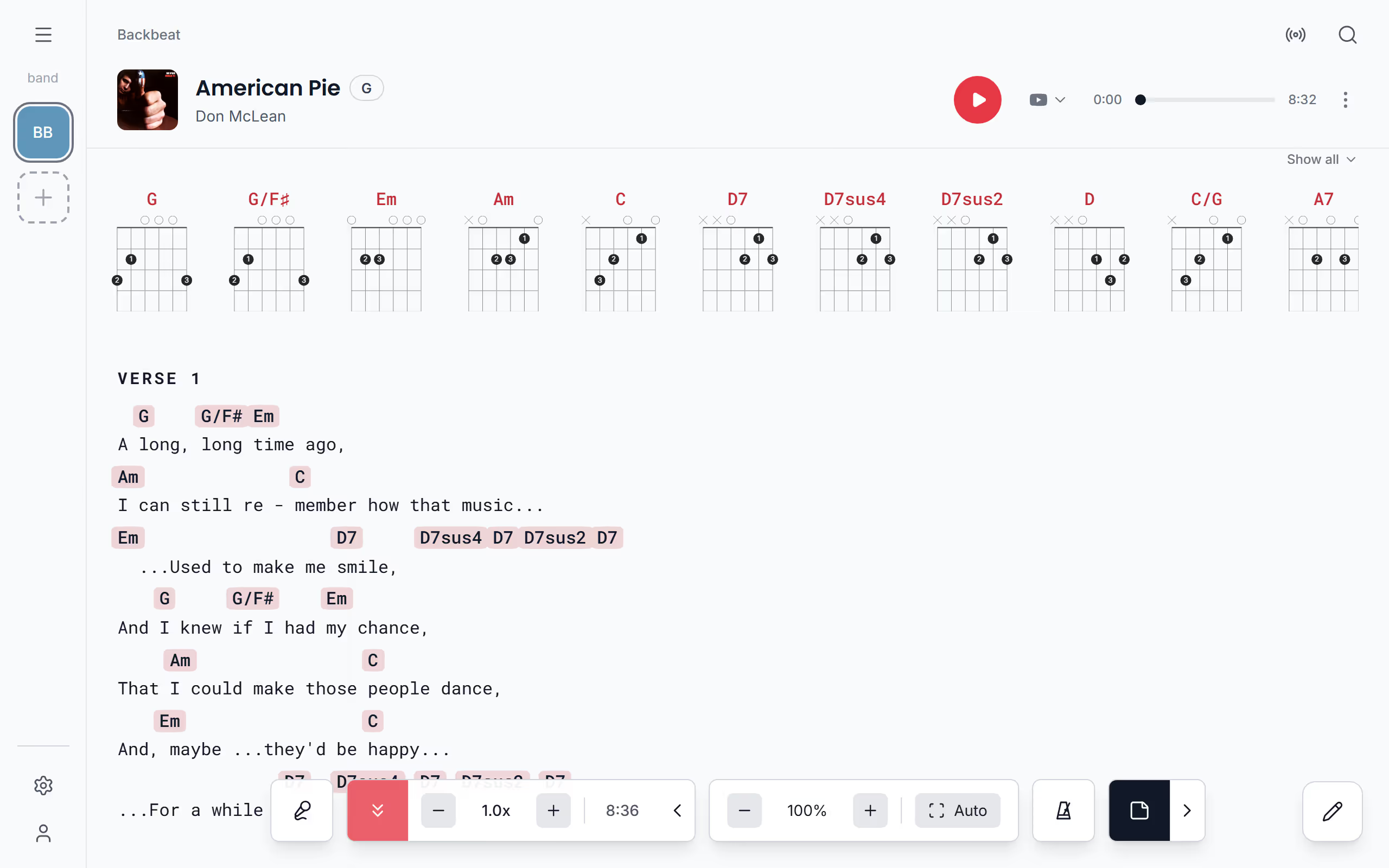
Start autoscroll as the song begins, or a bar before the first verse if you like a little lead. The controls on the chords and lyrics page hide after a few seconds so the lyrics get the whole screen, which is why the first tap on an empty spot brings them back. Then tap the arrow pointing down, Start autoscroll, and the lyrics move by themselves until the last lines are on screen, where autoscroll stops on its own. Tap the same button again to stop it sooner.
It also stops when you swipe to the next song, so a new song never starts rolling before you're ready, and when you start editing the song. Starting it turns off Voice Scroll, since only one of them can move the page at a time. If your hands are full, a page turner pedal or a key can start and stop it too.
Set the scrolling speed
The speed starts from the song's length: a 4:00 song takes about four minutes to scroll from the first line to the last. That's usually close, but a long intro or a jam at the end can throw it off, so set the length to change the starting point for good. A song without a length uses the length Spotify has for it, and if it has neither, autoscroll assumes 3:30 so it always moves.
To adjust it while you play, tap the small arrow that appears beside autoscroll once it runs. It opens the speed, with minus and plus to make it a tenth slower or faster for this song, and beside them the time the whole scroll will now take, which makes it easy to match a recording. Tap the speed itself for a slider from 0.5x to 3.0x, where Reset takes you back to the song's own pace. The speed you choose is kept for that song on this device, so it's ready the next time you play it.
Scroll yourself while it runs
Sometimes you want to glance back at a verse, or skip past a long solo. Scroll with your finger or the mouse wheel at any time: autoscroll waits while you do, then carries on from wherever you left the page, about a second and a half after the page has stopped moving. A step from a page turner pedal or the arrow keys works the same way, with an even shorter pause, so a pedal step and autoscroll can share a song without fighting over it.
Start it with a page turner pedal
When your hands are already on the guitar at the count-in, a pedal can start autoscroll for you. No pedal key does it out of the box, so in Pedal & keys, give Start or stop autoscroll a key of your own, and the same press stops it again. Any key on a computer keyboard works the same way. It works while the controls are hidden, and a short message says Autoscroll on or Autoscroll off, so you know the press came through. From there, the foot pedal page shows how to scroll and change songs with the same pedal, and Play a setlist shows how to move through a whole set.
Questions
- Does autoscroll stop at the end of the song?
- Yes, autoscroll stops by itself when the last lines are on screen, and it also stops when you swipe to another song.
- Is the autoscroll speed saved for each song?
- Yes, the speed you set is kept for each song on the device you set it on. To change the starting pace everywhere, set the song's length instead.
- Can autoscroll and Voice Scroll run at the same time?
- No, only one of them moves the page at a time, so starting autoscroll turns Voice Scroll off, and the other way round.
- Is autoscroll free in Stage Friend?
- Yes, autoscroll works on every plan, including the free Jammer plan.