Song draw: let Stage Friend pick the next song
The song draw in Stage Friend picks the next song for you at random, with a short game while it spins. It's for the moment at rehearsal when nobody wants to choose, and for gigs where the crowd likes a bit of suspense, since the draw fills the screen and can also play on a TV or projector at the venue. At a gig it leaves out the songs you've already checked off as played, so a song you've done can't come up again.
Updated
Start a draw
A draw starts from where you're playing. At a gig, open the gig's three dots in the menu and choose Draw a song; for rehearsal, tap Draw at the top of the rehearsal list. There need to be at least two songs to draw from.
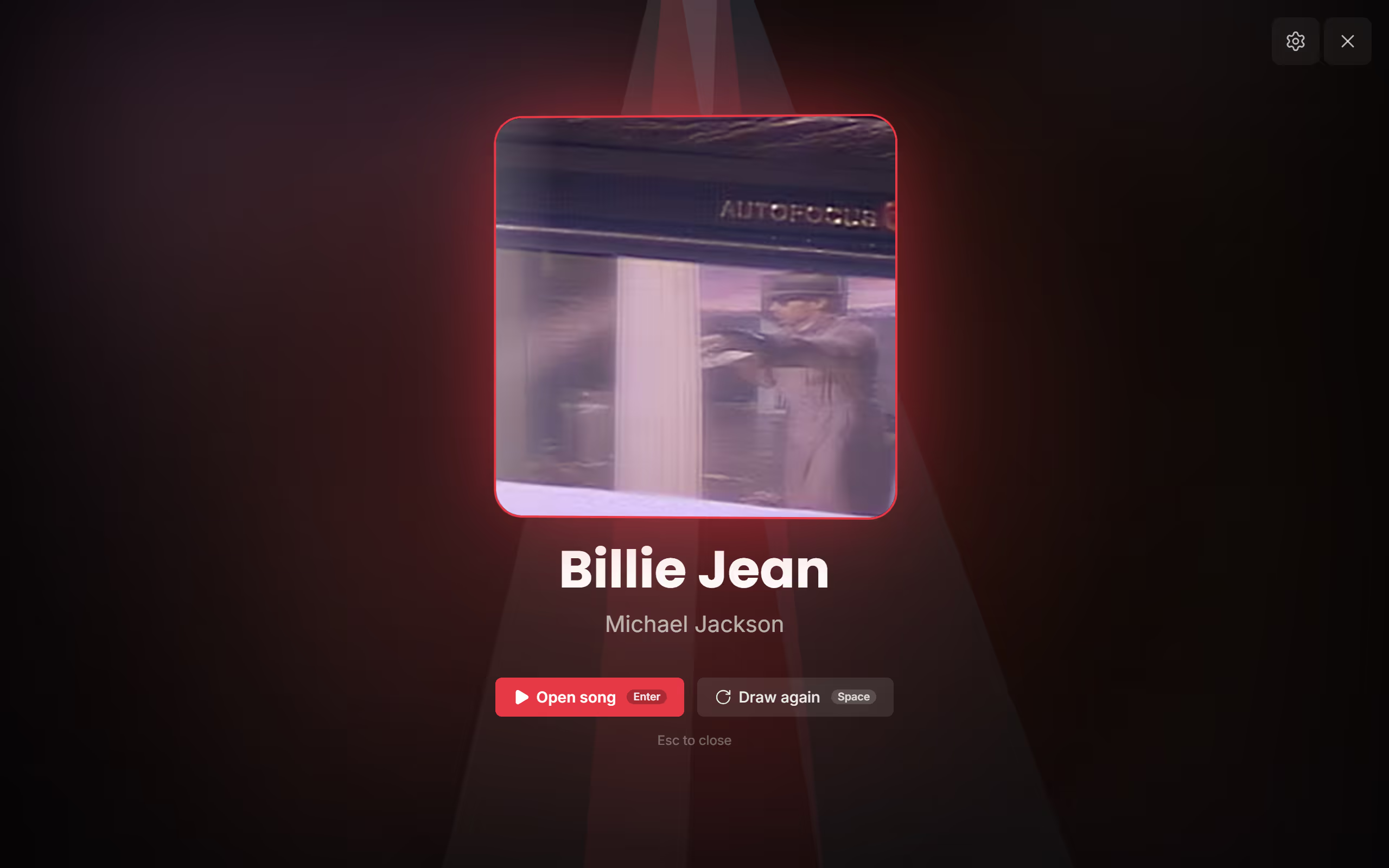
The draw spins through the songs until you tap anywhere or press space, then slows down and lands on one. From there, Open song takes you straight to its chords and lyrics, and Draw again spins once more if the room wants another go; with a keyboard, Enter opens the song and space draws again. The draw only picks: at a gig, you check the song off yourself once you've played it.
To show the draw to the room, open the Control Room in the draw and start broadcasting: any browser at the venue, on a smart TV or a laptop on the projector, can join with a code and plays every draw in sync.
Choose the game and what to draw from
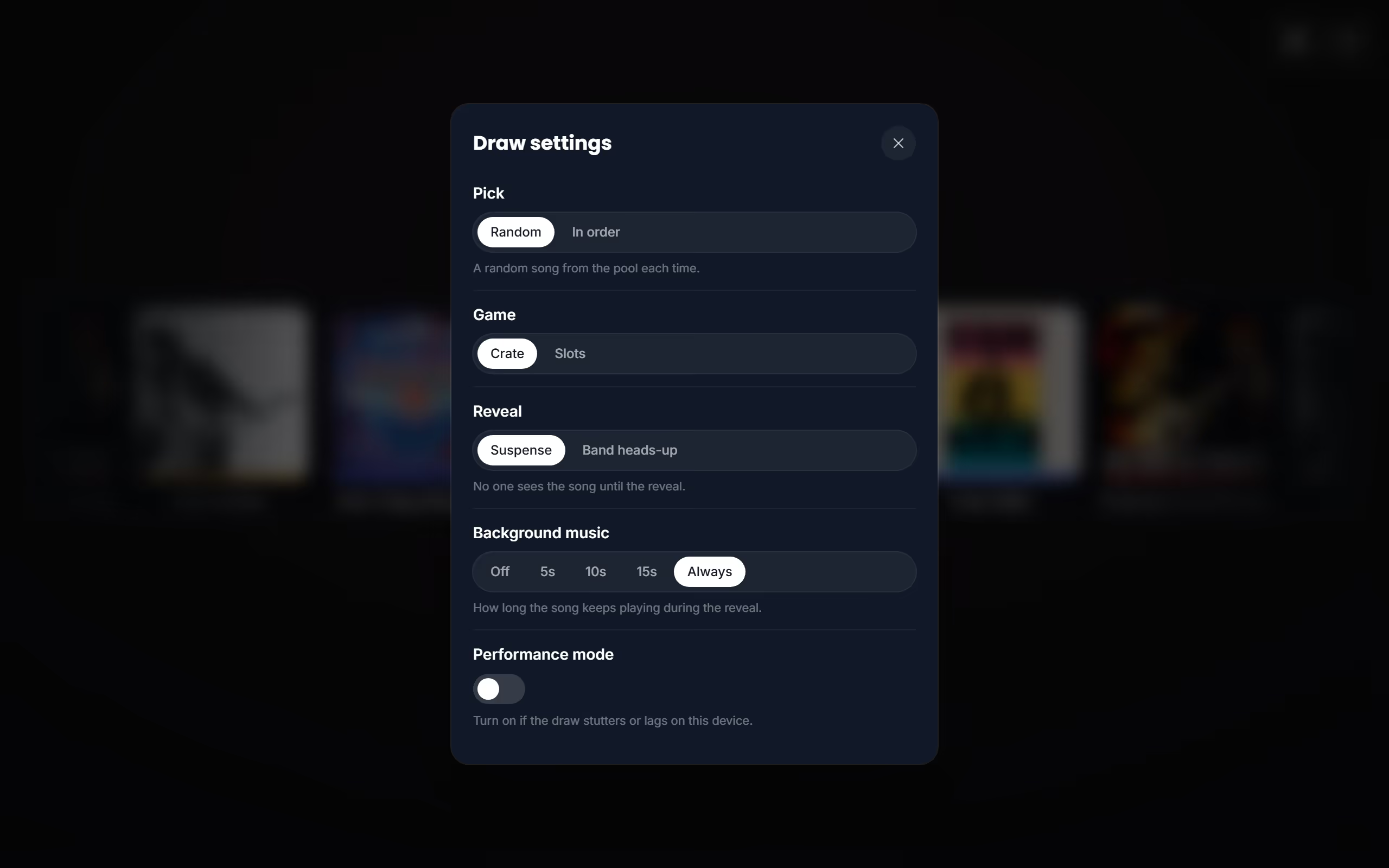
The gear in the draw opens Draw settings, and your choices stay on that device for the next draw. Pick is either a Random song or the next song In order. Game is Crate, a reel of songs that flies by and stops on the winner, or Slots, three reels where three in a row wins. Reveal chooses between Suspense, where no one sees the song until it lands, and Band heads-up, where the band sees it first so you can get ready; a pick in order always gives the heads-up.
Background music plays the winner's own clip during the reveal, for a few seconds or the whole time, and Performance mode is the one to turn on if the draw stutters or lags on an older device. A setlist with two or more sets also lets you choose under Sections which sets to draw from, so you can keep the encore out of the first half. Before the gig, it's worth a look at the gig page to see the night's setlist and its times.
Questions
- Can the same song come up twice?
- At a gig, a song you've checked off as played is left out of the draw, so it can't come up again. Until you check it off, Draw again can land on the same song, since each draw picks at random.
- Can I draw from a regular setlist?
- Not from a plain setlist's menu: the draw starts from a gig's setlist or from the rehearsal list. While you broadcast to a big screen, the Control Room can draw from any setlist or your whole library under Draw from. To draw from a set at a gig, create a gig and fill its setlist.