Take song requests from your audience
Song requests let guests ask for any song from their own phones, also songs you don't have yet, by searching Spotify on your gig's page. Each request comes to the gig page with the guest's greeting, so there are no notes passed to the stage and no shouting over the monitors. You decide what to do with each one: play it, add it to the setlist, or mark it as reviewed and move on. Requests are part of Stage Pro, together with audience voting.
Updated
Turn on requests
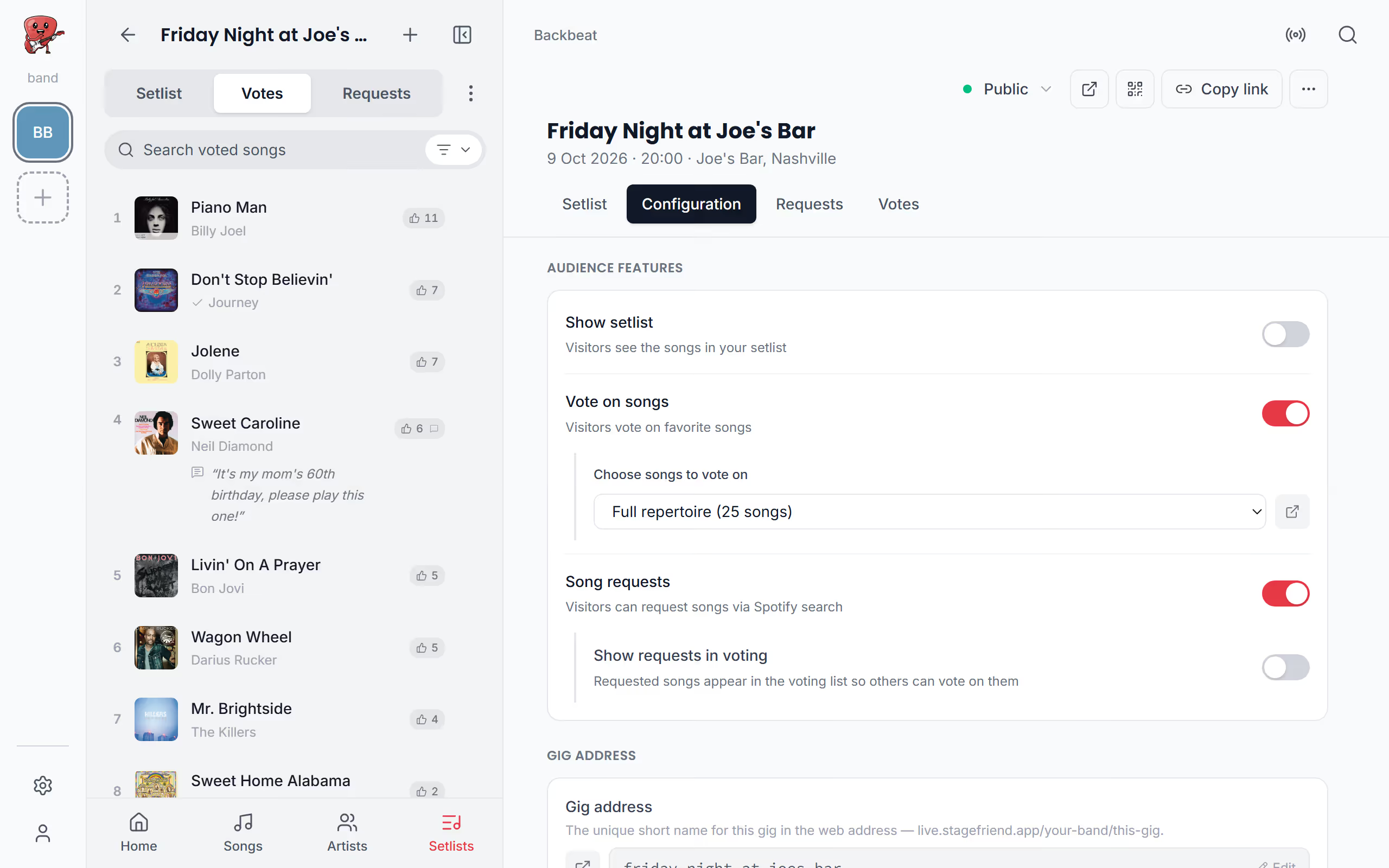
Requests are worth turning on when the crowd likes to ask for things you might not expect, such as a wedding party or a birthday. Like voting, they need the gig to be public. Under Configuration, turn on Song requests. Without voting, the gig's page gets a Spotify search of its own; with voting on, guests search the voting list, and when the song isn't there, the same search offers it from Spotify.
If voting is on as well, Show requests in voting puts each requested song into the voting list with the guest's own vote, so other guests can vote it up. That way a request from one table can become the room's choice. The band's Votes list only shows songs in your library, so a requested song stays under Requests until you add it.
See the requests
During the gig, Requests on the gig page and in the menu on the chords and lyrics page shows the requests, each with the greeting the guest wrote, and new ones turn up within half a minute. They're split into New and Reviewed, so the ones you haven't looked at stay on top. For a song you don't know yet, Open in Spotify lets you hear it, and Add to setlist puts it in the gig's setlist if it's one to play, adding the song to your library first if it isn't there. A request for a song already in your library opens with its chords and lyrics, like any song in the menu.
Once you've decided about a request, Mark as reviewed moves it out of the way, and Undo review brings it back. To see the request form from the other side, read Request a song in the guest view.
Questions
- Can guests request songs that aren't in my library?
- Yes, guests search all of Spotify, so they can request any song, also ones you don't have in Stage Friend yet.
- Can I take requests without audience voting?
- Yes, song requests and voting are separate settings, so you can take requests with voting turned off.
- Can a guest take back a request?
- Yes, guests see their own requests under My requests on the gig page, where they can change the greeting or remove the request.