Metronome with tap tempo for every song
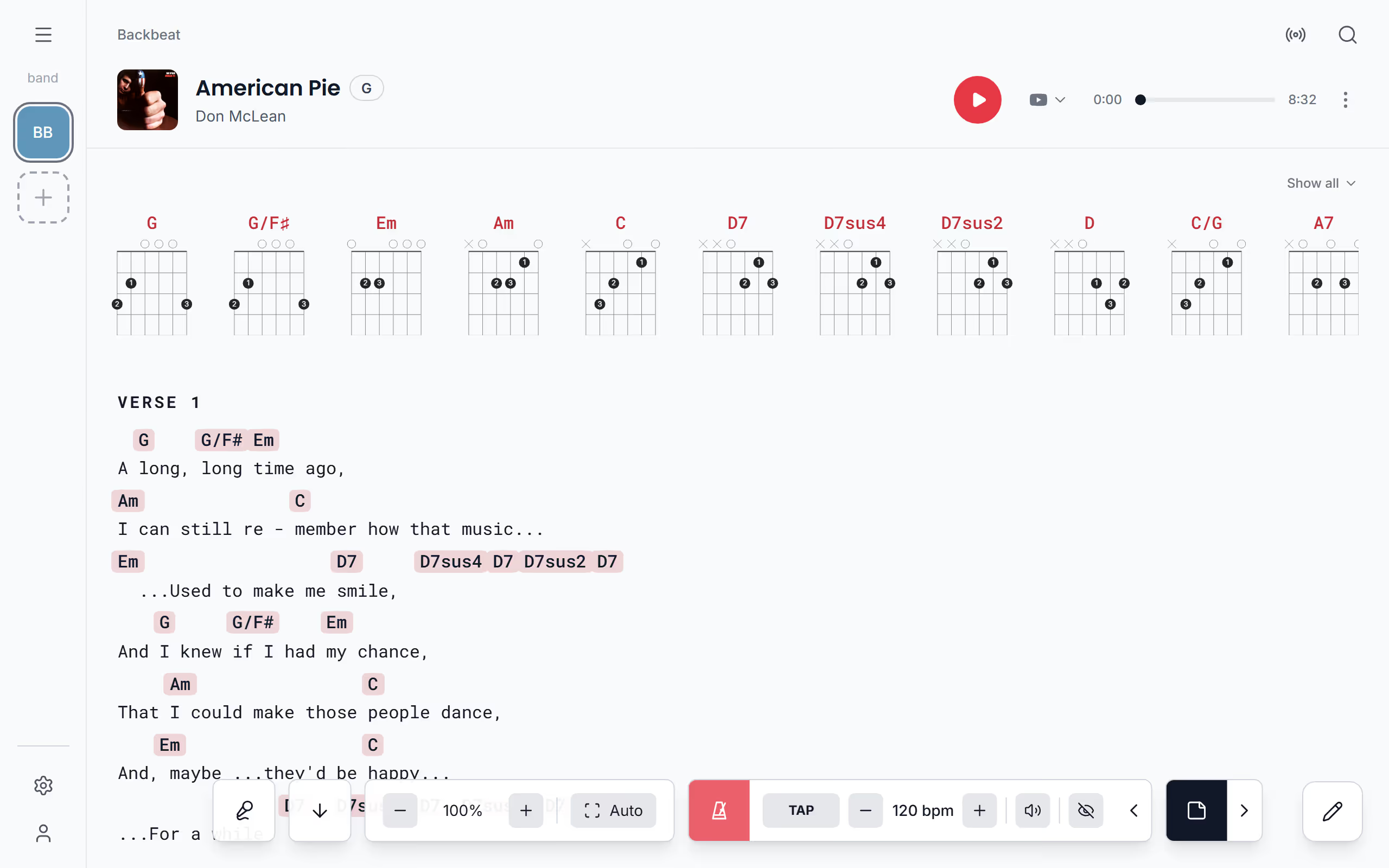
The metronome in Stage Friend sits with the song's controls on the chords and lyrics page, so the click is right there when you count in. Each song keeps its own tempo, from 40 to 240 beats per minute, and you can tap it in when you don't know the number. The click is one short beep on every beat, and a visual beat makes the metronome button flash in time for when you can't hear it. The metronome works on every plan, including the free one.
Updated
Start the metronome
Start the metronome for the count-in, or let it run through a rehearsal to stop a song creeping faster every time you play it. The controls hide after a few seconds, so the first tap on an empty spot brings them back, and Start metronome starts the click; the same button stops it. The click keeps going while the controls are hidden, and it stops when you swipe to the next song, start editing or leave the song, so it never runs on into a song with a different tempo.
A foot pedal or a key can start and stop it too: give Start or stop the metronome a key of your own in Pedal & keys, and a short message says Metronome on or Metronome off with each press.
Set the tempo
Once the metronome runs, a small arrow appears beside it, and a tap on the arrow opens the tempo. Minus and plus move it one beat per minute at a time, between 40 and 240, and a tap on the tempo opens a slider, where Reset goes back to 120. If you know how the song should feel but not the number, tap TAP in time: two taps are enough for a tempo, Stage Friend averages up to your last four, and a pause of two seconds starts the count over. Each song keeps its own tempo on this device, and a song you haven't set starts at 120, so the ballad and the closer are each ready at their own pace once you've set them.
Change the volume, or see the beat
In the same row, the speaker opens a volume slider with Mute beside it, and the volume is the same for every song. The eye turns on the visual beat, which makes the metronome button flash on every beat. It flashes even when the click is muted, so you can keep the tempo in sight without a beep in the room, but it lives on the button, so it shows while the controls are on screen. With the tempo set, autoscroll can carry the lyrics while you play, and a page turner pedal can start both without touching the screen.
Questions
- Is the metronome free in Stage Friend?
- Yes, the metronome works on every plan, including the free Jammer plan.
- Does each song remember its tempo?
- Yes, each song keeps its own tempo on the device you set it on, and a song you haven't set starts at 120 BPM. The tempo isn't taken from Spotify or the song's details, so set it once for each song.
- Does the metronome accent the first beat of the bar?
- No, every beat has the same short click, because the metronome has no time signature setting, and there's no choice of click sound.