Print or share a setlist: PDF, image, song list or Spotify
Stage Friend can turn a setlist into a PDF to print or share, an image for the band chat, a plain list of titles or a Spotify playlist. So the sheet taped to the stage floor and the message to the drummer who never has the setlist come from the same place. Everything is under Export in the setlist's three dots, and it works on every plan, the free one too.
Updated
Print it, or share a PDF
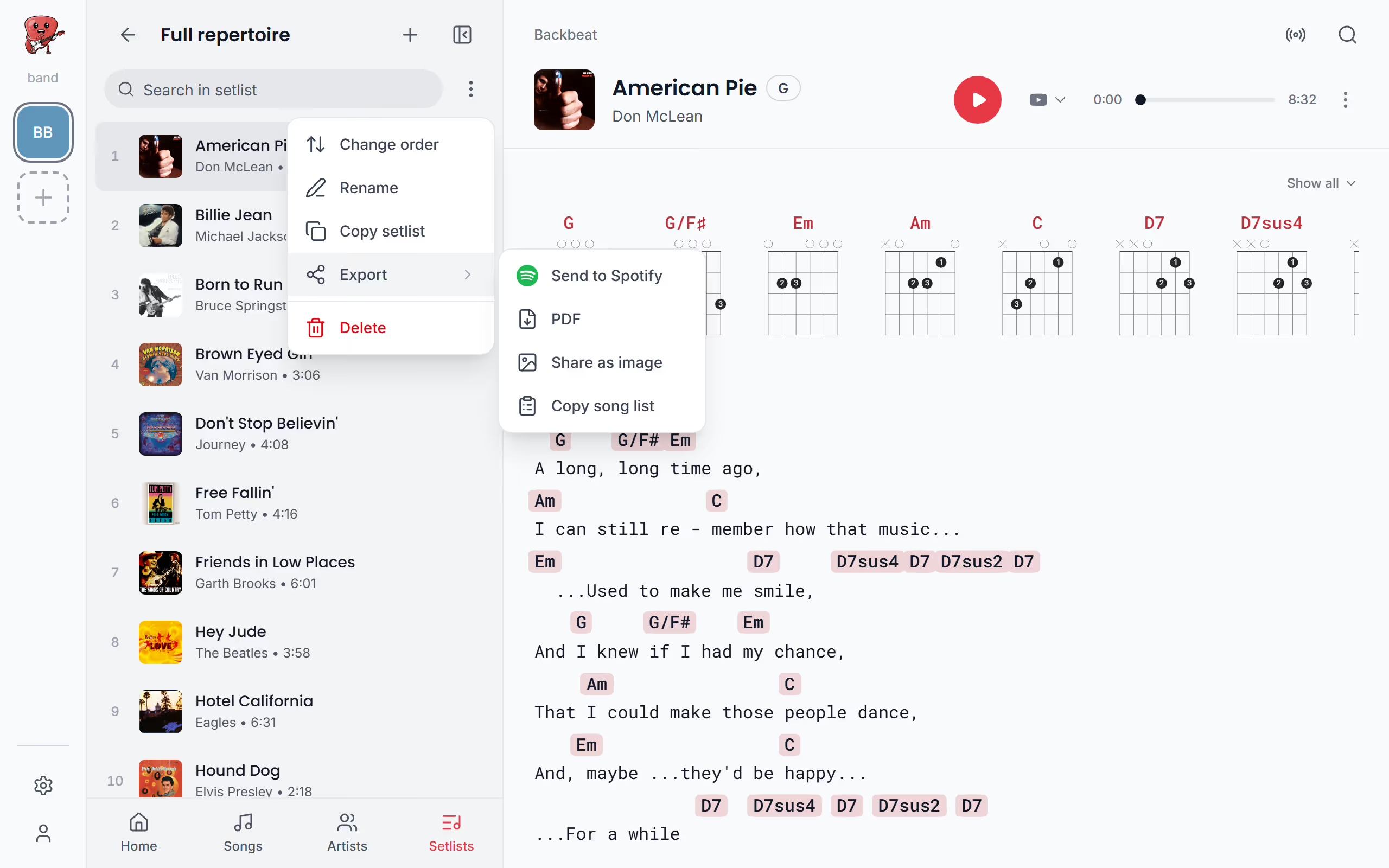
A PDF is the way to go when you want paper on the floor or a file for someone without the app. Open the setlist's three dots, choose Export and then PDF. The same Export is in a gig's three dots, and on each setlist in the Setlists list: in its three dots on a computer, or by swiping it to the left on a phone.
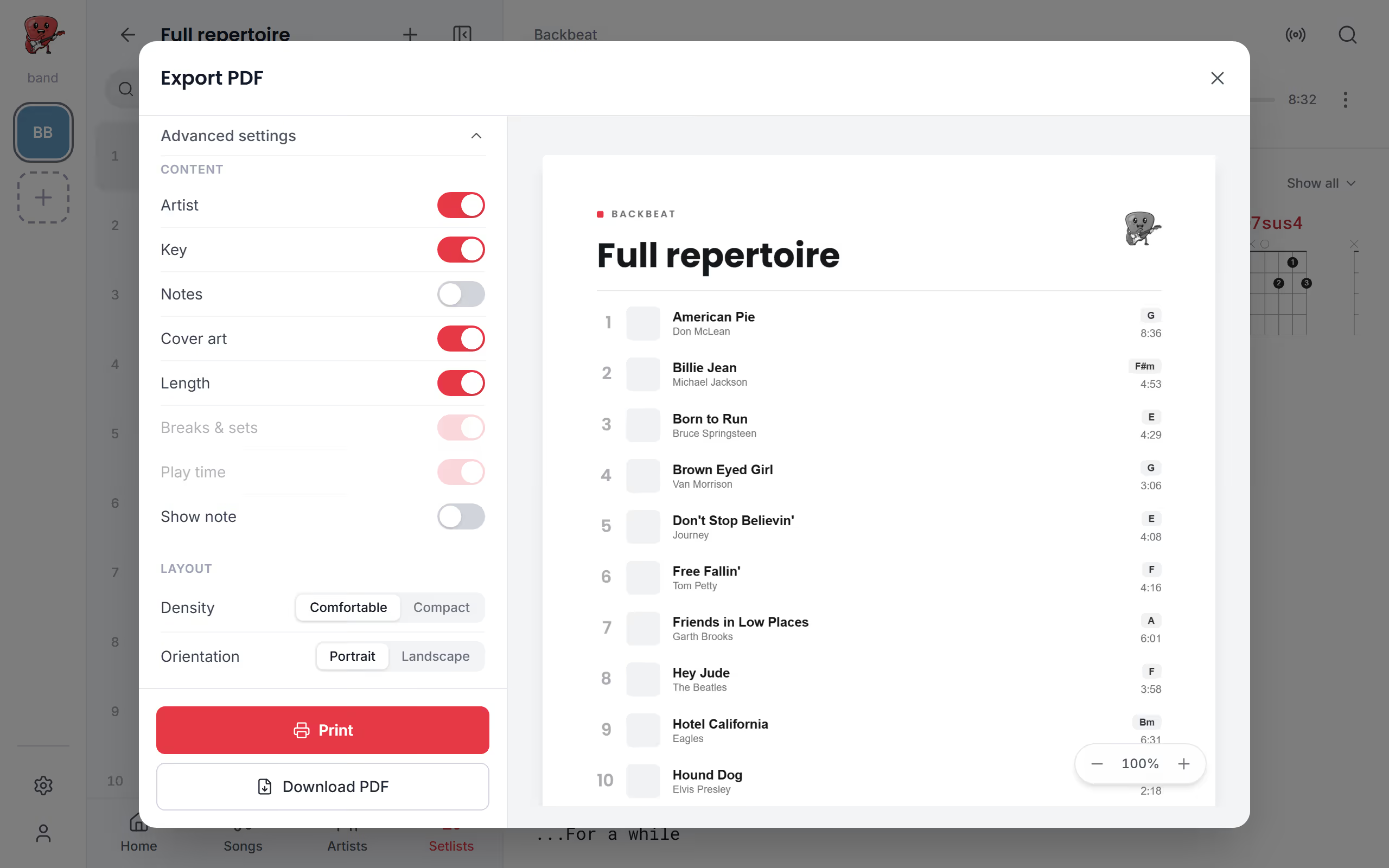
You choose between an overview, the song list for the stage floor, and the charts, every song's chords and lyrics in one file, and a preview shows the result as you change the paper and the font size. In the Stage Friend app, and in a phone or tablet browser that can share files, you then Share PDF to mail, chat or your files; elsewhere the button is Print. Outside the app you can also Download PDF.
Starts on your setlist in the menu. Not there yet? See Open a setlist.
Choose what the setlist PDF shows
Under What to export, the Overview is the numbered song list and the Charts are the full chords and lyrics of every song. For a short set, Fit to one page squeezes the overview onto one sheet, so there's only one thing to tape down. Advanced settings adds what the band or the sound engineer might want: the cover art, each song's length, the breaks between sets, the play time and a note printed at the top, like the time you go on.
The charts open with a cover page that carries the setlist's name, the date and the venue, and under Chords used they can show a diagram, or just the name, of each chord the songs use; a chord Stage Friend has no shape for is left out of the diagrams. To print a single song's chart instead, see Print a chord chart.
Share it as an image
When you just want the band to see the set before the gig, a picture is quicker than a file. Share as image in Export makes a tall picture of the setlist, each song with its small cover, ready for the band's group chat or a story. Up to 16 songs fit in one column and up to 32 in two, and a longer setlist is split over several pictures so every title stays readable.
Copy the song list
Sometimes all you need is the titles, for an email to the venue, a spreadsheet or a message to a dep player. Copy song list in Export copies the setlist as plain text: its name, the numbered songs with artist, key and length, the sets, and the total at the bottom. Stage Friend says Song list copied, and you can paste it anywhere.
Make a Spotify playlist
A playlist of the set is the easy way to learn it, in the car or on the way to rehearsal. Send to Spotify in Export turns the setlist into a Spotify playlist through Soundiiz, a service outside Stage Friend: you sign in to your own Spotify account there, confirm, and the playlist lands in your Spotify. On a computer you first choose how to send it, and with the Spotify desktop app you can instead copy the exact track links and paste them into a new playlist yourself; songs without a Spotify link are skipped.
To keep everyone on the same set as it changes, put the setlist in your band so each member has it in the app, or start learning the songs on the rehearsal list.
Questions
- Can I print every song's chords and lyrics in one go?
- Yes, choosing the Charts makes one PDF with the chords and lyrics of every song in the setlist, after a cover page with the setlist's name, date and venue.
- Is exporting a setlist free?
- Yes, the PDF, the image, the song list and the Spotify playlist work on every plan, the free Jammer plan included.
- Do I need a Spotify account to make a playlist?
- Yes, the playlist is made in your own Spotify account, so you sign in to Spotify during the transfer. Soundiiz, a partner outside Stage Friend, handles that step.