Song requests and voting
Let the room pick the next song
Stage Friend is a song request app for bands: the audience at your gig votes for songs from a setlist you choose and requests new ones from their phones, with no app and no account. You see the most-wanted songs at the top of your list while you play.
Voting and requests come with Stage Pro. Free for your guests.

Why let the audience vote
Every covers band knows the moment: the set is going well, someone shouts a song you don't have, and half the room wants something else entirely. With voting, the room tells you instead. Guests open your gig's page, tap the songs they want to hear, and the votes add up on your list, so you can read the crowd without guessing and still decide what you play.
It works as well at a wedding or a birthday as in a bar. Guests can add a greeting to their vote, a line for the couple or a name to shout out, and only the band sees it.
Three steps before the first song
- 1
Turn on voting
Under the gig's Configuration, turn on Vote on songs, choose the setlist guests vote from, and turn on Song requests if you like.
- 2
Share the link or the QR code
Make the gig public, then share its link, or put its QR code on a table card or a screen by the stage.
- 3
Play what they want
The most-voted songs sit at the top of your Votes list, with the greetings.
Every step with pictures from the app: Make your gig public and share the link
What your guests get on their phones
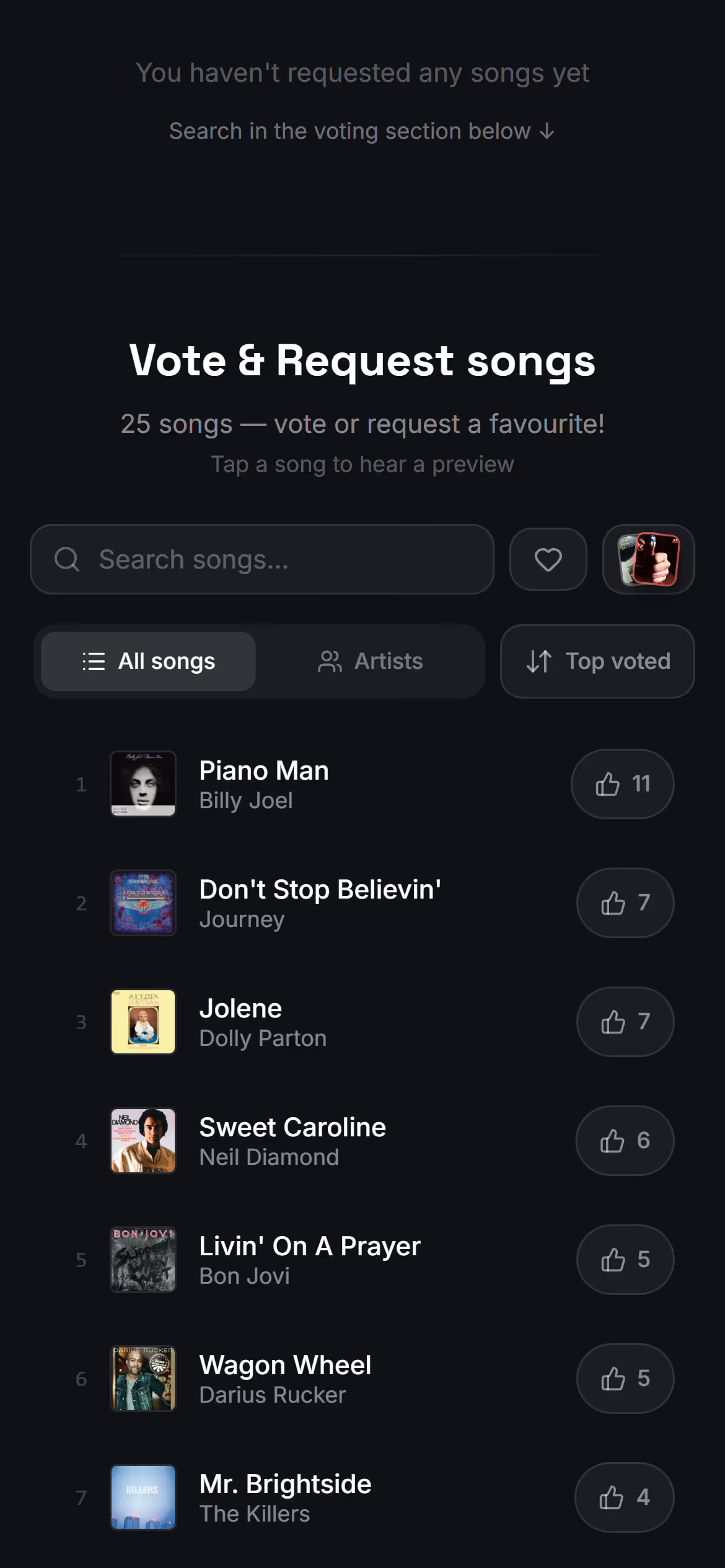
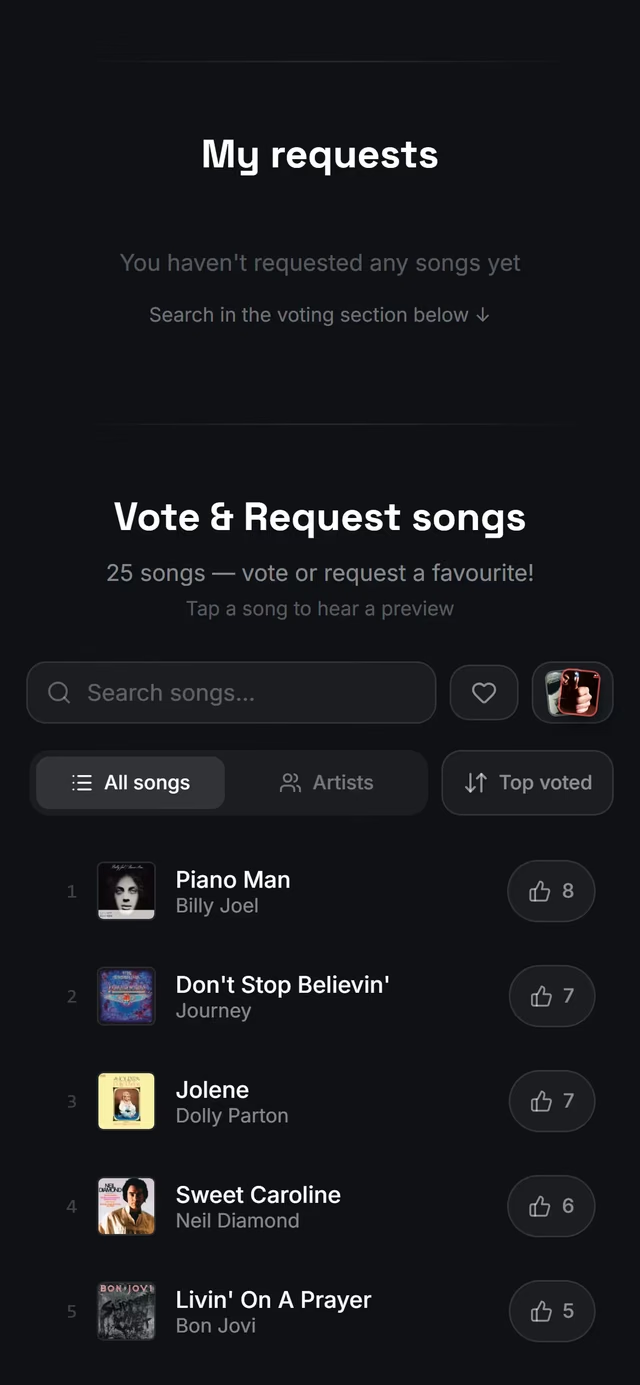
Your gig gets its own page with the date and the venue, and if you like, the setlist set by set. Guests see every song in the list you chose with its vote count, which updates every few seconds as the room votes. A tap votes for a song and a second tap takes the vote back. They can sort by the most-voted or A to Z, browse by artist, search, and hear a short Spotify preview before they vote, when the song has a Spotify link.
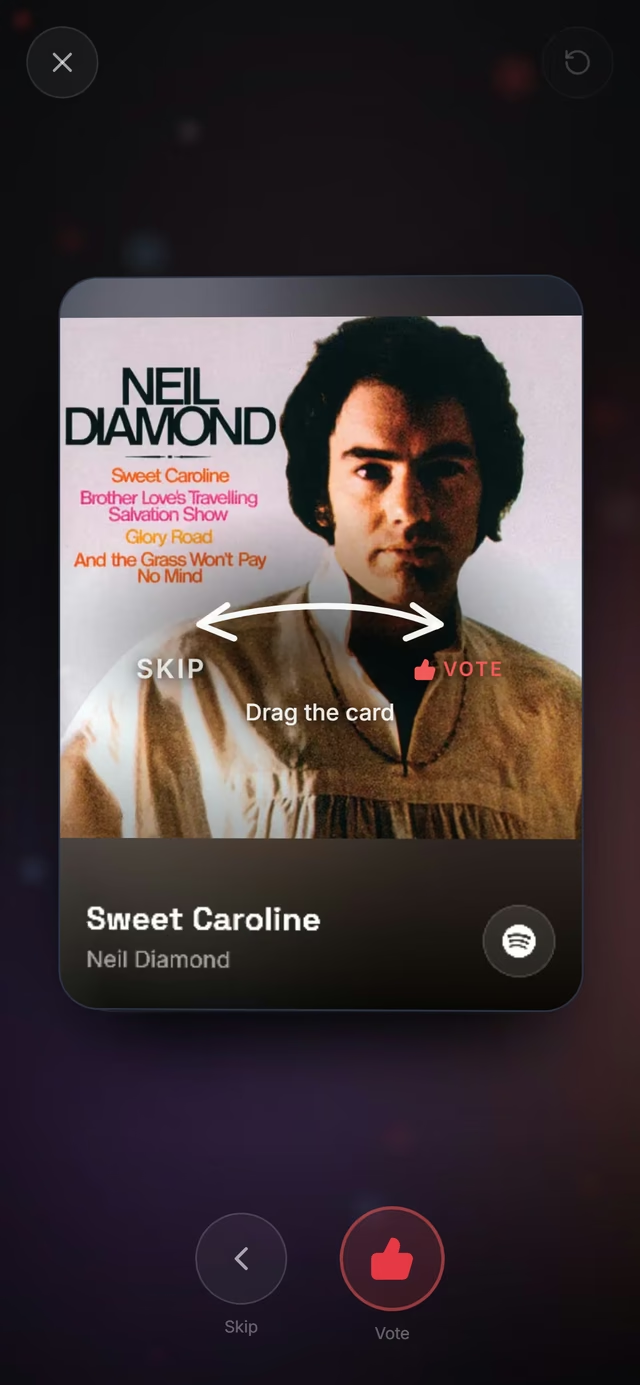
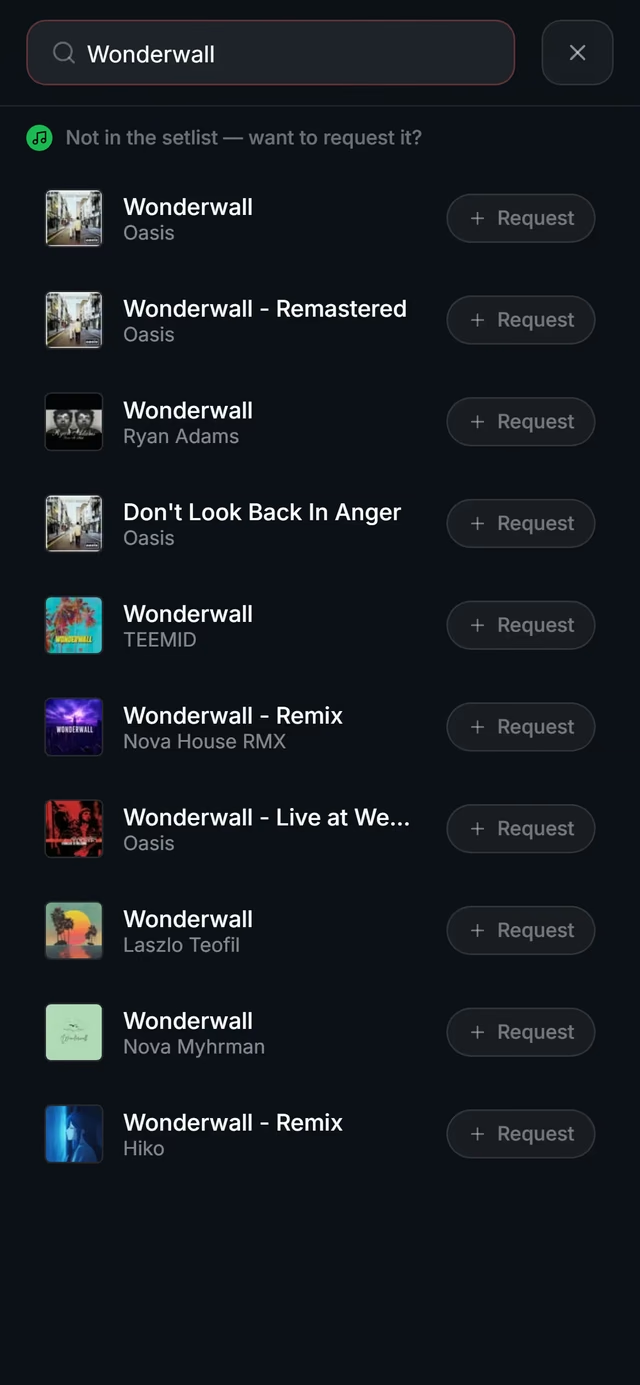
A song you haven't got can be requested: guests search Spotify, pick the track and send it, with a greeting if they want. With Show requests in voting turned on, a requested song joins the vote list, so the rest of the room can vote it up too. For guests who'd rather not scroll a long list, Swipe & vote shows one song at a time: swipe one way to vote, the other to skip.
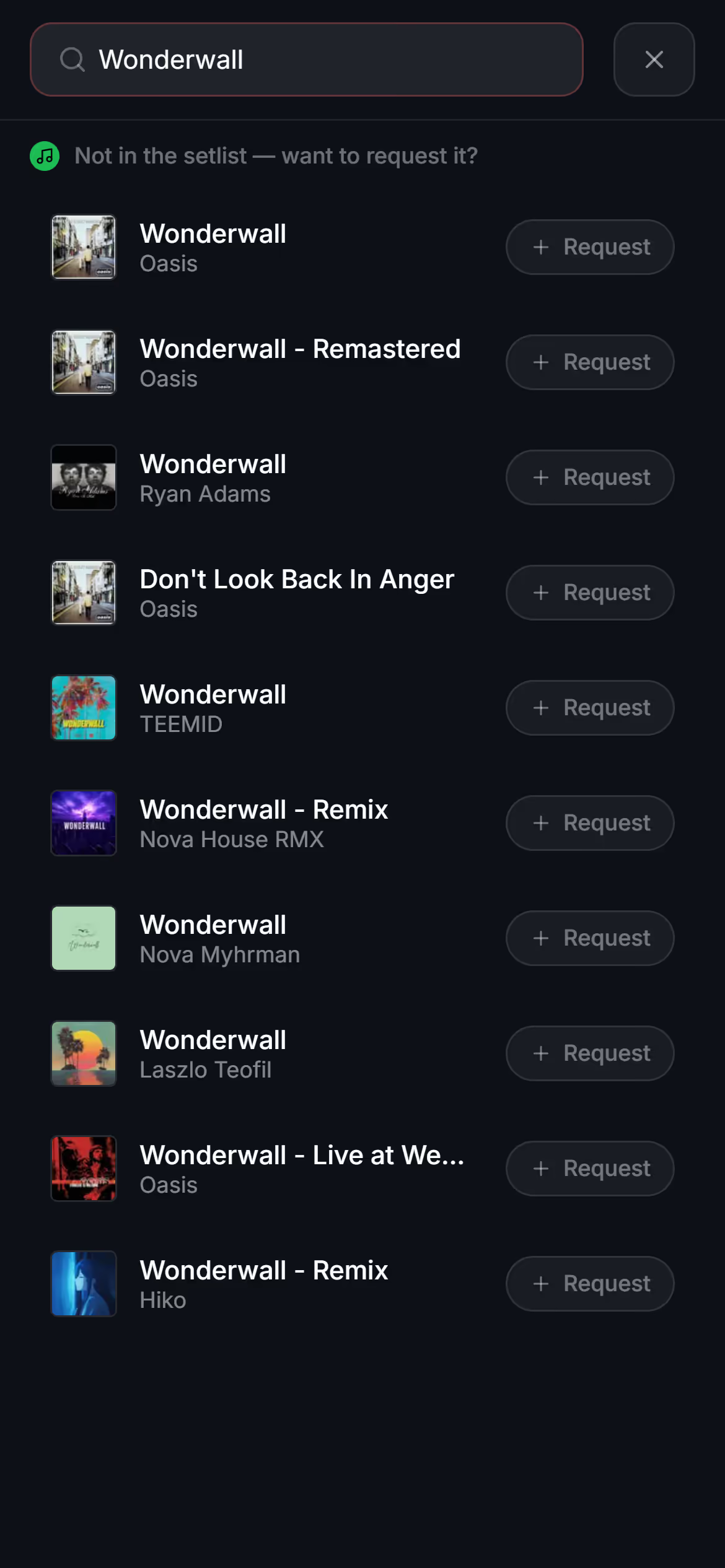
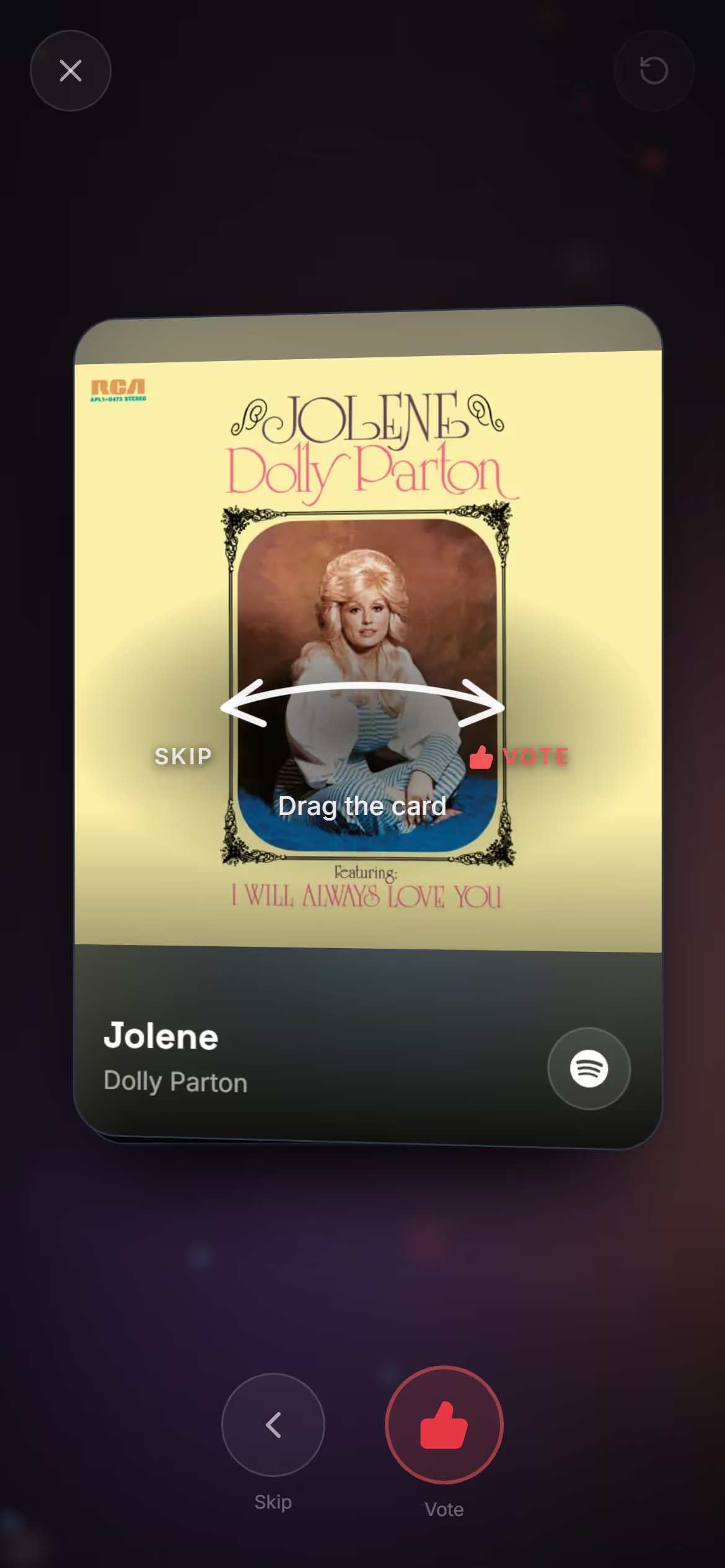
See how guests vote and request songs for the whole page, step by step.
What the band sees
On the gig's page in Stage Friend, the Votes tab lists the songs from your library with the most votes at the top, and each guest's greeting under its song. Votes on a requested song show on the guests' page, not in your list, so a request you want to play goes through the Requests tab instead. The same list is under Votes in the menu on the chords and lyrics page, so you can check it between songs without leaving the song. It doesn't reshuffle under your finger: the counts catch up within half a minute, and the order changes when you tap New order. Tap a song and it opens with its chords and lyrics, ready to play.
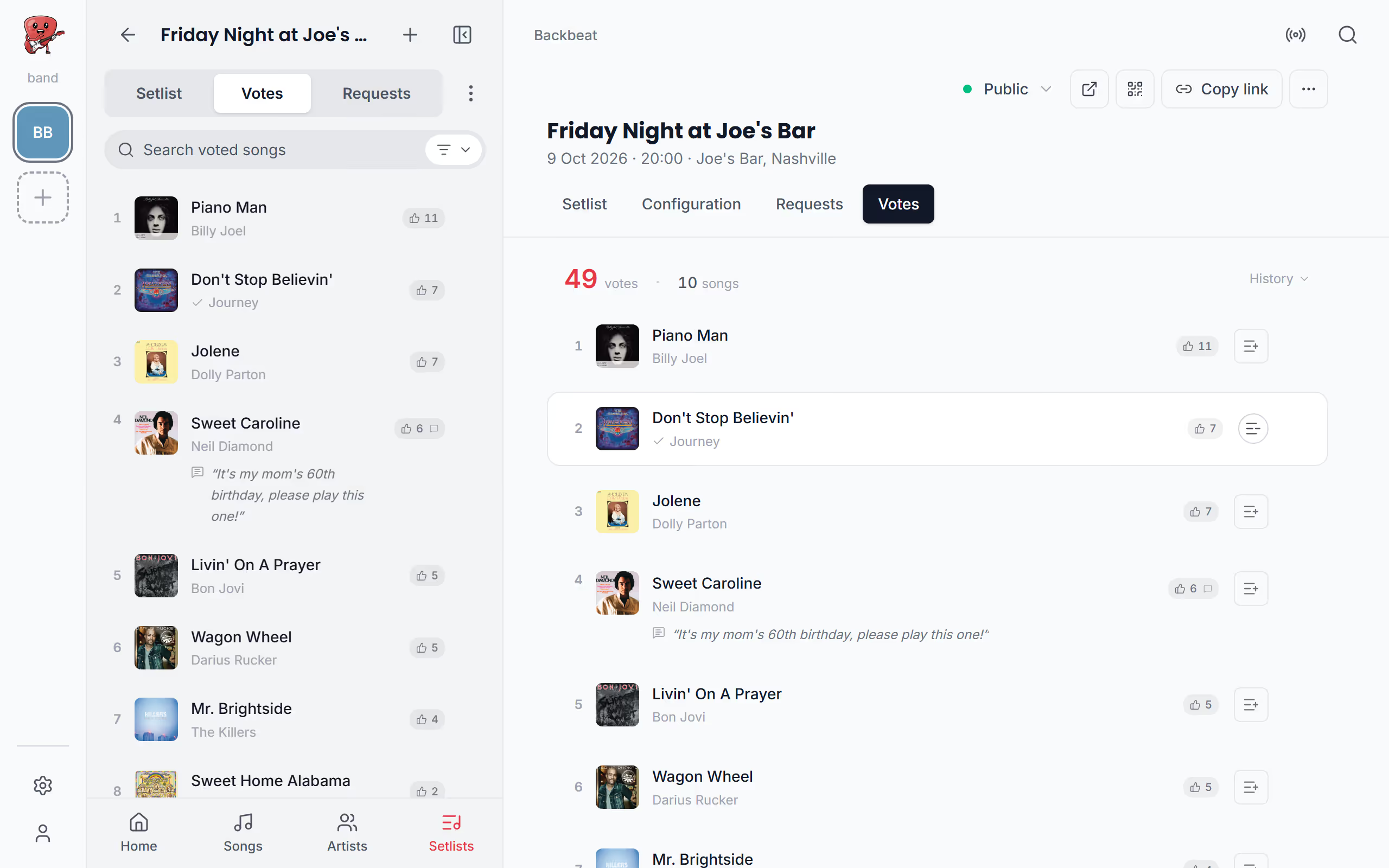
Once you've played a favourite, reset its votes so the list shows what the room wants next. You can do it from the Votes list, from the song's vote count on its page, or with a foot pedal: one press can mark the song played, reset its votes and open the next song. Requests have their own tab, split into new and reviewed, and each one can go straight into your setlist. More in audience voting and song requests in the help center.
When another tool is the better choice
Stage Friend's voting is built for bands playing from their own setlist. If you're a DJ who plays any song in the world and wants guests to tip with their request, an app made for DJ requests is a better fit, since Stage Friend takes requests through a Spotify search and has no tipping. It also shows nothing on a big screen at the venue apart from the QR code, and requests reach the band within half a minute rather than the second they're sent, which suits a band between songs better than a DJ mixing on the fly. And the voting is meant for a fun night, not a contest with a prize: votes are counted once per browser, so it can't stop someone who really wants to vote twice.
Who pays for it
Gigs, the public gig page, voting and requests come with Stage Pro, at €13 a month or €108 a year. It's a personal plan, so the band member who sets up the gig and looks after the votes needs it, and bandmates without it can still see the gig. The band runs it from Stage Friend in a browser on any computer, tablet or phone, or from the Android app, and guests use the browser on their own phones, paying nothing. The rest of Stage Friend, the songbook, autoscroll, the foot pedal and three setlists per band, works on the free plan, and the pricing page shows every plan side by side.
Questions about song requests and voting

Let the next gig choose its encore
Put your songs in Stage Friend for free, then turn on voting when you're ready to play.
Get started free