Songbook app
Your songbook, with chords you can touch
Stage Friend is a digital songbook for musicians: every song's chords and lyrics in one library, found on the web or brought over from another app, with chords you edit by tapping them and a key you change in a moment.
No song limit on any plan. No card needed.

Fill it without typing
Type a song's title or artist and Stage Friend finds chord sheets and lyrics for it on the web in seconds. If the first one isn't the version you play, step through the others until it is. It lands in your library ready to play, the chords above the right words as real chords you can tap, transpose and change. On the free plan you can bring in 40 songs from the web to start and 2 a month after that.
Songs you already have in files come across without that cap: Stage Friend imports from SongbookPro, BandHelper and Setlist Helper and reads ChordPro and text files. It also takes a Spotify playlist or a list from a spreadsheet, which brings the titles over at once; you pick the chords for each song the first time you open it, and on the free plan that counts as a web import. A chord sheet copied from a website can be pasted straight in, chords and all. See import songs from another app.
Chords you can change with a tap
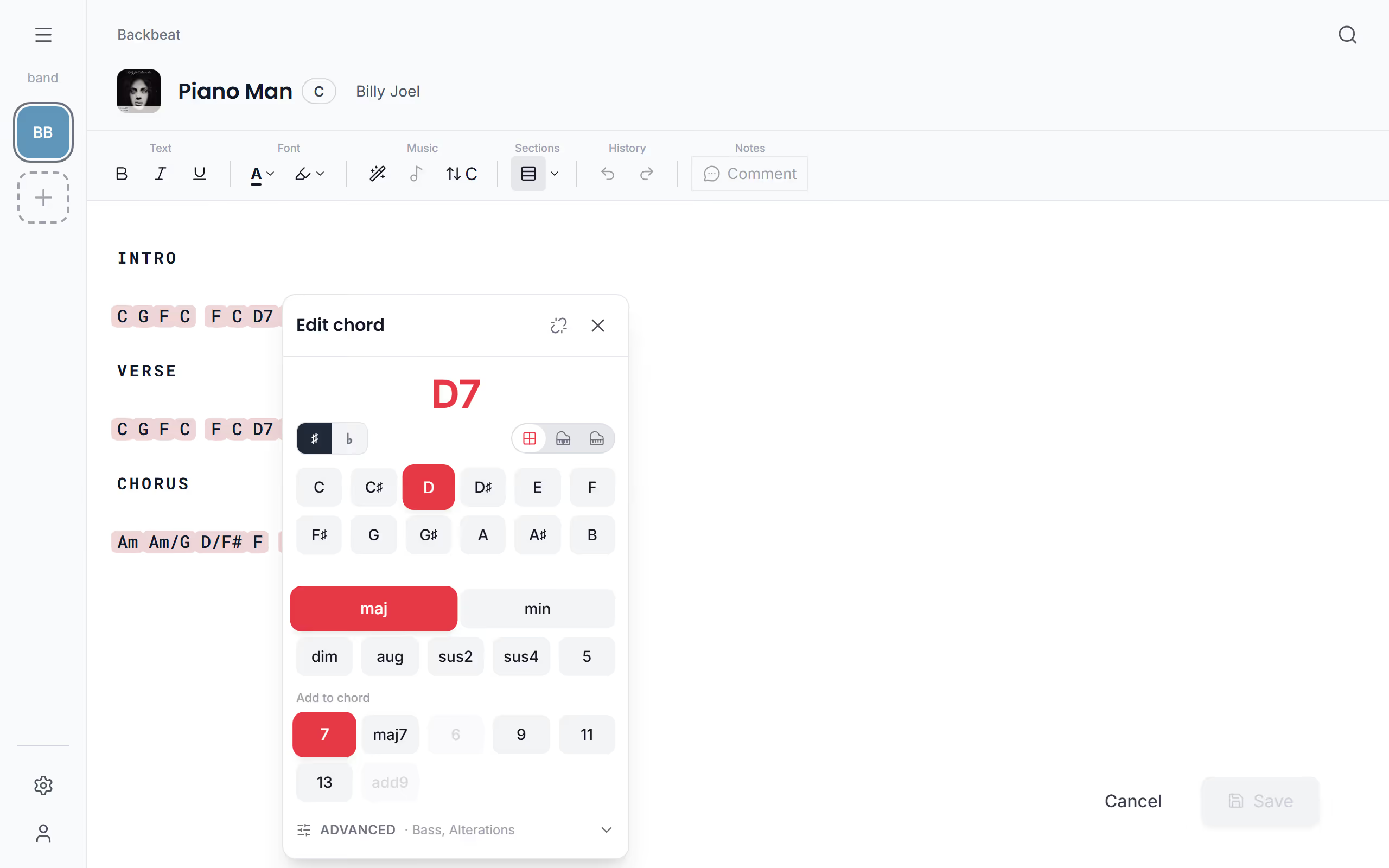
While you edit a song, tap a chord and the chord editor opens: choose the root and the kind of chord, add a bass note for a slash chord such as D/F♯, or build it on a piano keyboard. A chord can be dragged to the syllable it belongs on, with the mouse or by holding it on a touch screen. If a song came with chord names typed as plain text, Sprinkle Chords turns them into real chords.
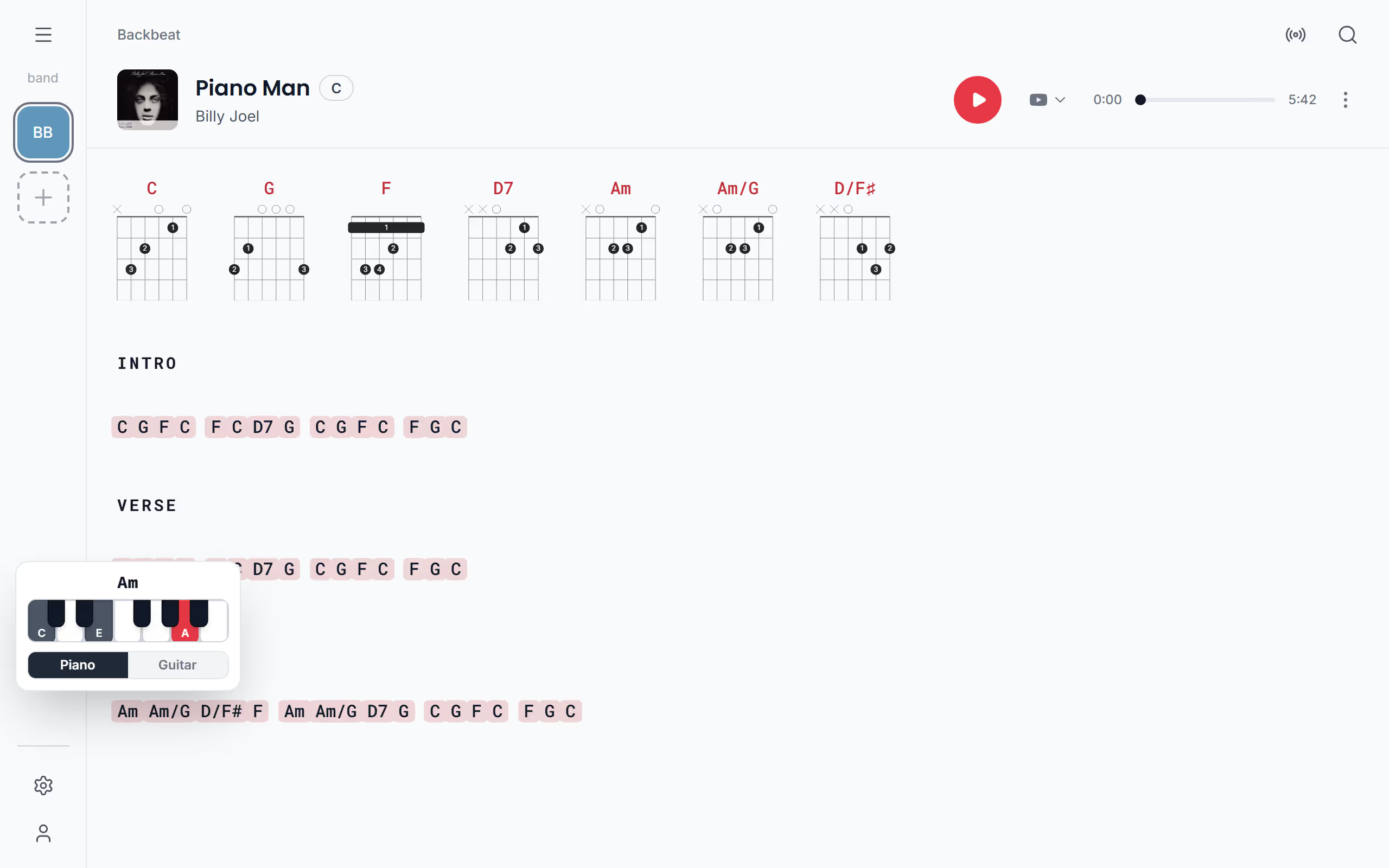
Outside the editor, tapping a chord shows how to play it on the piano, or on the guitar when there is a shape for it, and Show diagrams lays out a guitar diagram for every chord in the song.
A different key for the singer
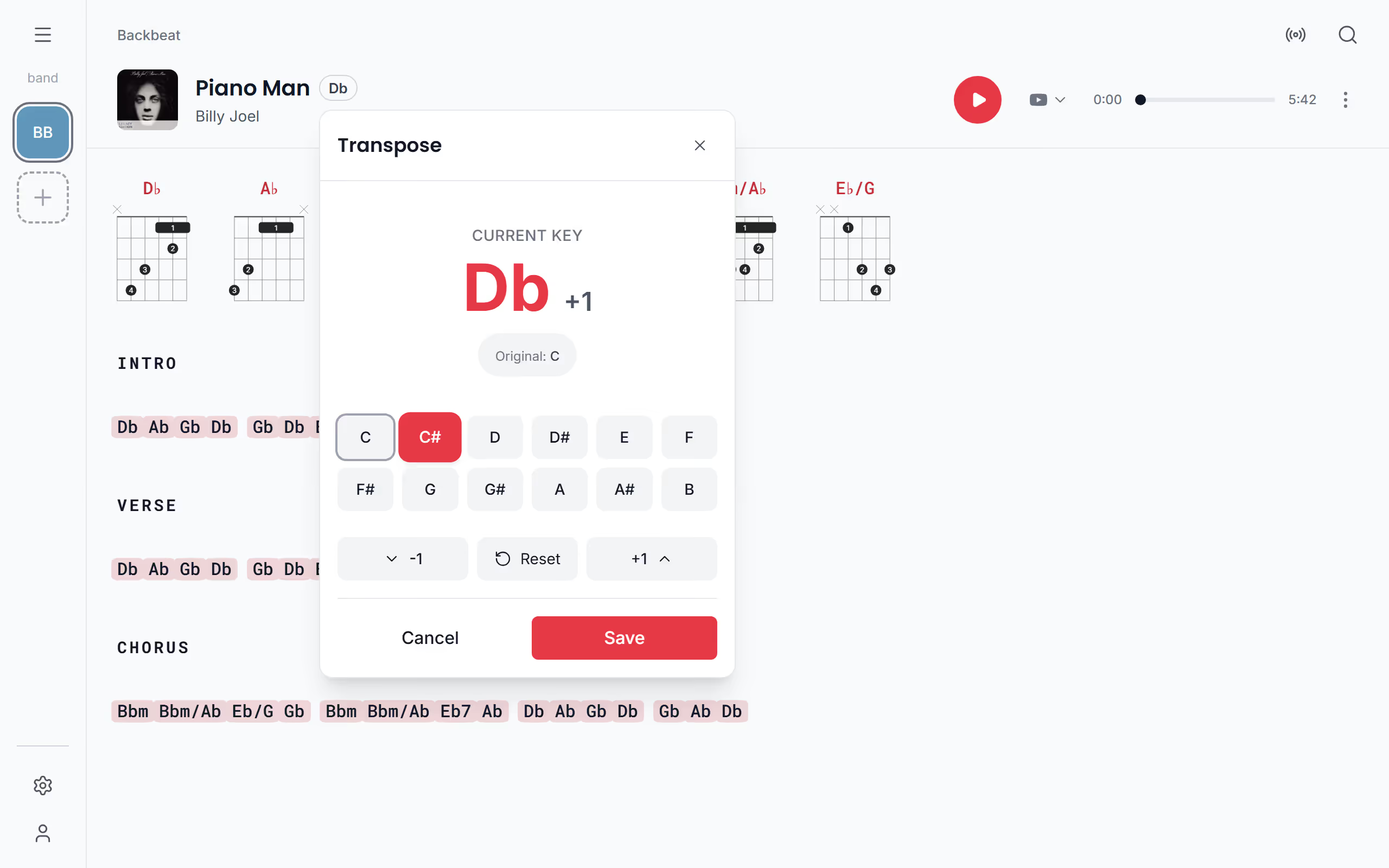
Tap the key next to the song's title and pick a new key, or step it up or down a half tone. When you save, every chord in the song moves with it, so the whole band reads the new key, and Reset takes it back to the original. More in transpose a song to another key.
Readable from the music stand
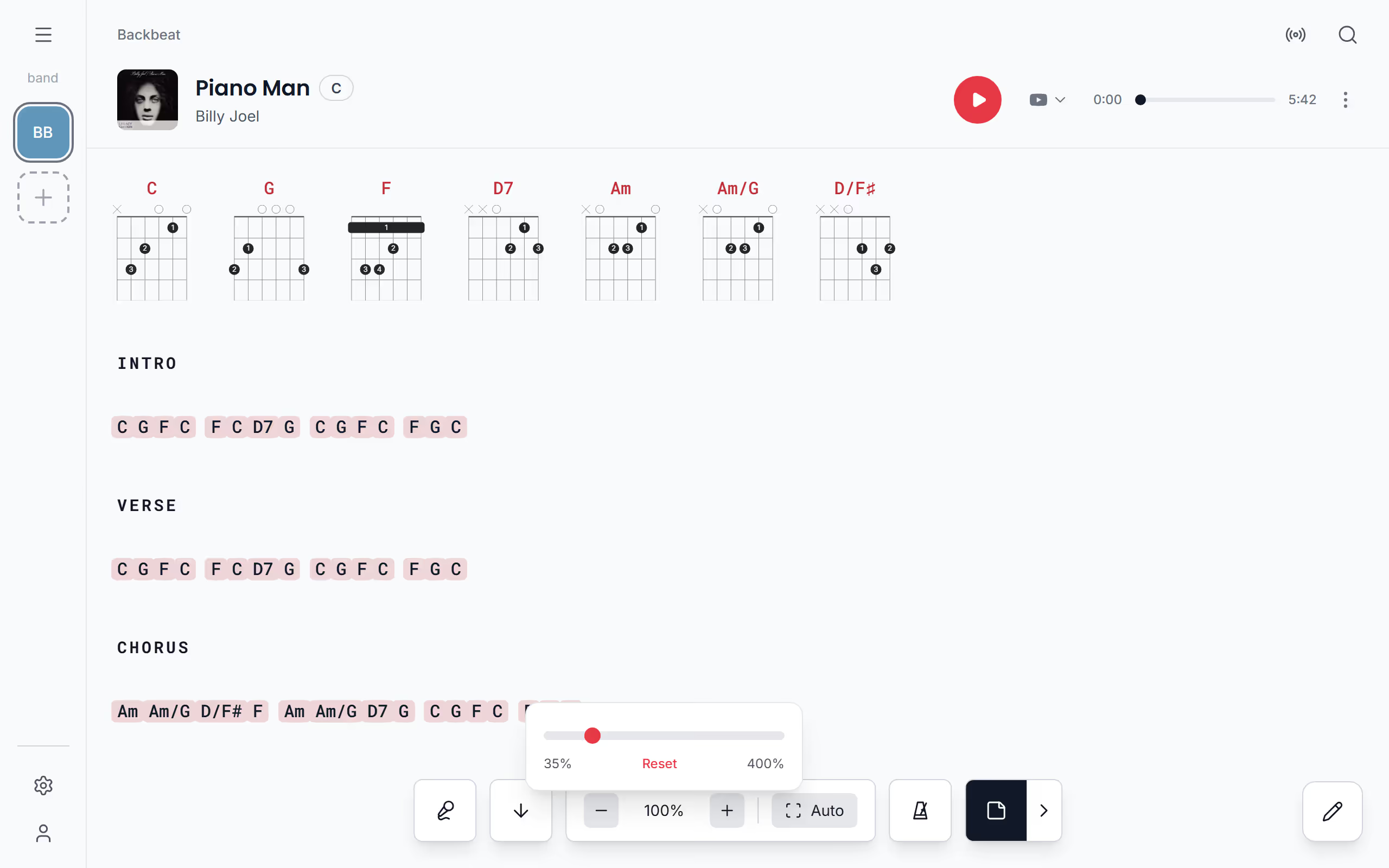
Make the text as small as 35% or as large as 400%, or let Auto fit the widest line to the screen, and Stage Friend remembers the size for each song. Pick one of six lyric fonts, the chords' colour, size and weight, and one of ten styles for section headings such as Verse and Chorus. Bold, italics, underline, colour and highlight work on single words, for the line the whole band should shout. Light, Dark and a near-black Stage theme for a dark stage are all there.
Find any song in seconds
Search matches titles, artists and the words in the lyrics, so the song with "that line about the harbour" turns up too. Sort the library by title, by when you added it or by decade, browse by artist, and open a song's credits to see who wrote and recorded it, when MusicBrainz knows.
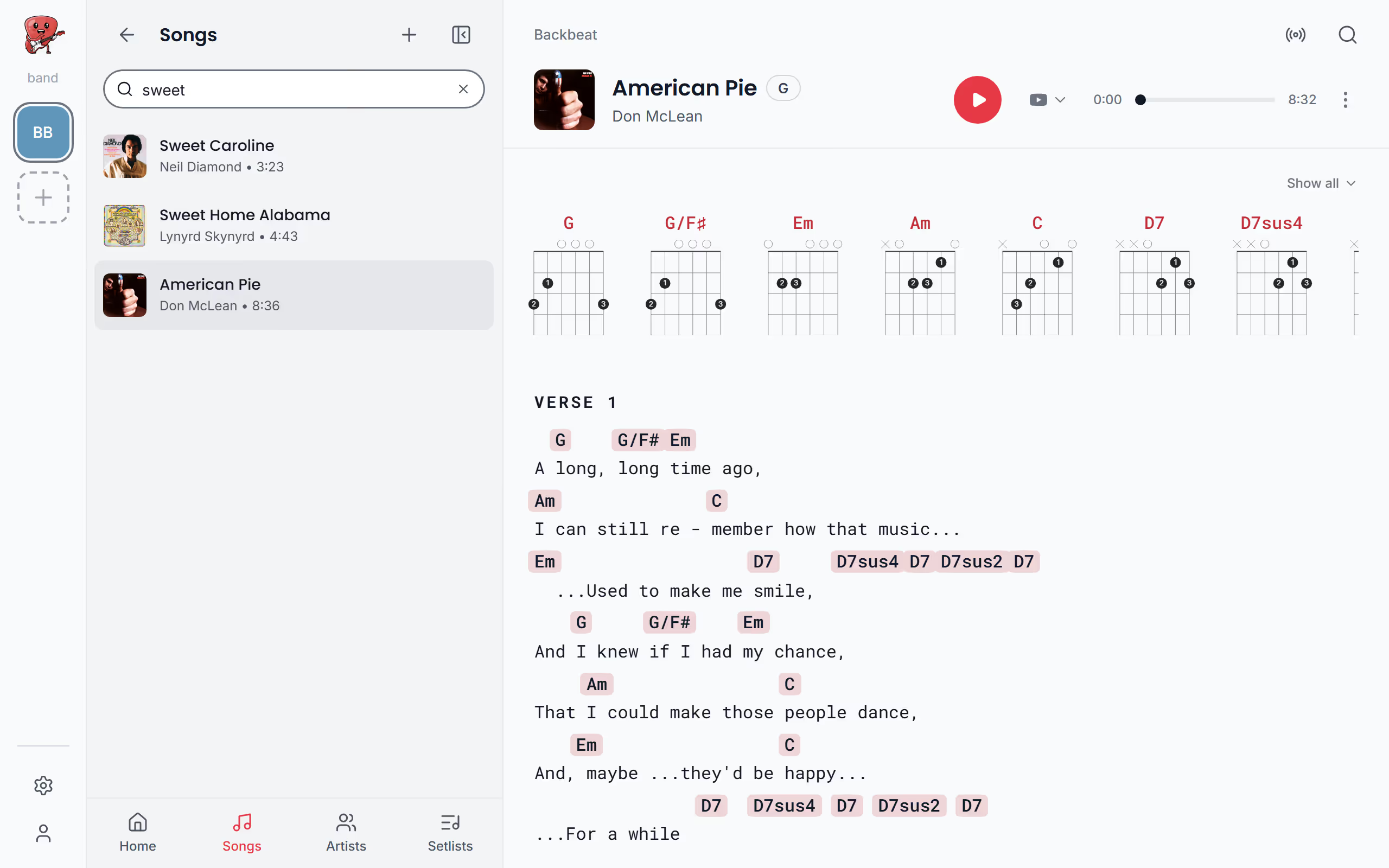
Practise with it
The metronome is free on every song, from 40 to 240 beats a minute with tap tempo. On Solo Pro a song can also play from Spotify or YouTube inside the app while you practise, and you can write private notes on the lyrics; on Stage Pro notes can be shared with the band.
On every device, and offline
Stage Friend runs as an app on Android and in the browser on iPhone, iPad, Windows and Mac. Songs are kept on the device you use, so they open on stage with no signal. On the free plan your own bands stay on that device; Solo Pro keeps your songs in step across your phone, tablet and computer, and in a band shared with you, changes reach everyone within seconds on any plan. See install Stage Friend for adding it to an iPad's home screen.
Questions about the songbook app

Bring your songs in
Search for the songs you play, or import them from the app you use now and look through them first. The songbook is free with no song limit; Solo Pro, at €4.90 a month, adds unlimited web imports, sync and playback.
Start your songbook freeEvery plan side by side on the pricing page.