Dark mode and the stage theme for dark venues
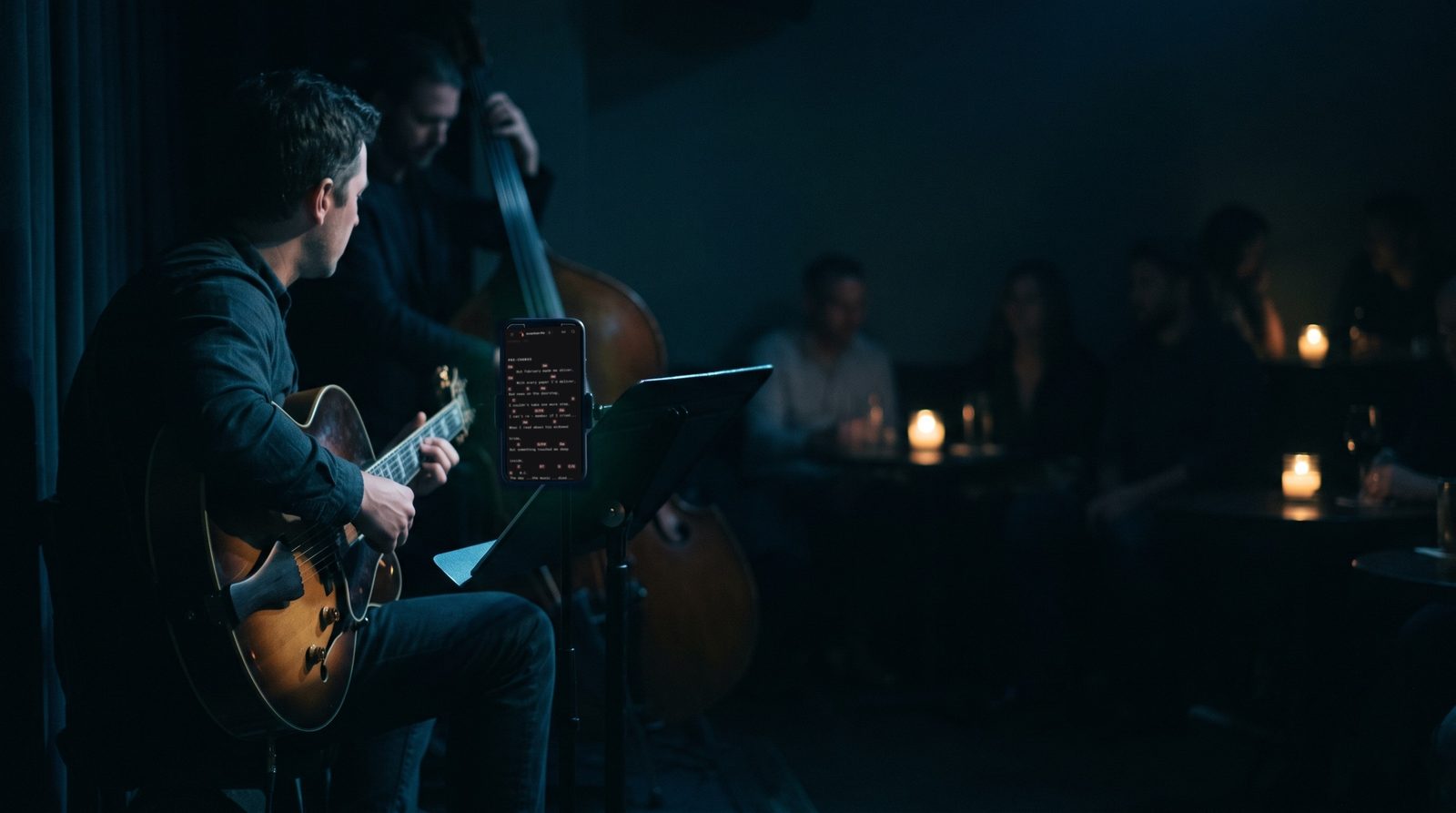
Stage Friend has three themes, Light, Dark and Stage, and Stage is an extra dark theme with the highest text contrast, made for playing live in a dim room. A bright white screen on a dark stage glares in your eyes and lights up your face for the whole room, which is why a dark theme suits a gig. The theme is under Settings, Appearance, and each device keeps its own, so the tablet on the music stand can run Stage while your phone stays light.
Updated
Choose a theme
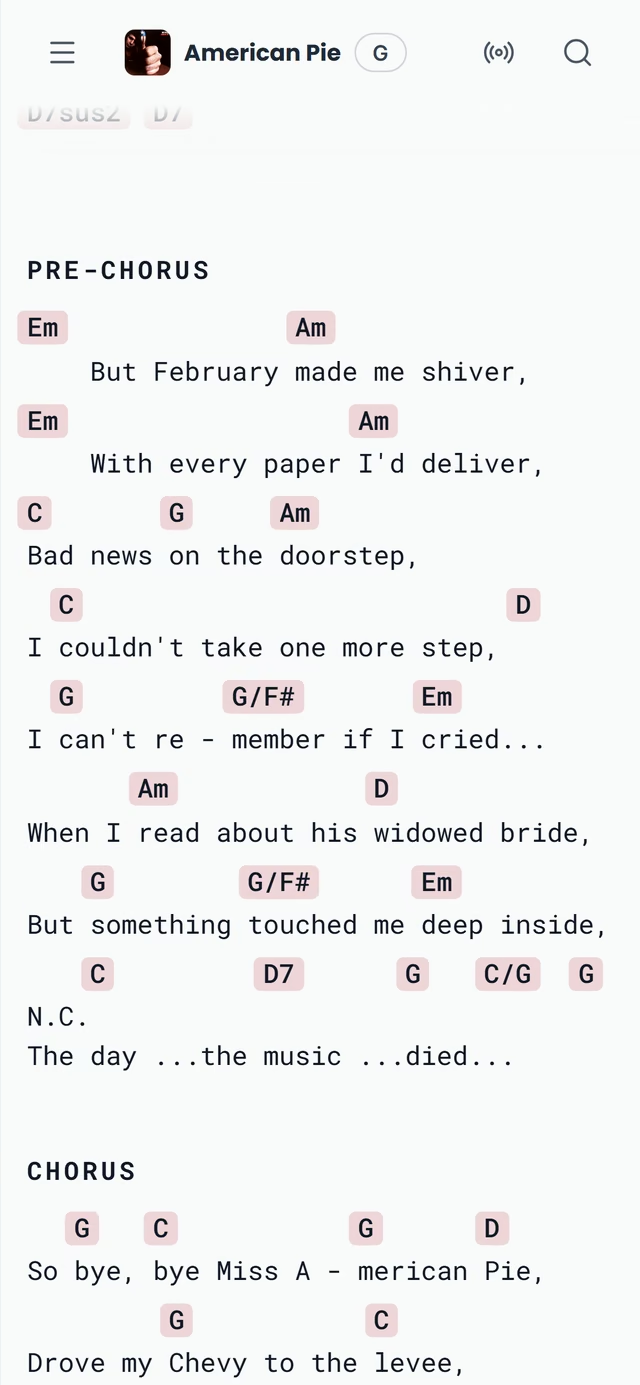
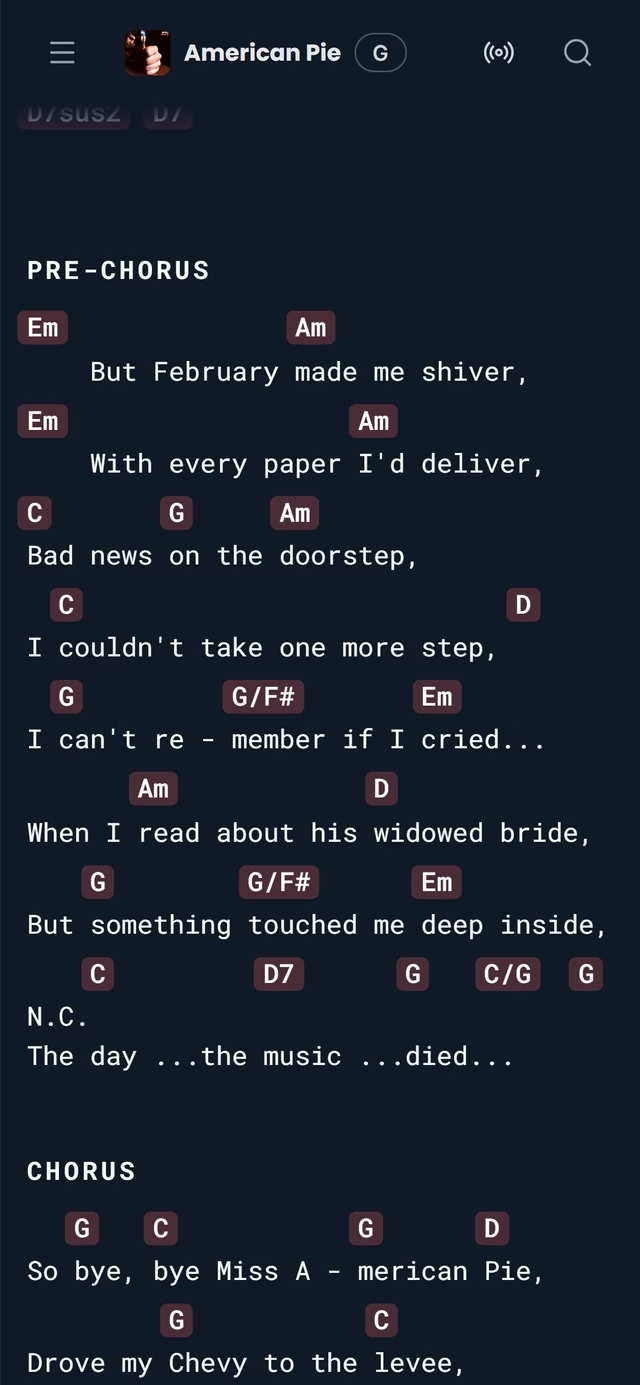
In Settings, Appearance shows the three themes side by side as small pictures of a page, and a tap switches the whole app at once. This is the one place to change the theme, so it is worth setting before the gig rather than looking for it on stage. Light is dark text on a pale page, the easiest to read in daylight, at a desk or on an outdoor stage. Dark turns that around, with light text on a deep blue-grey, and is calmer on the eyes in the evening and at rehearsals.
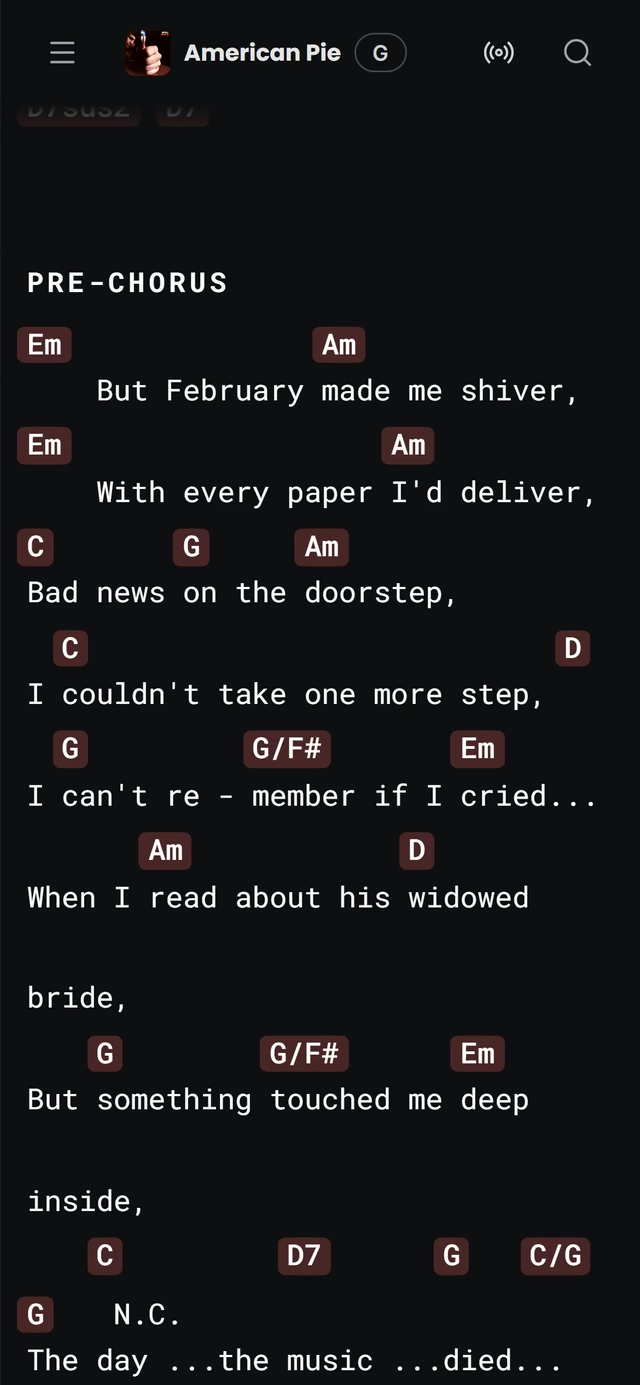
Stage goes further than Dark. The page is a near black and the text is close to white, so the screen glows less and the words stand out more, which is what you want on a dim stage or in the dark corner of a bar. When you pick it, Settings sums it up as extra dark with maximum text contrast, made for playing live.
Until you pick a theme, Stage Friend opens in light or dark to match your phone's or computer's own setting. Once you choose, that device keeps your choice. Like most settings, the theme belongs to the device rather than your account, so set it on the tablet you play from as well as on the phone you edit on.
The theme sets the page, and the chords and lyrics on it have settings of their own. For the darkest stages, the High contrast chord style puts the chords in bold type on yellow boxes, a bigger text size helps when the music stand is further away than you'd like, and section colours make the chorus easy to find at a glance.
Starts on Settings. Not there yet? See Open Settings.
Questions
- Does Stage Friend have a dark mode?
- Yes, Stage Friend has a dark mode, and an extra dark Stage theme for playing live in dim rooms. Both are under Settings, Appearance, next to Light.
- What is the difference between Dark and Stage?
- The Stage theme is darker than Dark and has the highest text contrast: the page is near black instead of a deep blue-grey, and the text is close to white. Dark suits evenings and dim rooms in general, and Stage is made for performing.
- Does the theme follow my phone's dark mode?
- Stage Friend starts in light or dark to match your device's setting until you pick a theme yourself. After that it keeps your choice on that device, and each phone, tablet and computer can have its own theme.