Your account settings, and deleting your account
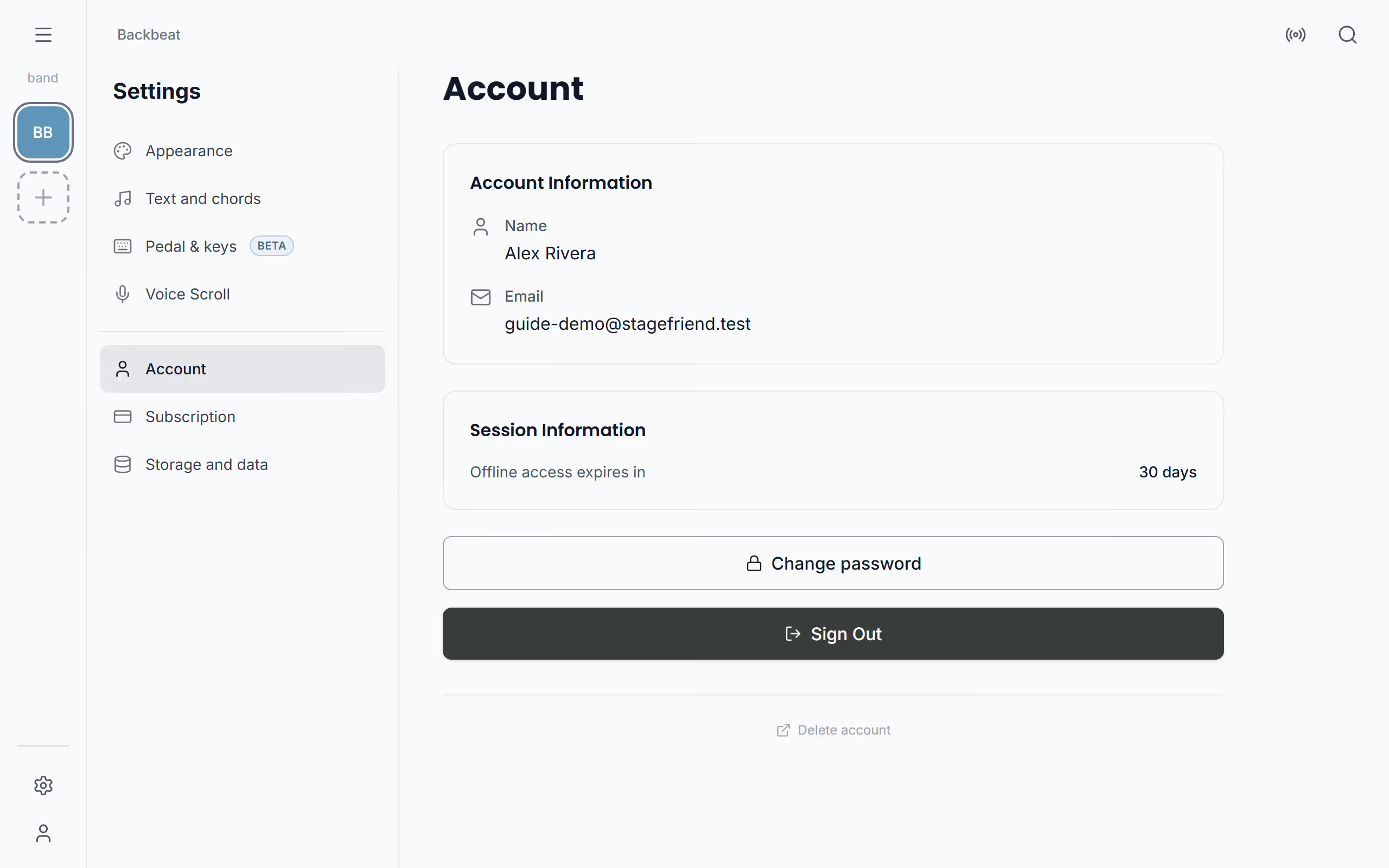
The account page in Stage Friend's Settings shows who you're signed in as, which Google or Facebook account is connected, and how many days you can stay signed in without a connection. It's also where you change your password, sign out, and start deleting your account. To get there, open Settings and choose Account, or on a computer the person icon at the bottom of the narrow bar on the left. The page is worth a look before a gig somewhere with no signal.
Updated
What the account page shows
At the top, Account Information shows your name and email, and Connected Accounts shows the Google or Facebook account you sign in with, if you use one. That's useful when you can't remember which way you signed up.
Session Information shows how many days of offline access you have left. You stay signed in for 30 days after you last used the app with a connection, and when fewer than seven days are left, this page warns you, so you can open the app once with a connection before you go, see Stay signed in offline. Below that are Change password, if your account has a password, and Sign Out.
Delete your account
If you're done with Stage Friend, you can have your account and everything in it deleted. Open Settings, choose Account and then Delete account, and in the box that opens choose Continue to deletion page. That page, on the Stage Friend website, explains what to send: an email to [email protected] with the subject Account Deletion Request and the address your account uses. Your songs, setlists, gigs, bands and account are then deleted within 30 days, and it can't be undone.
Songs and setlists in a band that others are in can stay for them, so your bandmates don't lose the setlist the week before a gig. If you want a copy of anything first, make a PDF of a song or setlist, see Export. If you pay for a plan, cancel it too, see Change or cancel your plan.
Questions
- Can I change my email or name?
- Not in the app yet. Write to [email protected] and we will help you change the email or name on your Stage Friend account.
- How long can I use Stage Friend offline before I have to sign in again?
- You stay signed in to Stage Friend for 30 days after you last opened the app with a connection. The account page in Settings shows how many days are left.
- How long does it take to delete a Stage Friend account?
- Your Stage Friend account and its songs, setlists and data are deleted within 30 days of your request. Songs and setlists in a band others are in can stay for them.