Let your audience vote on songs at your gig
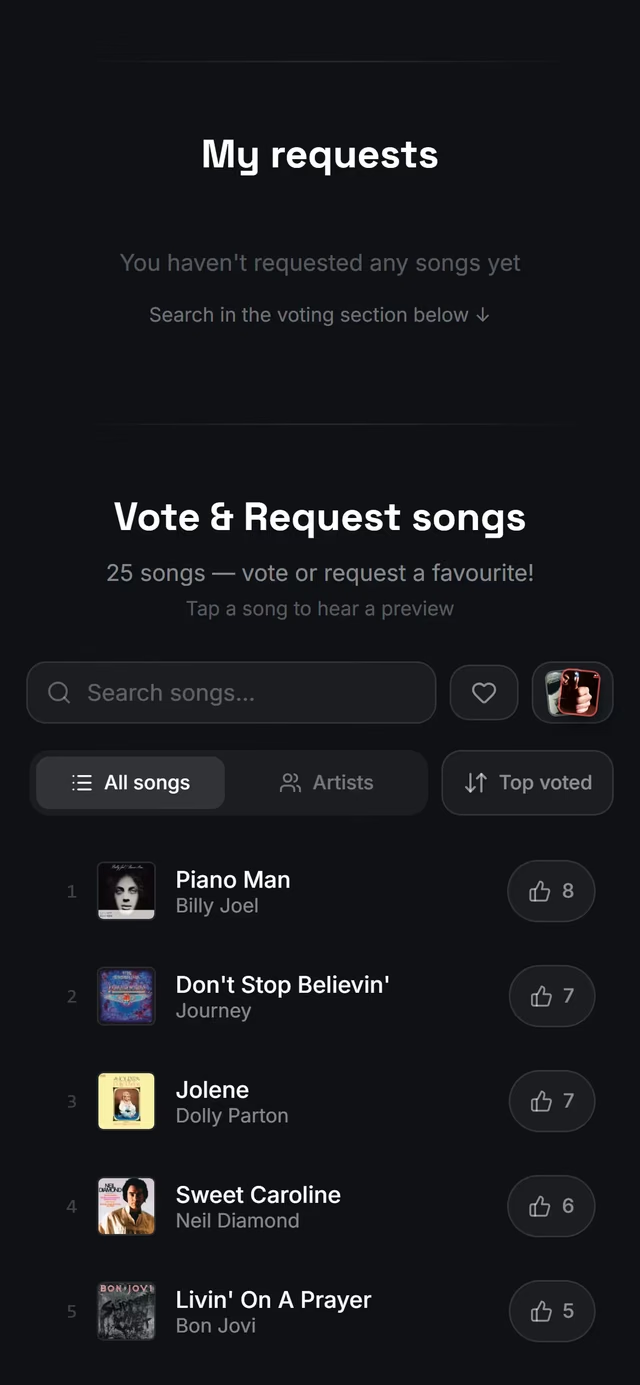
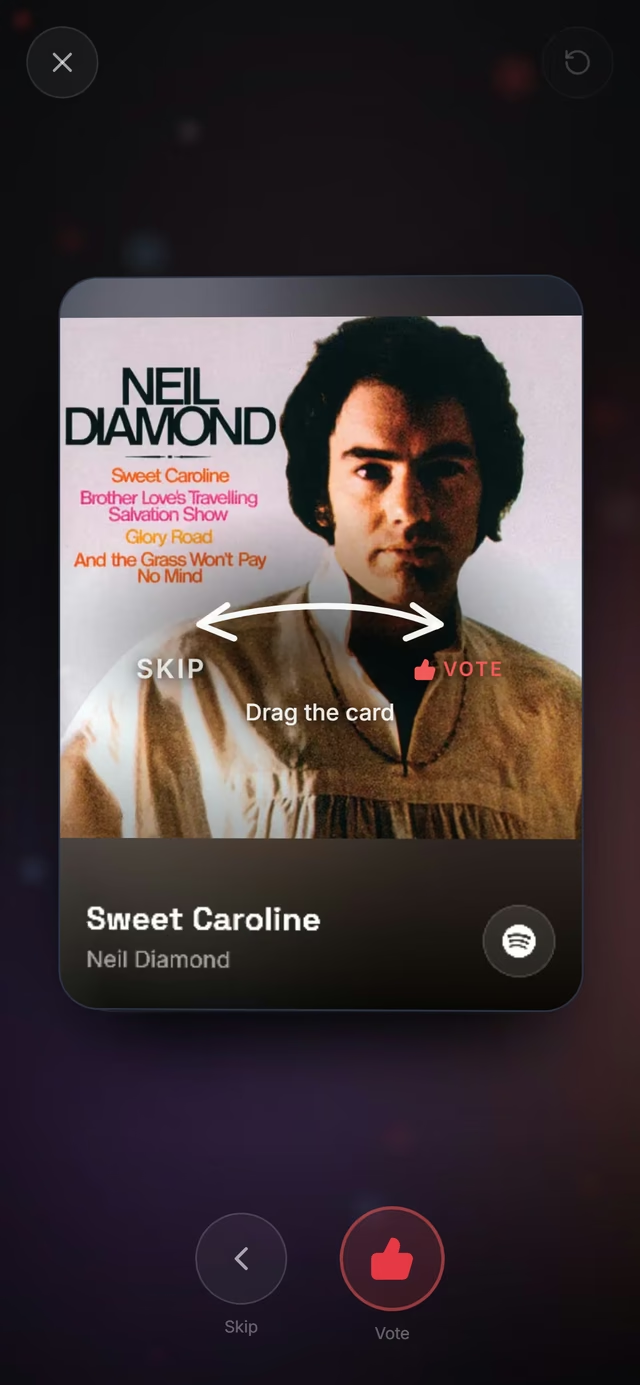
Audience voting lets the people at your gig vote from their phones for the songs they want to hear, and shows the band the most voted songs while it plays. Guests open your gig's link and tap the songs they want, with no app and no account. The band plays a song from the top of the list and resets its votes, so the next favourite rises. It turns a covers night into a request show without notes passed to the stage, and it's part of Stage Pro.
Updated

Turn on voting
Voting is set per gig, so you can run it at the party and leave it off at the jazz club. Guests vote on the gig's public page, so the gig has to be public too. In the gig's Configuration, turn on Vote on songs, then pick a setlist under Choose songs to vote on. From the chords and lyrics page you get there with Audience features in the gig's three dots in the menu.
That setlist doesn't have to be the gig's own: it can be any of your setlists, such as one with every song you know, or a list of the songs you're happy to play on request. Once voting is on, share the gig's link, and the votes come in as soon as guests open it.
- A public gig and Stage Pro
Starts on your gig's page. Not there yet? See Open your gig.
See the top songs while you play
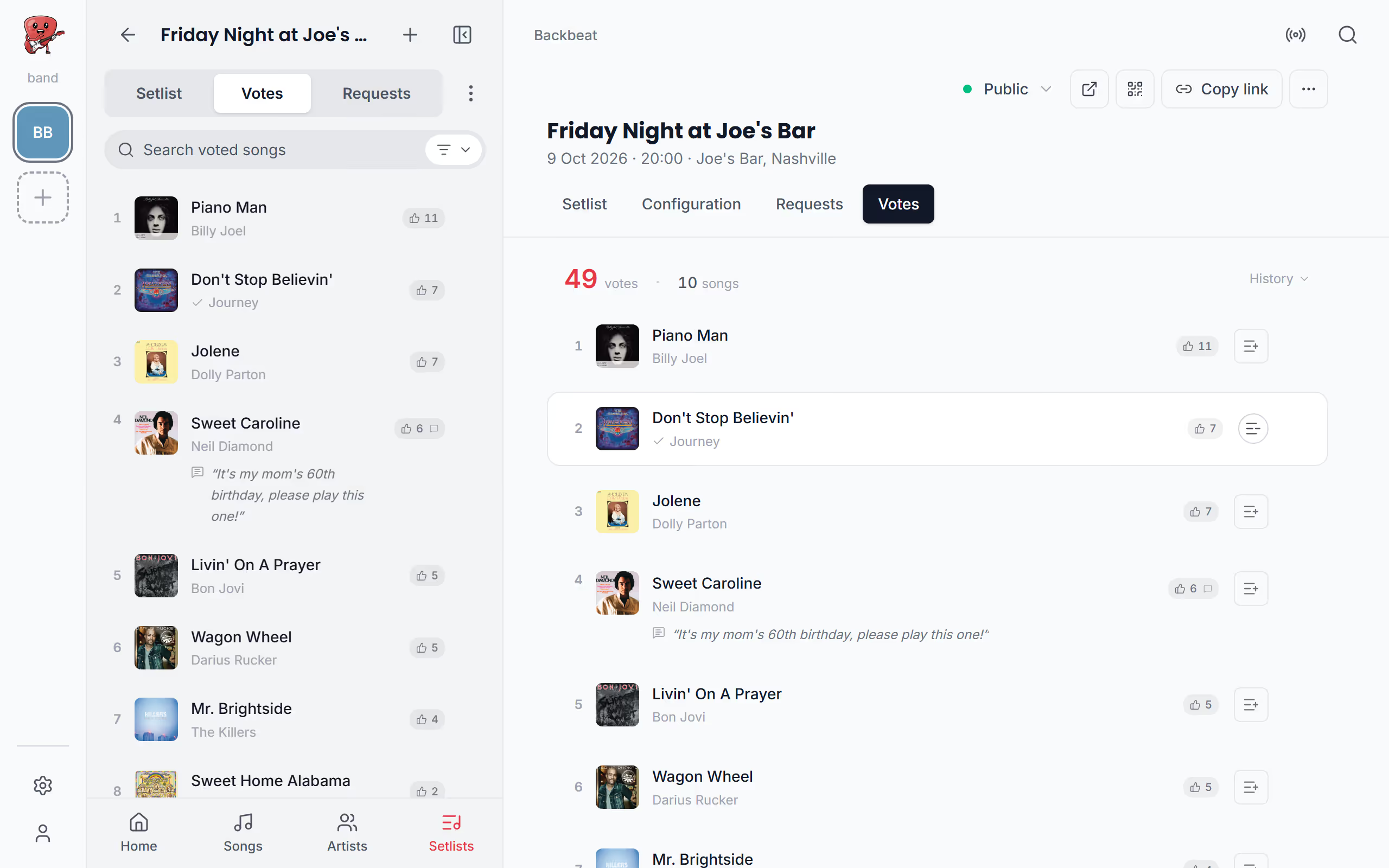
During the gig, the votes are under Votes in the menu you use to move between songs. The most voted songs are at the top, each with its count and any greetings guests wrote, so you see at a glance what the room wants. Counts update as guests vote, every few seconds while the list is open, but the order holds still while you look at it, so a song never moves under your finger. When the order has changed, New order appears above the list, and a tap moves the rows to their places; when only new greetings wait, it reads Update. With the menu closed the list keeps up by itself, so opening it between songs shows the current order.
The Votes tab on the gig page shows the same list, and History there shows how many votes came in on each day. Tap a song in either list to open it with its chords and lyrics, and a swipe then takes you to the next song down the list. With a pedal, Switch setlist and votes in Pedal & keys jumps straight to the most voted song.
See a song's votes and greetings from the song
A song you open from the gig in the menu shows its vote count beside the title, so you know how many asked for it before the first chord. Tap the count for a short menu: Show greetings reads what guests wrote for that song, perhaps a birthday or a name to call out from the stage, Go to Votes opens the list in the menu, and Reset votes clears the song once you've played it.
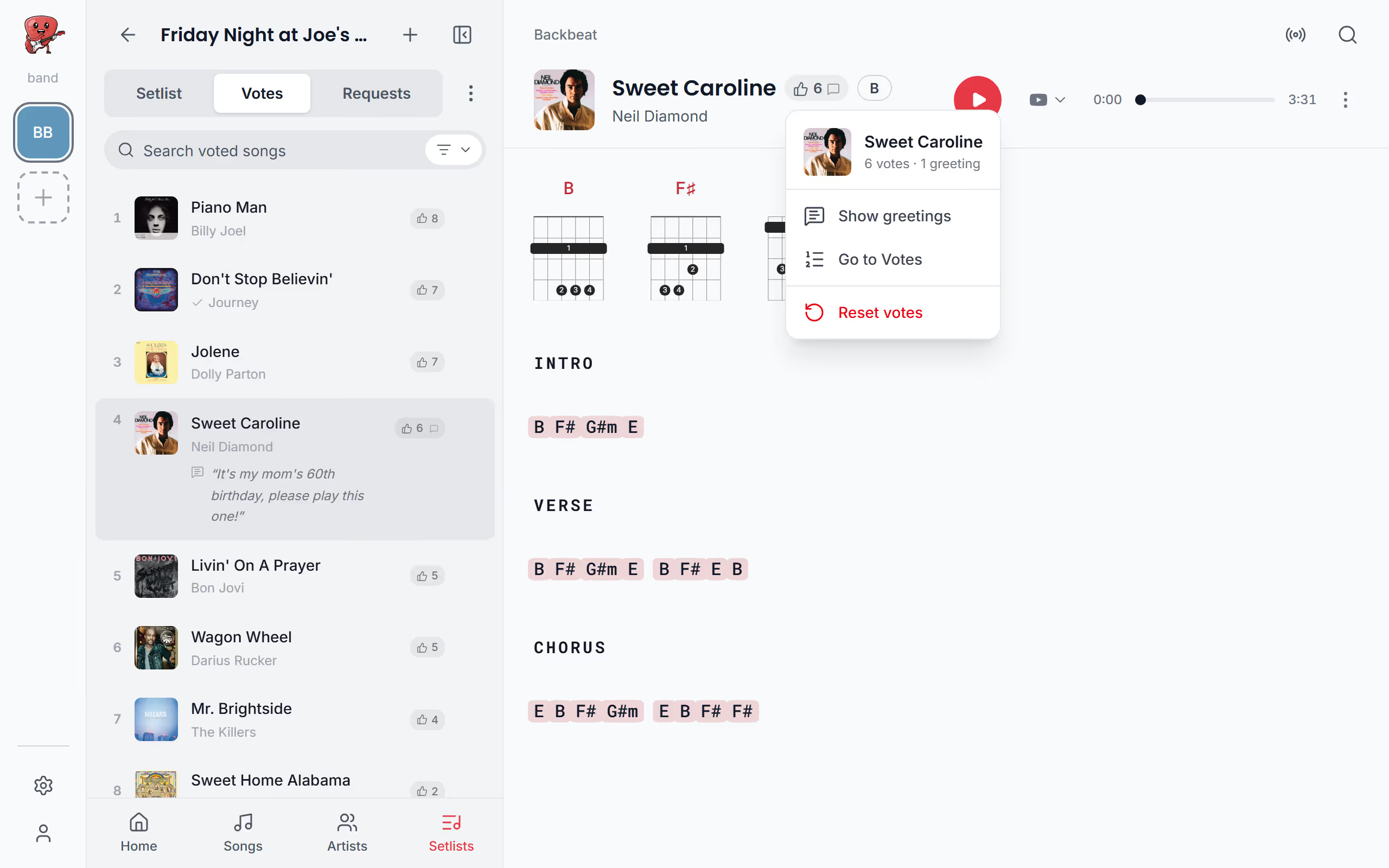
Reset a song's votes after you play it
Once you've played a voted song, it should make room for the next one. Resetting takes its votes and greetings to zero and the song out of the top of the list, but guests can still vote for it, so a real favourite can climb back later in the night. You can reset from the vote count by the song's title, from Reset votes in the song's three dots, or from the three dots on its row in Votes, and it doesn't ask you to confirm, since you're usually doing it between songs with a guitar in your hands. Any band member who can edit, including members on the free plan, can reset votes, so the person at the mixing desk can look after the list while the band plays.
- Needs a public gig with voting on
Starts on your gig's page. Not there yet? See Open your gig.
Reset votes with a foot pedal
With both hands on the instrument, a foot pedal can reset the votes for you: give Reset votes a key of your own in Pedal & keys, and it works when the song is opened from the gig. A custom command can mark the song as played, reset its votes and go to the next song with one press.
Start the voting over
For a regular night, you may want a clean list next time. Clear audience history in the gig's three dots, on the gig page or in the menu, deletes every vote, greeting and request for the gig, and it can't be undone. It shows once the gig has votes or requests. The link stays the same, and the songs you've checked off as played stay checked. To keep the night's votes to look back on, choose Create a new gig in the same dialog instead: a new gig with the same voting list and audience settings, starting from zero. Next, let guests request songs that aren't on the list, and see how guests vote on their phones.
Questions
- Do my guests need the app or an account to vote?
- No, guests vote in their phone's browser from the gig's link, with no app and no account.
- How many votes does a guest have?
- Each guest has one vote per song in their browser, for as many songs as they like. A second tap on the same song takes the vote back.
- Can guests vote for a song that isn't on the list?
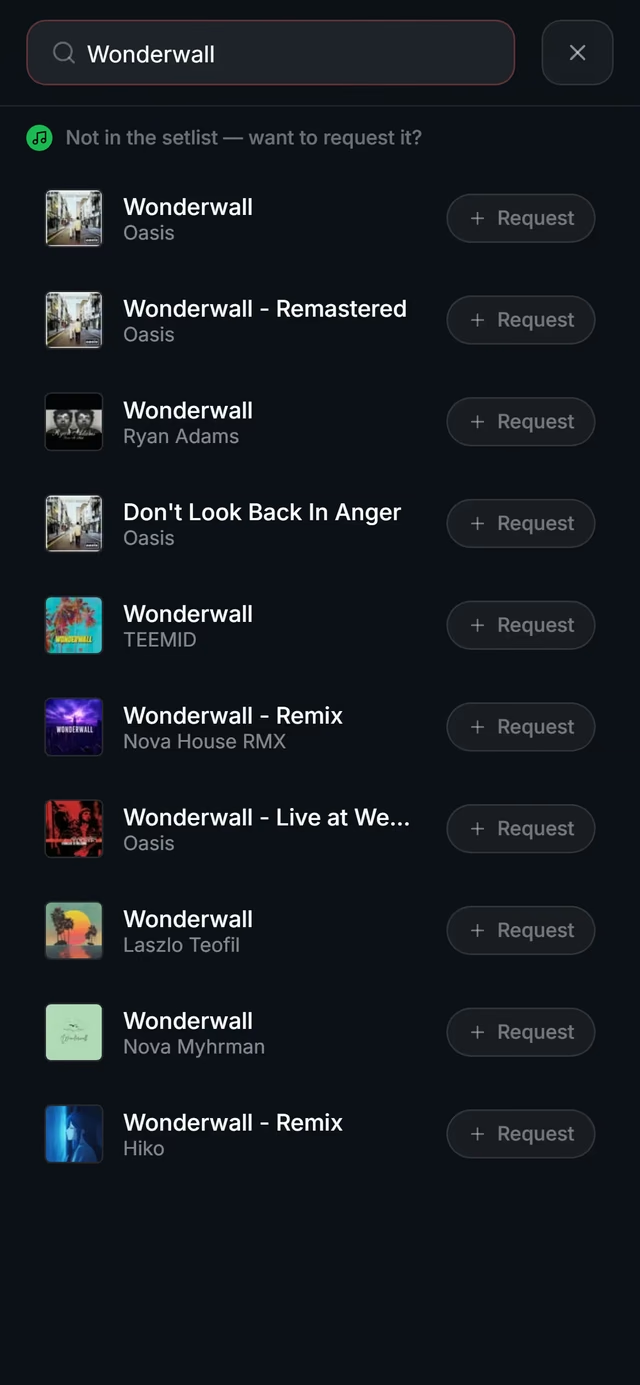
- Guests can't vote for it directly, but with song requests on they can request it. With Show requests in voting turned on as well, the requested song joins the list and other guests can vote for it too.
- Can a song come back after I reset its votes?
- Yes, a reset takes the song's votes to zero but leaves it on the list, so guests can vote it back up later in the night.
- Does audience voting need Stage Pro?
- Yes, audience voting is part of Stage Pro, which costs $13 a month or $108 a year. Guests vote for free, and band members on the free plan can still reset votes at the gig.