Use a Bluetooth page turner or foot pedal for lyrics and chords
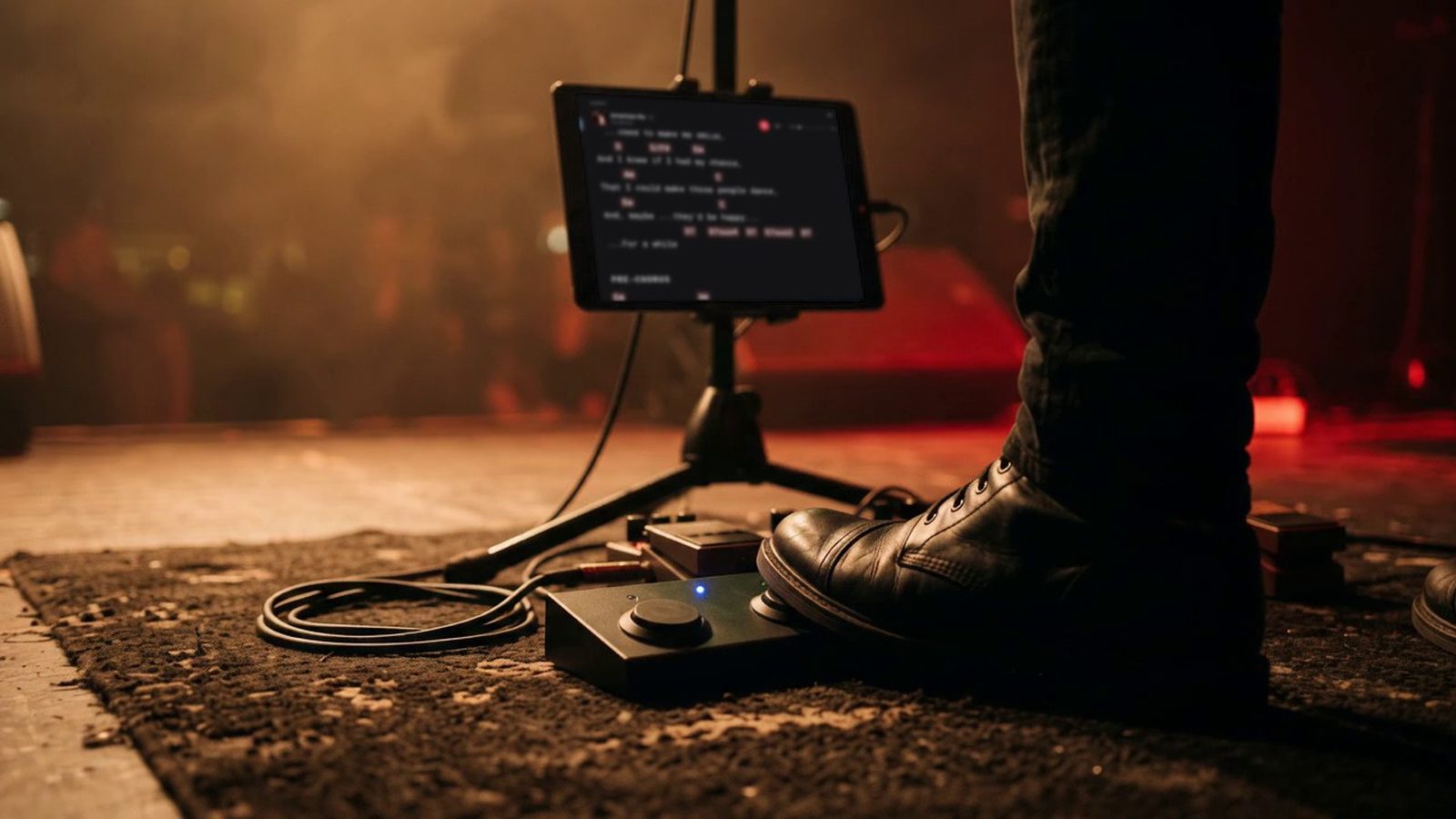
A Bluetooth page turner pedal, also called a foot pedal page turner, works like a keyboard: each pedal sends a key. Stage Friend reads those keys on the chords and lyrics page, on an iPad, an Android tablet or phone, or a computer, and understands the common ones without any setup. That way your foot scrolls the chord chart and changes songs, on every plan, including the free one. A computer keyboard works exactly the same way, which is handy at a rehearsal with the laptop on the music stand.
Updated
Which page turner pedals work
Page turners that act as a Bluetooth keyboard work, and that's most of them, such as those from AirTurn, PageFlip, Donner and iRig BlueTurn, since Stage Friend reads the keys a keyboard sends. What a pedal can send differs from model to model and from mode to mode, and there are far too many models for us to have tried them all. So before you sign up, try yours on our page turner test, which reads the pedal in your browser with the same key reading as Stage Friend; inside the app, Try your keys does the same.
Pair the pedal with your iPad, tablet or computer
Pairing happens on your device, not in Stage Friend. Turn the pedal on and pair it in the Bluetooth settings of your iPad, Android tablet, phone or computer, the way you would a keyboard, then open a song in Stage Friend and press the pedal. The pedal acts on the chords and lyrics page, so that's where you'll see it work.
Keys that work without setup
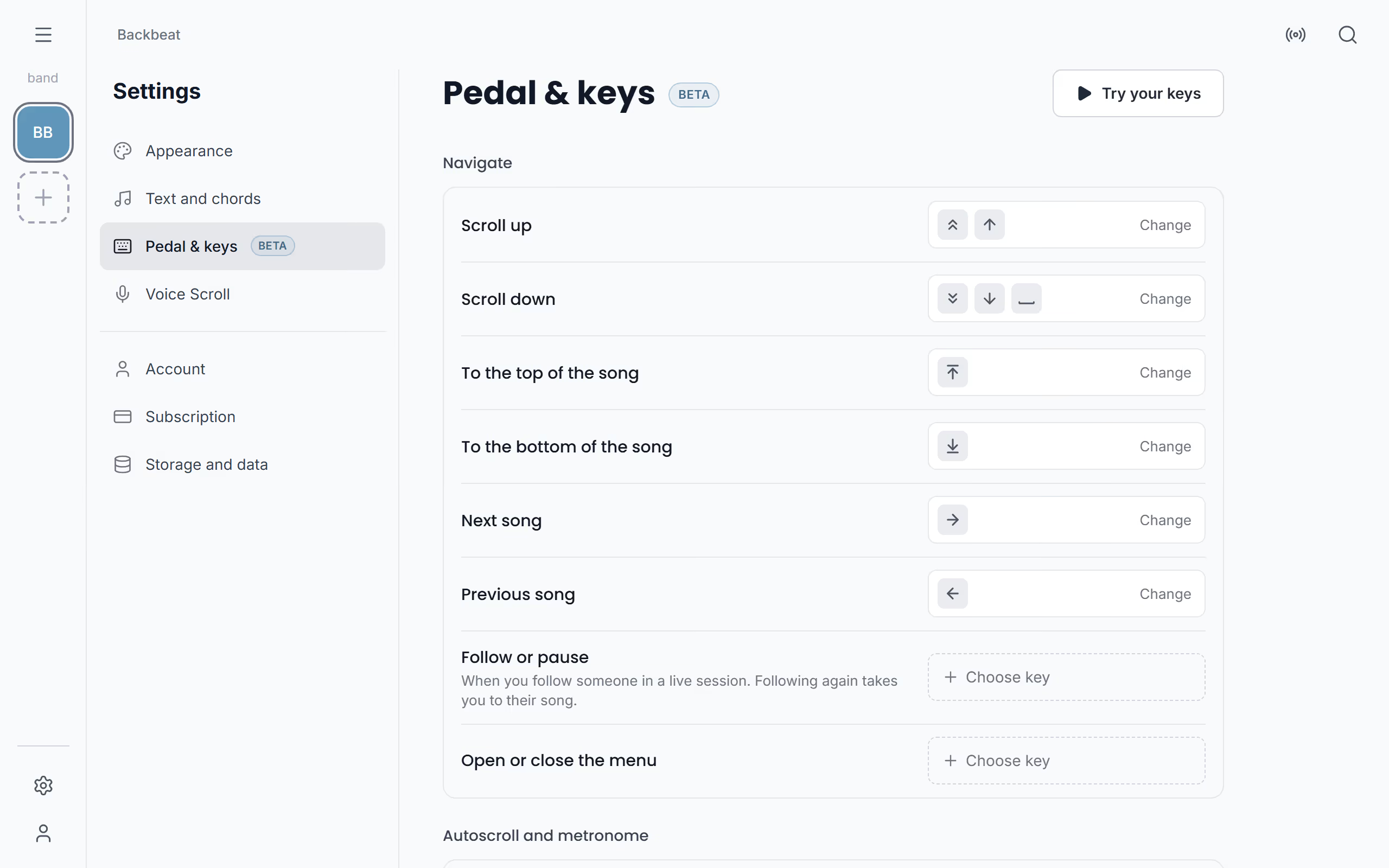
Most pedals work the moment they're paired, because Stage Friend already knows the keys page turners send. Page Up, Page Down and Space scroll about a page, keeping a few lines of the last one so your eye finds its place, while the up and down arrows scroll a few lines, and Home and End go to the top and the bottom of the song. The left and right arrows change song. Many page turners have a mode for each pair of keys, so the pedal's mode decides whether it scrolls or changes songs.
The commands and their keys
Pedal & keys lists every command with the keys that run it today, in three groups: Navigate, Autoscroll and metronome and Gig. Besides scrolling and changing songs, a key can open or close the menu, start or stop autoscroll and the metronome, and pause or resume following someone in a live session. Change gives a command a key of your own, and Choose key gives one to a command that has none yet. If the key already does something else, Stage Friend asks before it moves the key, since a key only does one thing. Reset to standard puts the standard keys back and keeps your custom commands.
Set up your own keys
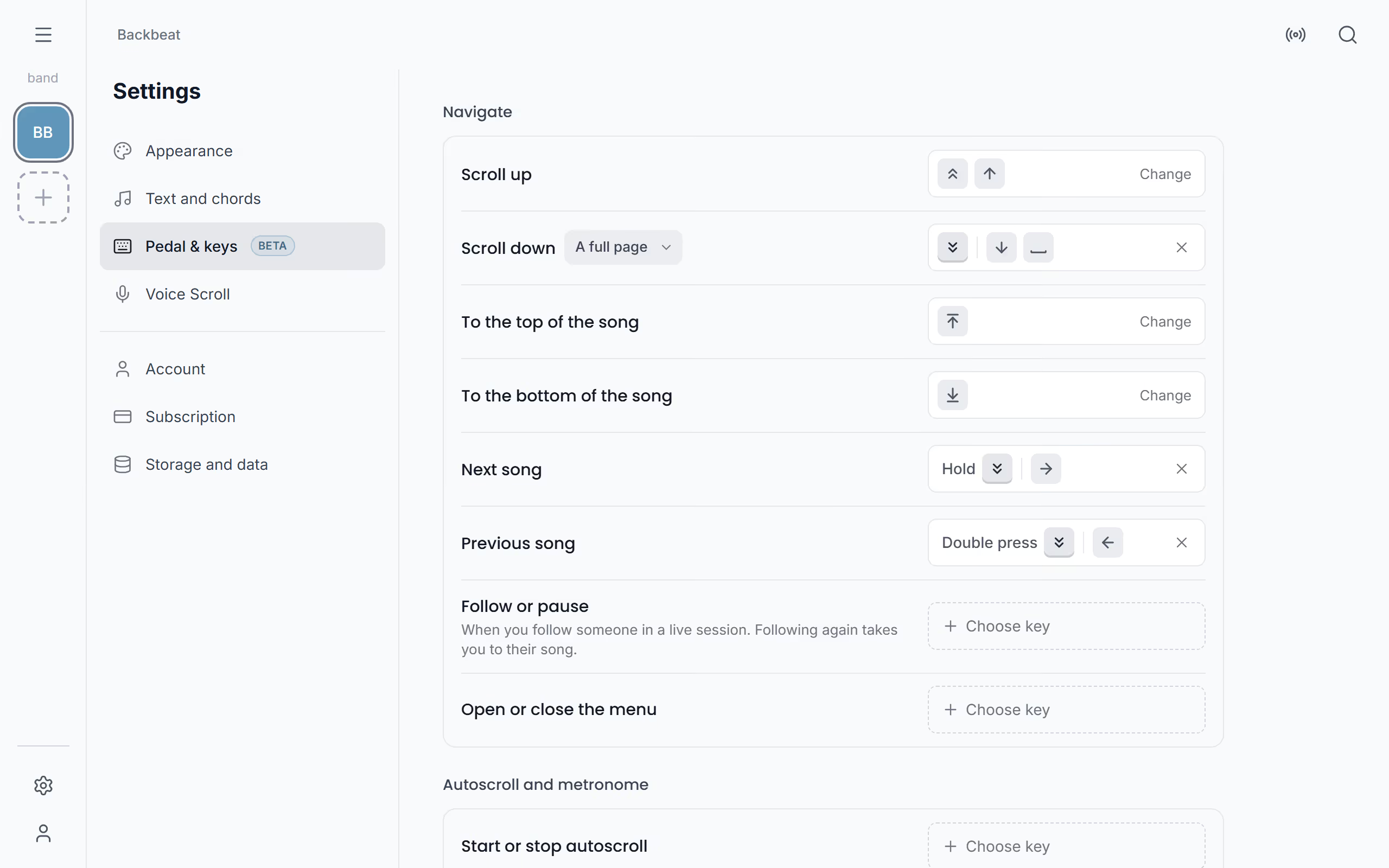
Two pedals aren't many keys for a whole gig, so a common setup gives one of them two jobs: a press scrolls, and a hold or a double press goes to the next song. Pedal & keys is in Settings, and also in the three dots on the chords and lyrics page, so you can set it up with the pedal already at your feet. Tap the box beside a command and press, double press or hold the pedal, and that's the key from then on.
- Any pedal that works as a keyboard
Starts on Settings. Not there yet? See Open Settings.
Press, double press and hold
One key can do up to three things: a press, a double press and a hold. Every pedal can send a press and a double press. A hold works only when the pedal keeps sending its key while held down, which on some pedals depends on a switch, often marked Repeat. Check yours on the page turner test or in Try your keys, and use a double press if a hold doesn't come through. Presses that only scroll never wait for a second press, so page turns stay instant, and while you hold a key that has a hold set, a ring fills to show when the hold will run.
Choose how far a page turn goes
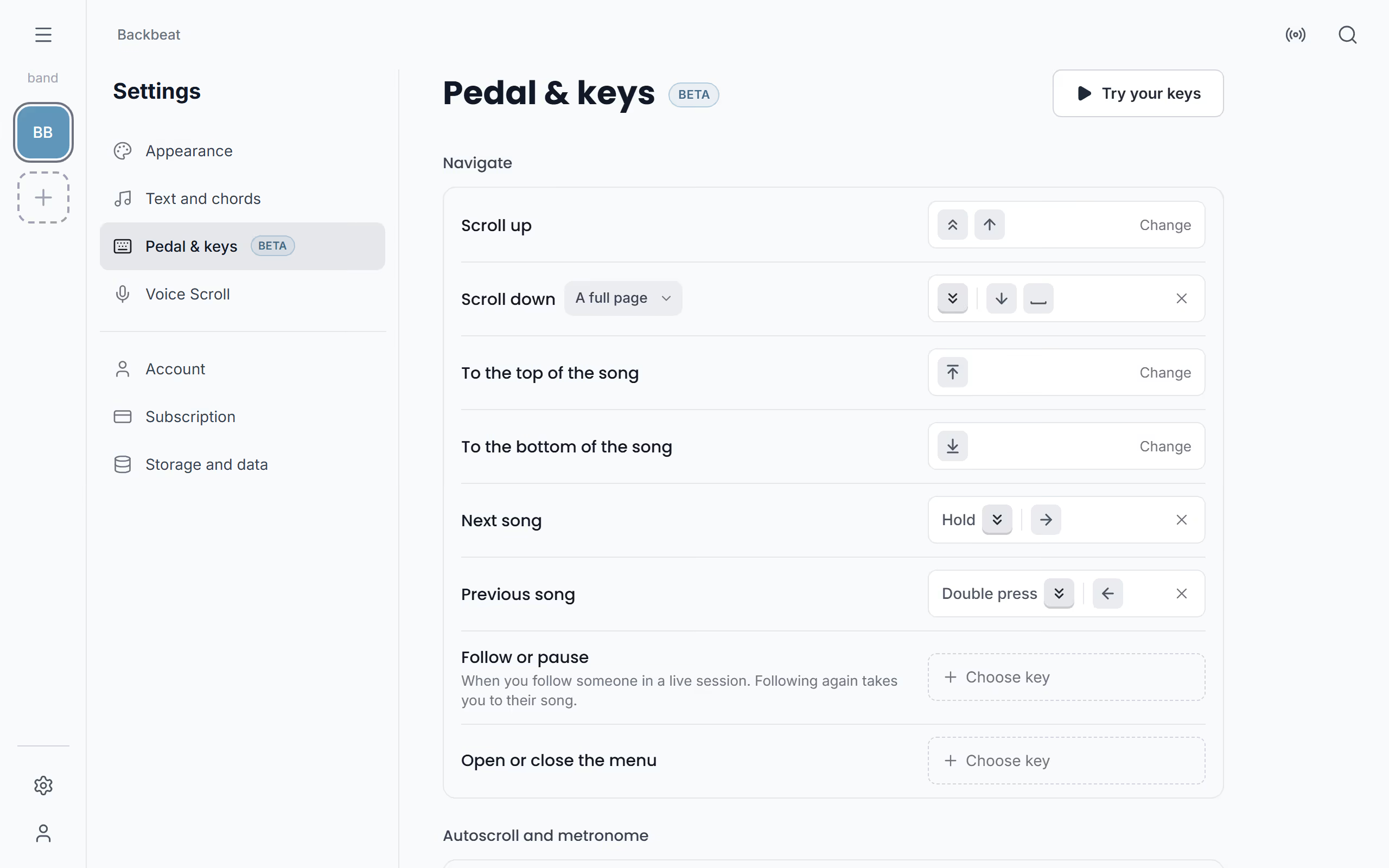
Once Scroll down or Scroll up has your own key, a choice of how far it goes appears beside it: A few lines, Half a page or A full page. A few lines keeps your place in a dense chord chart, while a full page suits a lyric sheet you read in big blocks.
Mark songs played and reset votes
At a gig with audience voting, a pedal can tick off songs and clear votes. The Gig commands work when the song is opened from a gig, for band members who run the gig live. Mark as played checks the song off, and a second press takes the check off again. Reset votes clears the song's votes, and Switch setlist and votes jumps to the most voted song and then back to where you were in the setlist, as long as voting is on for the gig. Reset a song's votes explains what the audience sees.
Run several commands with one key
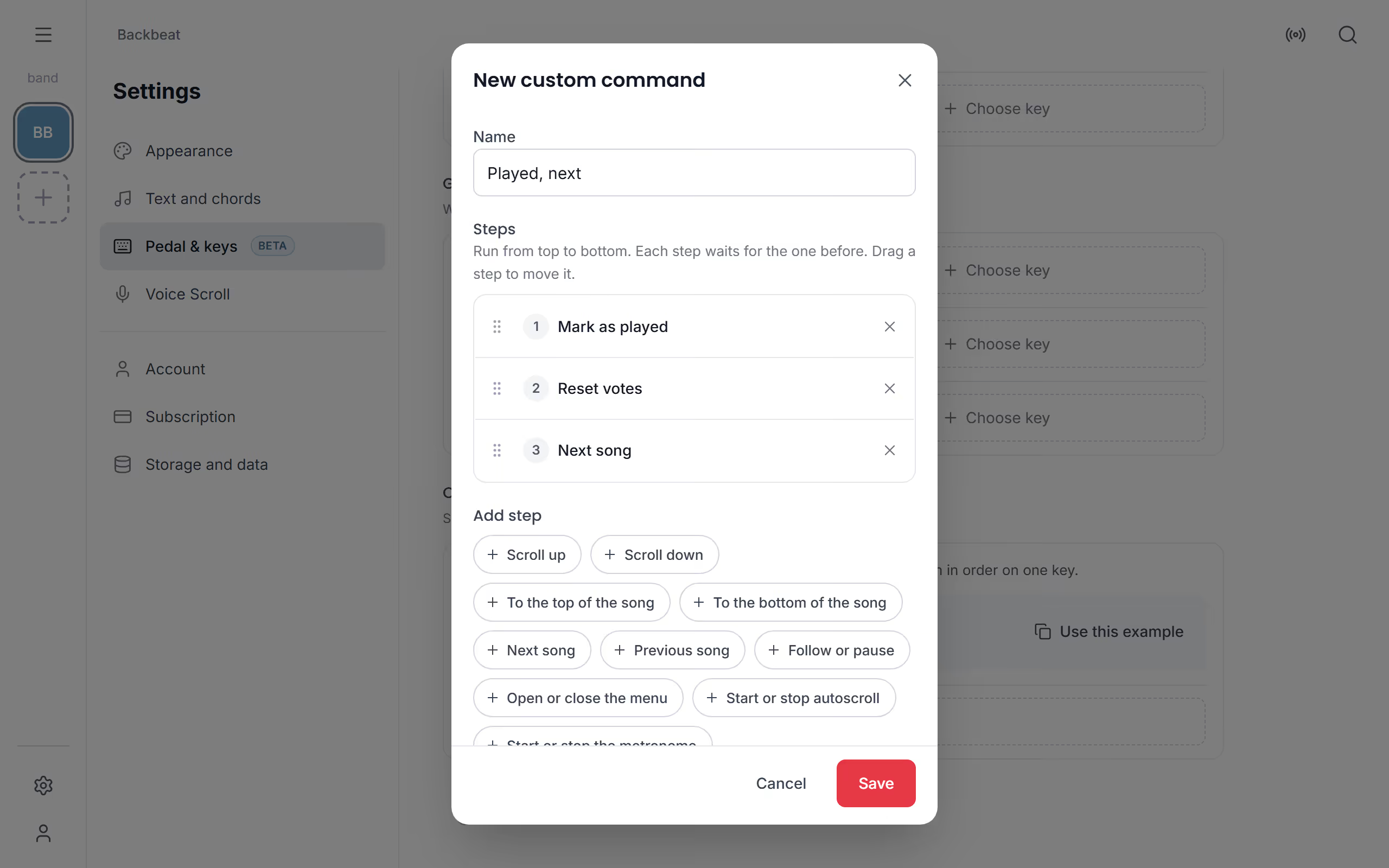
Between songs at a request gig, the same few things happen every time, so they can share one key. New custom command puts up to eight commands on one key, run in order, and you drag a step to move it. The example Played, next, which Use this example adds for you, marks the song as played, resets its votes and goes to the next song. If one step can't run, the rest stop there and a message says which step and why.
Try your keys before the gig
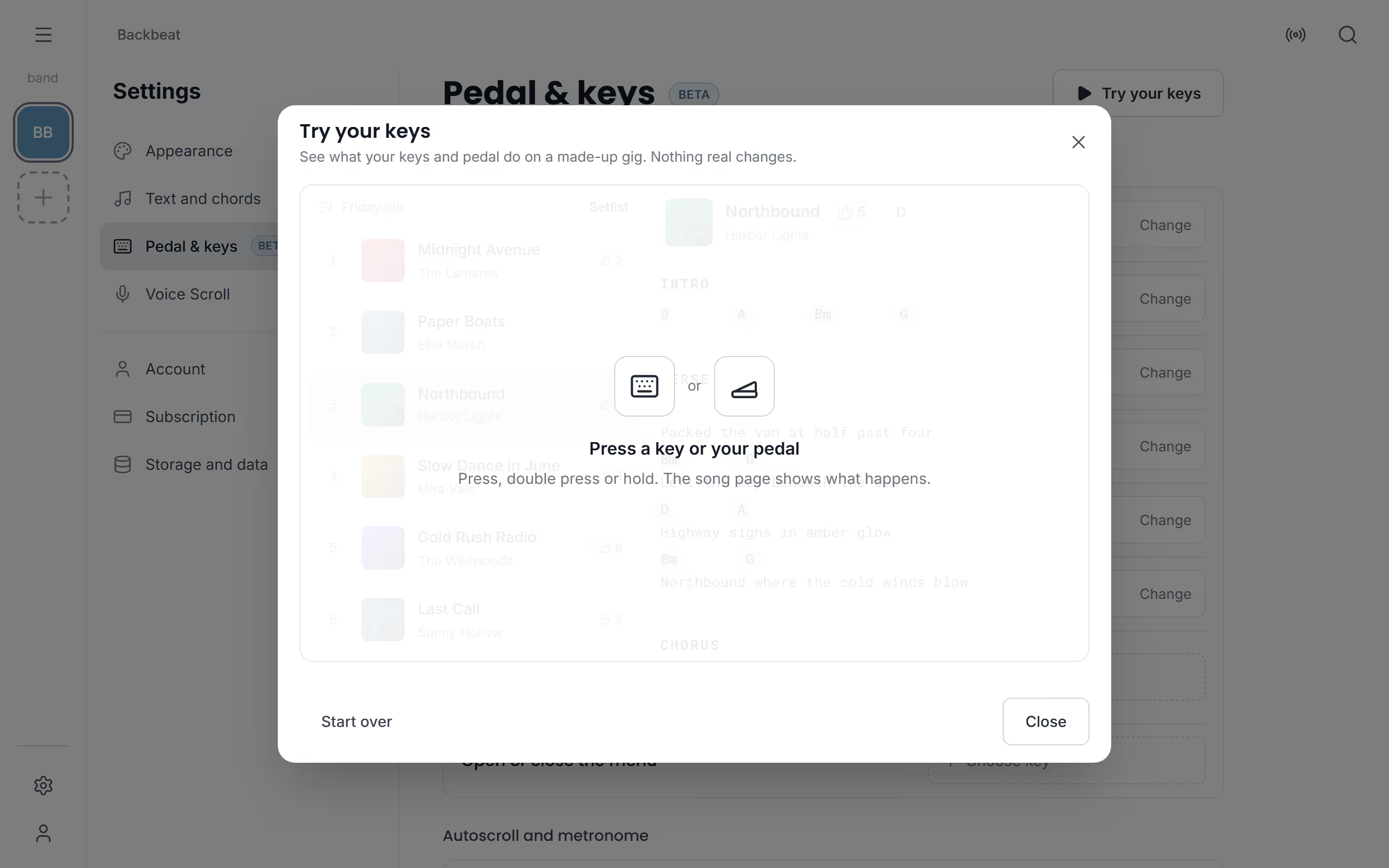
Better to find a pedal in the wrong mode at home than at the soundcheck. Try your keys, at the top of Pedal & keys, shows a made-up song and setlist that react to your pedal, and each press names the command it ran, while nothing real changes. Your keys are saved on each device, so set them up on the one you use on stage. Then play a setlist song by song, or start autoscroll from the pedal.
Questions
- Which page turner pedals work with Stage Friend?
- Page turners that act as a Bluetooth keyboard work with Stage Friend, such as AirTurn, PageFlip, Donner and iRig BlueTurn. Check yours on the page turner test.
- Can I test my page turner before I sign up?
- Yes, the page turner test reads your pedal in the browser with the same key reading as Stage Friend, and needs no account.
- Does a page turner pedal work with an Android tablet, as well as an iPad?
- Yes, a page turner works with Stage Friend on Android tablets and phones, iPads, iPhones and computers. See Pair the pedal.
- Can one page turner both scroll the lyrics and change songs?
- Yes, one key can do both: a press scrolls, and a double press or a hold goes to the next song. See Press, double press and hold.
- My pedal does nothing. What can I check?
- Make sure a song is open on the chords and lyrics page, then try another mode on the pedal, since each mode sends different keys. The page turner test shows whether it sends keys at all, and Try your keys names the command each press ran, or says No command.