OnSong alternative
Switching from OnSong?
Stage Friend is an OnSong alternative for bands where not everyone has an iPad: it runs on Android and in any browser, and the whole band can follow the same song live. Your songs come across as ChordPro, the open format OnSong exports.


Android app iPhone and iPad in the browser Windows and Mac
At a glance
Switch if your band doesn't all play from Apple devices. OnSong runs on iPhone, iPad and Mac, so the bass player with an Android tablet or the keyboard player on a Windows laptop has no OnSong app to play from, while Stage Friend opens on all of them and the band can follow whoever leads to the same song. The free plan has no song limit, so you can bring all your OnSong songs across and play from them before you decide anything.
Only here for OnSong on Android or Windows? OnSong for Android and Windows says what runs where.
OnSong and Stage Friend, feature by feature
What each app does as of October 2026, from OnSong's own pricing, feature pages and manual and from Stage Friend's plans. Where OnSong does more, the table says so. For OnSong next to SongbookPro, see OnSong vs SongbookPro, and for more apps, the best setlist apps for bands.
| Feature | OnSong | Stage Friend | Edge |
|---|---|---|---|
| Where it runs | OnSong: iPhone, iPad and Mac. Android is listed as coming soon | Stage Friend: Android app, and the browser on iPhone, iPad, Windows and Mac. No App Store app yet | Edge: Stage Friend |
| Before you pay | OnSong: Free with up to 30 songs | Stage Friend: Free plan with as many songs as you like, 3 setlists per band and 2 bands of your own | Edge: Stage Friend |
| The band on the same song | OnSong: Connect on Premium: a leader sends the song to devices on the same Wi-Fi network | Stage Friend: Live follow on every plan, free included, over the internet. Each device needs a connection | Edge: Even |
| A shared library for the band | OnSong: Group plan with shared storage. The price isn't published | Stage Friend: Shared songs and setlists. Members on the free plan play from them, editors need Pro | Edge: Stage Friend |
| Autoscroll | OnSong: On Premium | Stage Friend: On every plan, at the song's own pace. and when you practise, Voice Scroll follows the words as you sing (5 minutes a week on the free plan) | Edge: Stage Friend |
| Foot pedal | OnSong: On Essentials and Premium | Stage Friend: On every plan: press, double press and hold, each with its own command | Edge: Stage Friend |
| Transpose and capo | OnSong: Both, and it can transpose PDF charts | Stage Friend: Transpose on every plan, and saving the new key changes it for the whole band. No capo setting | Edge: OnSong |
| PDF charts in the library | OnSong: Yes | Stage Friend: No, songs are text and chords | Edge: OnSong |
| MIDI, backing tracks, lighting | OnSong: Yes: MIDI automation, MultiTracks, DMX lighting | Stage Friend: No | Edge: OnSong |
| Church tools | OnSong: Lyrics projection, Planning Center, SongSelect | Stage Friend: No | Edge: OnSong |
| Audience votes and requests | OnSong: No | Stage Friend: On Stage Pro: guests vote and request songs from their phones, with no app or account | Edge: Stage Friend |
| Offline on stage | OnSong: Yes, the library is on the device | Stage Friend: Yes. The Android app opens with no signal, and the browser keeps working once you've opened it online on that device | Edge: Even |
| Taking your songs out again | OnSong: ChordPro, PDF, text and a full backup | Stage Friend: PDF of a song or a setlist. No ChordPro export | Edge: OnSong |
When OnSong is the better choice
OnSong has been around much longer and does more on stage. If you play from PDF charts, OnSong keeps them as they are and can even transpose them, while Stage Friend only works with songs as text and chords. If your songs send MIDI to a keyboard or a modeller, start backing tracks or cue the lights, that is OnSong territory too, and Stage Friend doesn't do it.
Worship teams have the strongest reason to stay. Lyrics projection for the congregation, Planning Center and SongSelect are built into OnSong, and nothing like them is in Stage Friend. And if you play alone on an iPad and only need charts and a pedal, OnSong Essentials at $29.99 a year costs less than Stage Friend's Solo Pro, which you need for more than three setlists in a band or for your songs on more than one device.
When Stage Friend is the better choice
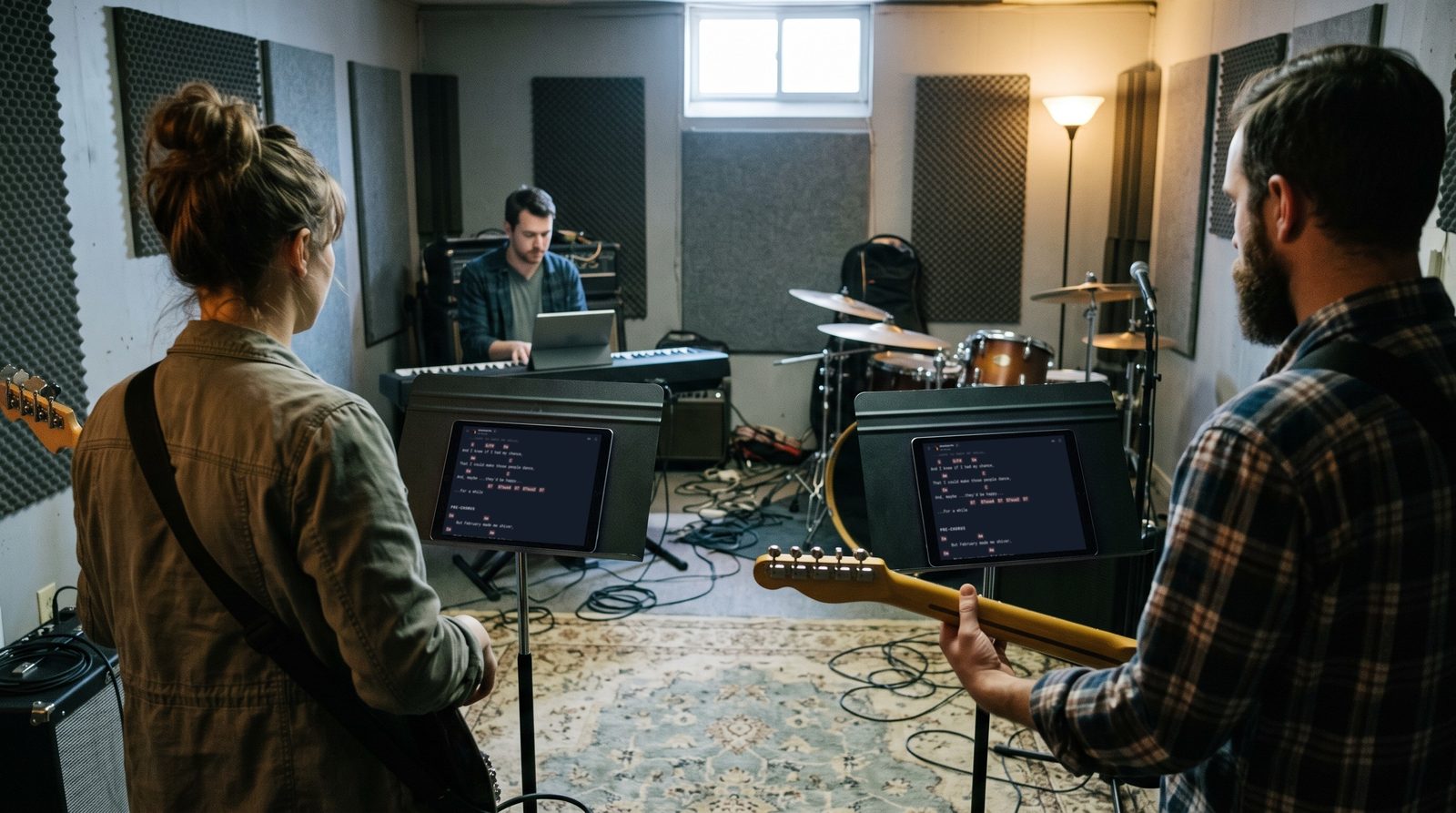
Stage Friend is made for the whole band rather than one player. Everyone reads from the same songs and setlists on their own phone, tablet or computer, whatever it runs, and when someone taps Spotlight me, every screen that follows them opens the song they open. It works on the free plan and goes over the internet rather than one Wi-Fi network, so the drummer who never has the setlist can't be on the wrong song.
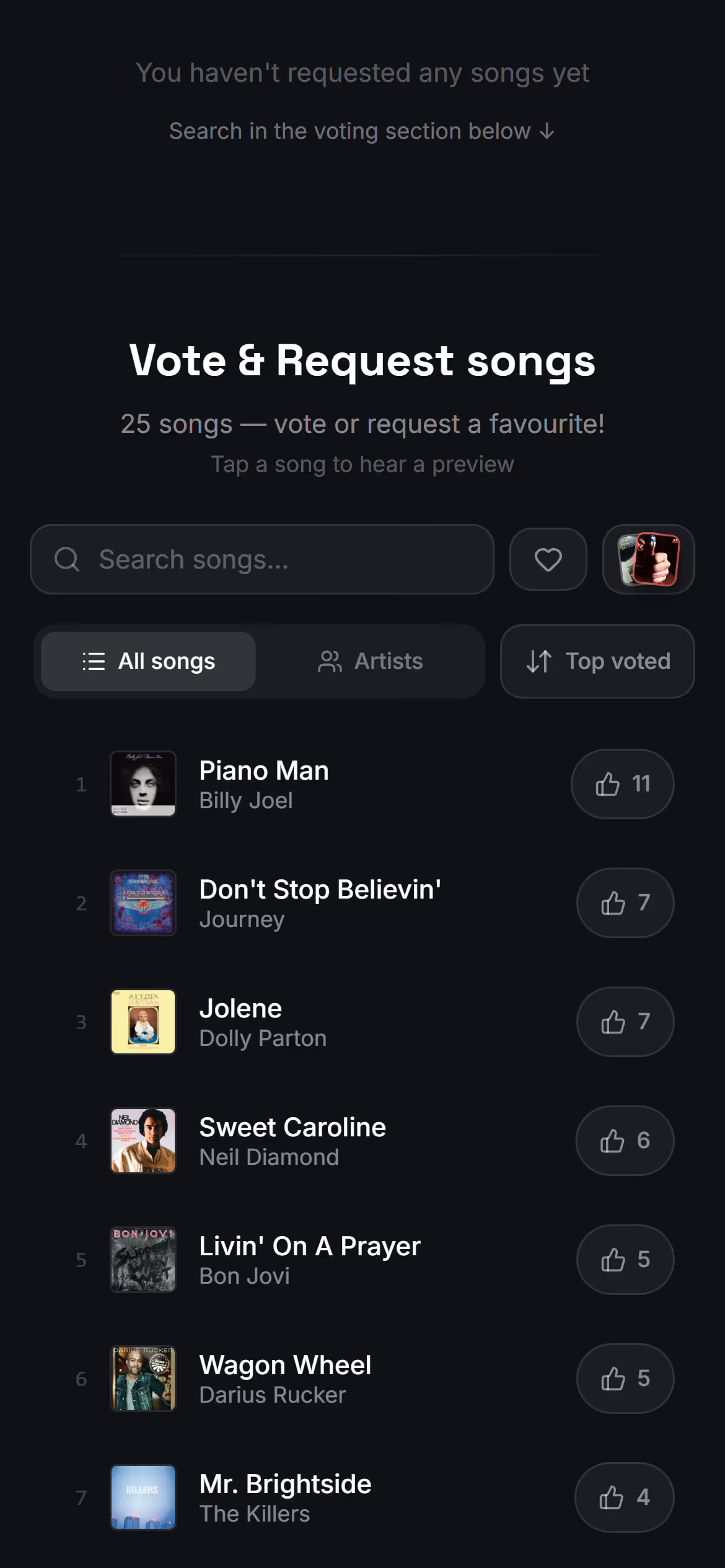
It also reaches the people in front of you, which OnSong doesn't. On Stage Pro your gig gets a public page: guests open it on their phones, vote for the songs they want and send requests, with no app and no account, and you see the votes from the stage.
The everyday tools come on every plan: autoscroll at the song's own pace, a foot pedal with up to three commands per pedal, and transpose that changes the key for the whole band. See how live follow works and how audience voting works in the help center.
What comes across, and what stays behind
OnSong exports songs as ChordPro, an open format for songs with chords, and Stage Friend reads it. Before anything is saved you see every song it found, so you can open a few favourites and check them first. This is what the move keeps:
Comes across
- Every song with its lyrics and chords, the chords still above the right words
- The title, artist, key and length of each song
- Every song you export, in one go, and single songs later the same way
Stays behind
- Sets: the export holds songs, not sets, so you rebuild them as setlists
- Recordings, backing tracks and PDF charts
- Tempo and capo settings
- OnSong's own backup file, which Stage Friend doesn't read
Sets are the one thing you rebuild by hand, and it goes quickly because the songs are already there. The free plan holds three setlists in a band, so if you play from more than that, Solo Pro gives every one of them room.
Three steps, a few minutes
- 1
Export from OnSong
Select your songs, then Share and Export, with ChordPro as the format.
- 2
Keep it as one zip
If the files land in a folder, press and hold it and choose Compress.
- 3
Drop it in Stage Friend
Choose ChordPro or text files, look through the songs, then keep them.
Every step, and what to do about your sets: Move from OnSong, step by step
Prices side by side
Prices as of October 2026, from each app's own pricing. Stage Friend's pricing page shows the price in your currency and every feature plan by plan.
OnSong
- Free: up to 30 songs
- Essentials: $3.99 a month or $29.99 a year, on up to 2 devices
- Premium: $5.99 a month or $59.99 a year, on up to 4 devices, adding autoscroll, Connect and MIDI
- Group plan for teams: the price isn't published
Stage Friend
- Jammer: free, with no song limit, no time limit and no card
- Solo Pro: €4.90 a month, or €42 a year
- Stage Pro: €13 a month, or €108 a year, adding gigs, audience voting and song requests
- Each person has their own plan. Members on the free plan can play from the band's songs and setlists
Questions about leaving OnSong

See your OnSong songs in Stage Friend
Drop your ChordPro export and look through your library first. Create the account when you like what you see.
Try it with your songs