Invite your band members
Inviting your band members to Stage Friend gives everyone the same songs, setlists and gigs, kept in sync on each person's own phone or tablet. You invite people by email from the band page, and they join with their own Stage Friend account. What each member can do then depends on their own plan, and members on the free plan take one of the band's places.
Updated
Invite a member
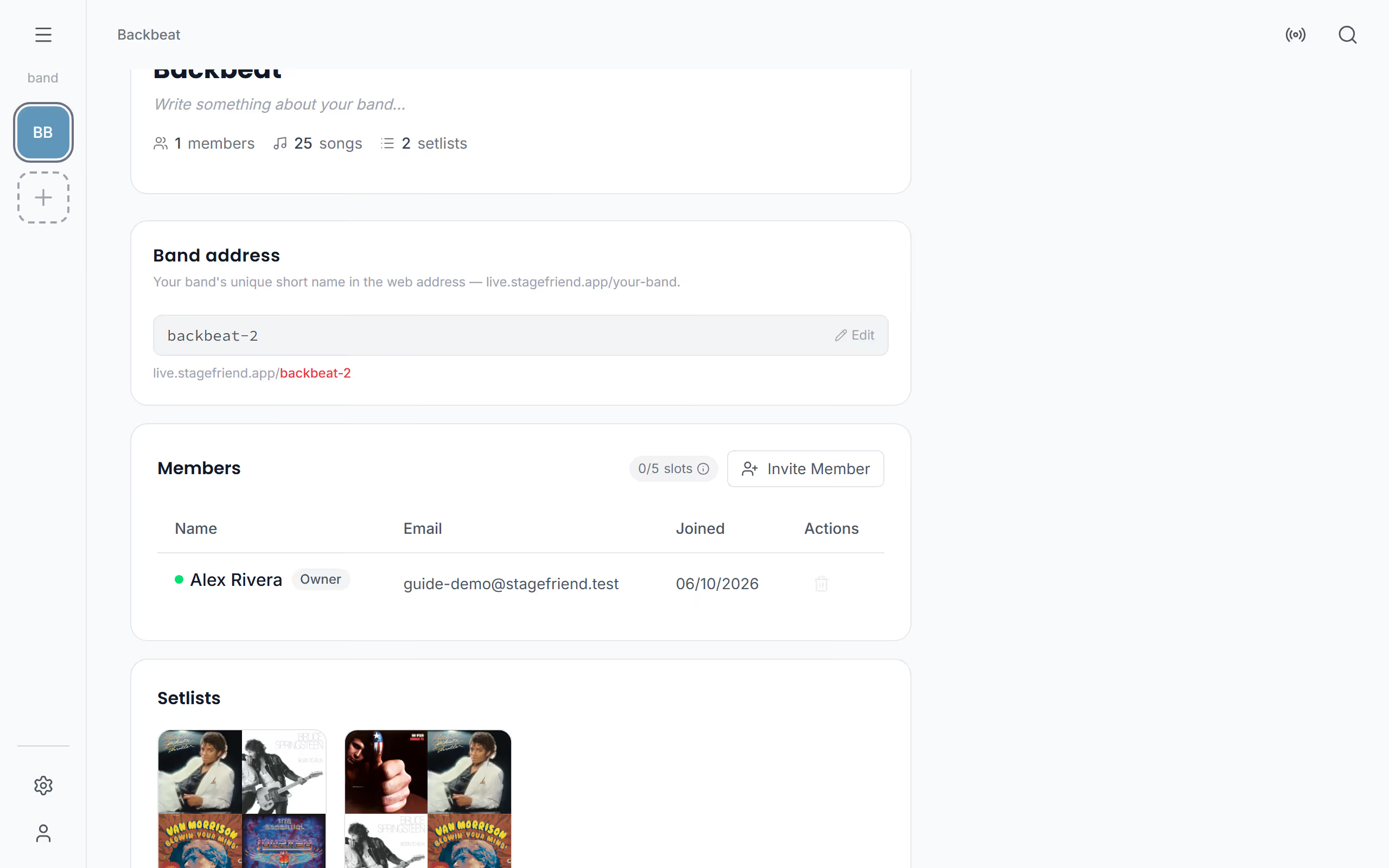
Once the band has a few songs in it, invite the others so they stop asking for the chords in the group chat. Inviting is for the band's owner and needs Solo Pro or Stage Pro. On the band page, tap Invite Member (on a phone, the person icon with a plus by Members), type their email address under Email Address and tap Send Invitation. They get an email with a link to join, and the invitation also pops up in the app when they open it. The dialog then tells you whether the person uses one of the band's places.
Until they answer, the invitation waits in the member list as Pending, with the date it expires. It runs for seven days, and once it shows as Expired you can tap Resend to send a new one. The bin by an invitation, Remove invite, cancels it. Managing invitations needs a connection.
- Solo Pro or Stage Pro
Starts on your band's page. Not there yet? See Open the band page.
Accept an invitation
When someone invites you, open the link in the email and sign in, or create an account, with the same email address the invitation went to. If you already use the app, a Band invitation pops up instead when you open it and says who invited you; tap Accept to join. Dismiss says no for now, and the link in the email still works until the invitation runs out. Once you have joined, the band shows among your bands with a small people mark, and its songs start arriving on your device.
What members can do
What a member can do depends on the plan that member has. Members on Solo Pro or Stage Pro can edit the band's songs, and on Stage Pro its gigs too. Members on the free plan open and play everything in the band and can work on its setlists, and at a gig they can check off songs and reset a song's votes, which is handy when a bandmate on the free plan runs the gig from the mixing desk. What they cannot do is change a song's lyrics and chords. Only the owner invites and removes members, edits the band's profile, sets the band address and deletes the band.
How many members
Members with their own Solo Pro or Stage Pro don't use a place, and members on the free plan do: one per band with Solo Pro and five per band with Stage Pro. An invitation that hasn't been answered yet holds a place too, unless the person was already on a paid plan when you invited them. The owner sees how many places are used beside Members on the band page, and a tap on it explains the places.
Remove a member
When someone leaves the band, the owner removes them from the band page: tap the bin by their name and confirm with Remove member. This works offline too and is sent with the next sync. The next time their app syncs after that, the band and its songs, setlists and gigs disappear from their device. A member cannot leave a band by themselves, so if you want out, ask the owner. With the band together, try following one another live, so everyone's screen opens the song the leader calls.
Questions
- Do band members need to pay to join?
- No, band members can join on the free plan and open and play every song, setlist and gig in the band. To edit the band's songs they need Solo Pro or Stage Pro, and a member on the free plan uses one of the band's places.
- How many people can I invite to my band?
- Members on the free plan are limited to one per band with Solo Pro and five per band with Stage Pro. Members who have Solo Pro or Stage Pro themselves don't use one of those places.
- How long is a band invitation valid?
- A band invitation is valid for seven days. After that the owner can send a new one with Resend on the band page.