
Setlist app
A setlist app made for bands
Stage Friend is a setlist app for bands: build a setlist from your songs, split it into sets that add up their own length, and play it song by song on stage with the chords and lyrics in front of you.
Free for three setlists in each band. No card needed.
The setlist beside the song on a tablet. The room is an illustration, the screen is the app.
Build a setlist in a few minutes
A setlist starts from + and New setlist, or from any song's menu with Add to Setlist, which makes a new one if you need it. From there, Add songs lets you tick songs in your library, or search for a song you don't have yet and add it to the library and the setlist in one go. An empty setlist can also start as a copy of another one, which is handy when this weekend's gig is last weekend's with two songs swapped.
Moving from another app or a playlist works too. A Spotify playlist link, a SongbookPro set or a Setlist Helper backup can each become a setlist when you import your songs.
Sets, running order and how long it runs
Most gigs have a break or two, so a setlist can hold several sets. + and Add section start a new set at the end, numbered Set 1, Set 2 and so on, and on a computer or a wide tablet a song's menu also has Add Section Above to split the list right there. Each set shows how many songs it has and how long they run, so you see at once if the first set is ten minutes too long.
On a phone or tablet, press and hold a song or a set's heading until it lifts, then drag it where it belongs, and the counts and times follow. On every device, Change order in the setlist's menu shows handles you can drag with a finger, a mouse or the keyboard, until you tap Done.
The lengths come from Spotify when you add a song, and you can set your own with Set length in the song's menu. Your list of setlists shows each one's total next to its song count. Not sure how many songs to learn? The set length calculator works it out from the gig's length.
Play it on stage
Open the first song and the setlist becomes the order you play in: swipe to the next song, tap the arrows, press the arrow keys or step on a page turner pedal. On a computer or a big tablet on its side the setlist stays open beside the song, and the song you're on is marked in it as you go.
The next song, the band and no signal
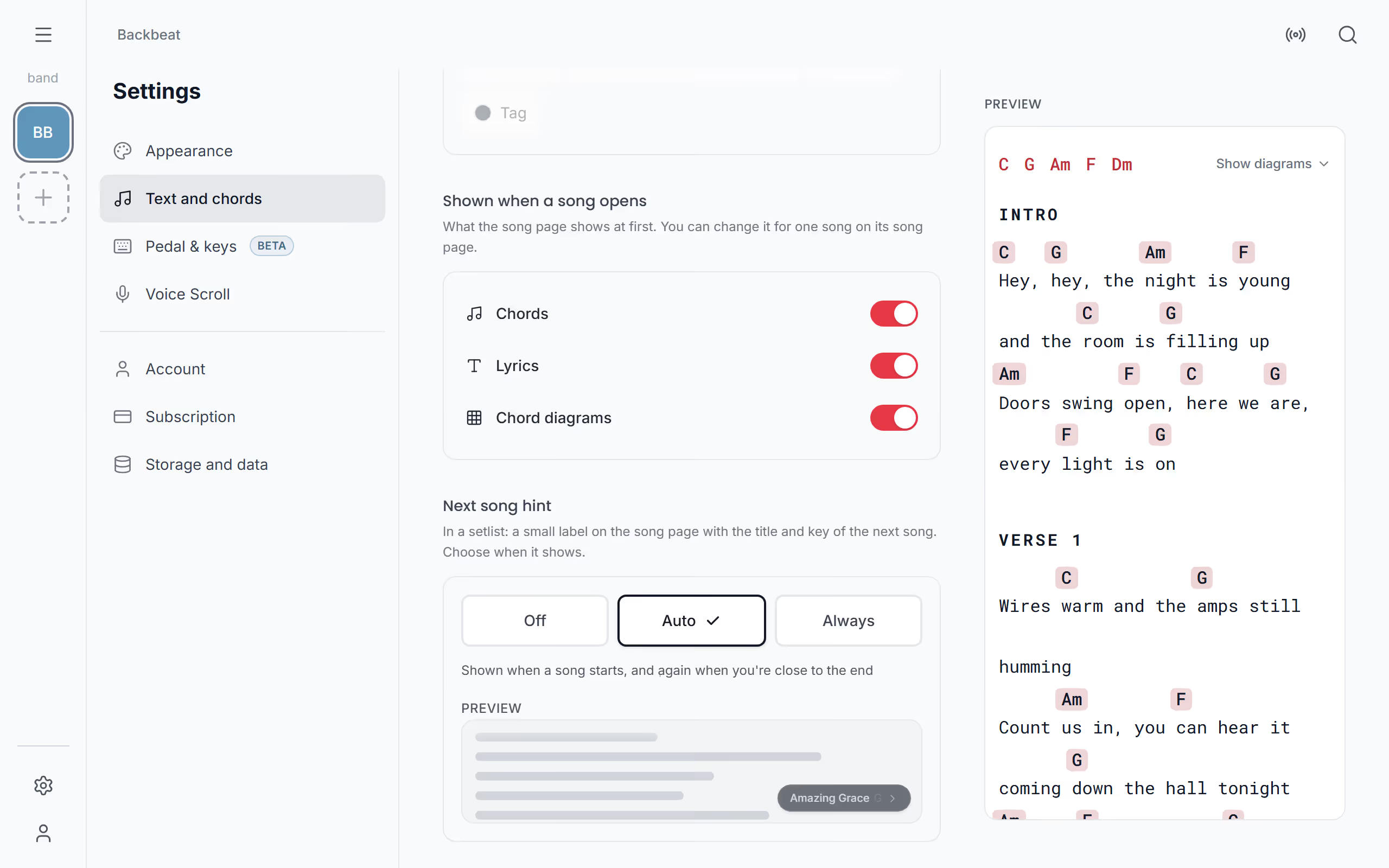
On phones and tablets a small hint can show the next song's title and key as you near the end. If the band plays together in Stage Friend, one player can lead and everyone following lands on the same song.
Setlists are kept on the device, so the Android app opens them with no signal, and in a browser they keep working once you've opened the app online. See play a setlist on stage for every way.
Print it, post it or send it to Spotify
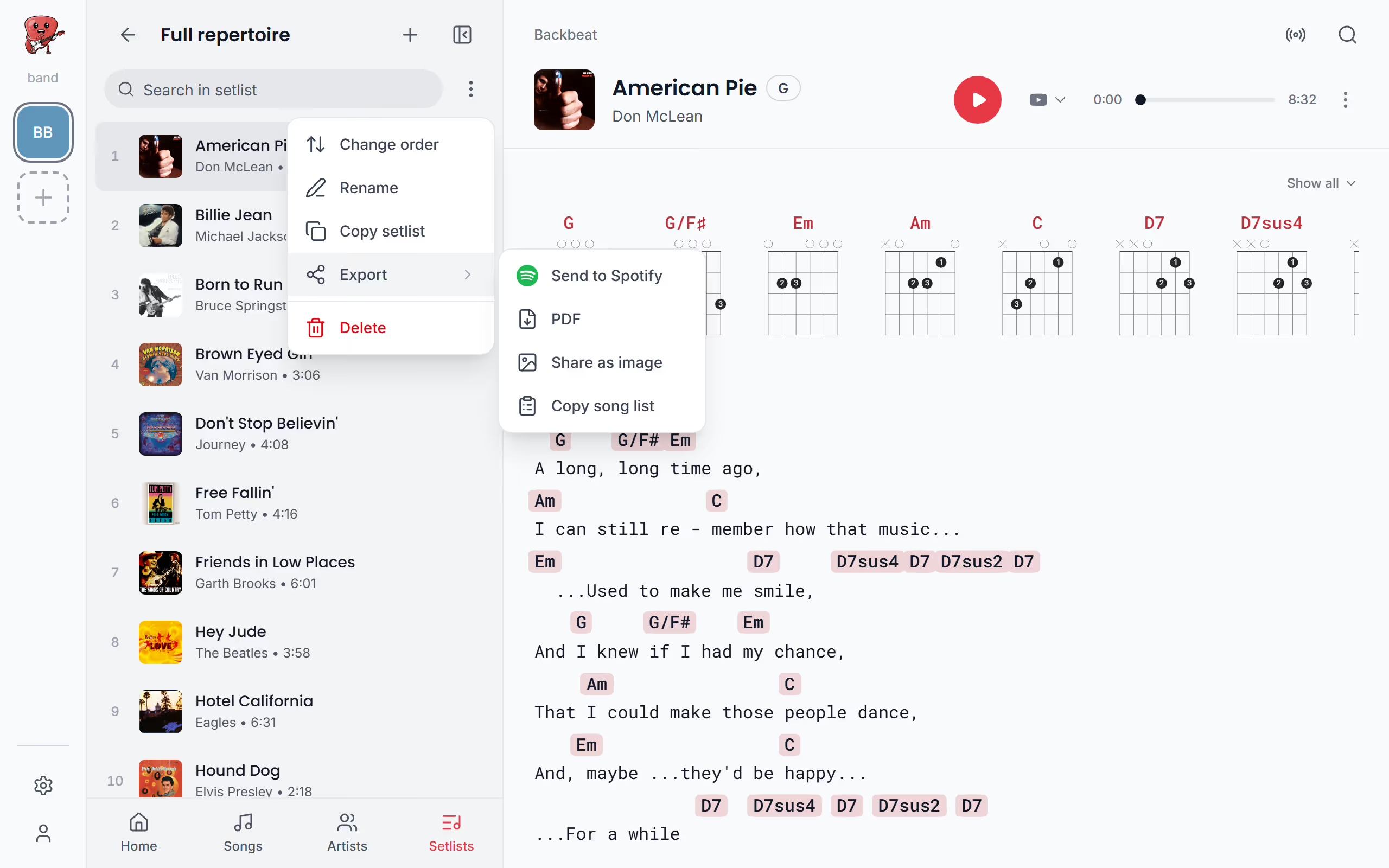
The setlist's Export gives you a PDF overview for the stage floor, with sets, breaks, lengths and a note, or charts with every song in full. You can share a setlist as a tall image sized for stories, copy it as a numbered text list for the band chat, or send it to Spotify as a playlist: songs linked to a Spotify track go across and the rest are counted as skipped. See print or share a setlist for each choice.
When the setlist becomes a gig
On Stage Pro, a setlist can be part of a gig with a date and a venue. The gig's page shows the time each song starts, lets you check songs off as played by tapping a song's number, from its menu or with the pedal, and can draw a random song from the ones you haven't played. Your audience can see the setlist on the gig's public page and vote for songs and send requests.
Questions about the setlist app

Build your next setlist
Start with the songs you already play. Three setlists in each band are free, and Solo Pro, at €4.90 a month, removes the limit.
Make a setlist freeEvery plan side by side on the pricing page.