Gigs: plan a show and play it
A gig in Stage Friend is a date, a place and a setlist of its own, so everything about one show sits together. On the night you check songs off as you play them, and afterwards a short recap shows how it went. A gig can also open up to your audience, with a page where they see the setlist, vote and request songs. Gigs need Stage Pro.
In this topic
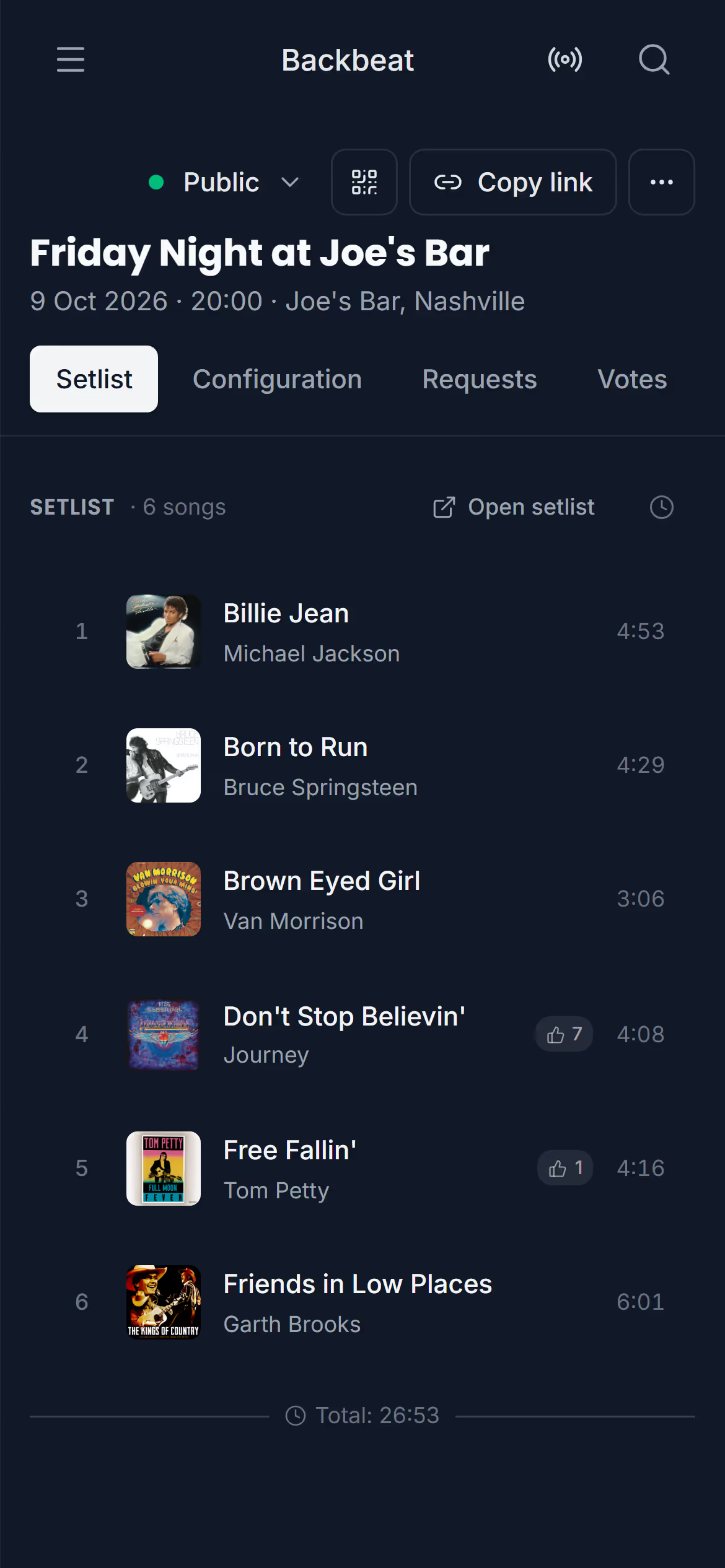
Your gigsA gig in Stage Friend holds one show's date, time, place and setlist, and you find all your gigs in the menu under Live, with the next one at the top. Creating one takes a title and a date, and the gig gets its own setlist at once, ready to fill with the night's songs. You decide whether it stays private to the band or gets a public page for your audience. Gigs need Stage Pro.Open your gig · Upcoming and past gigs · Create a gig · Public or private · Change the date, the place or the name · Delete a gigThe gig pageThe gig page in Stage Friend gathers everything about one show in four tabs: the setlist with its set times, the settings for your audience, and the requests and votes they send. It's where you plan the night before the show and keep an eye on the room during it. The setlist can show the clock time each song starts, so you know before the night whether the set fits your slot.The four tabs · See when each song starts · Fill the gig's setlistDuring the gigAt a gig in Stage Friend you check off each song as you play it, so you always see what's left, even when the band skips around the set. There's nothing to start or stop: in the gig's setlist in the menu, a tap on the song's number marks it played, and another tap undoes it. Afterwards, the gig recap shows how many songs you played, how long you were on stage and which ones you skipped. To let Stage Friend pick the next song instead, see Draw a song.Check off a song as played · See the recap · Start the set over
Next topicYour audience: share your gig, song voting and requests